JRP
Members
-
Joined
-
Last visited
Everything posted by JRP
-
Hi Everyone, I've recently been learning Meteor JS, which is you haven't tried it, is an awesome javascript framework. However, I've been thinking into a few app ideas that I can build for both Android and IOS. My idea is that users can upload/take a picture or video and the location will either be picked up automatically, if not they can enter it manually. This will then get added to a world map showing where people have took pictures, which other members can view. It will also get added to the latest posts timeline so people don't have to use the app. Members can then follow other members like Instagram works and see a timeline of that members photos/videos. In the future I then plan to add 'Events', which will allow people to tag their pictures/videos to an event, this can then be searched for and people can scroll through the event pictures. This is just an idea at the moment and I would like your feedback on if you think it's a good idea or not. Also would you use it? Cheers Jake
-
Hey everyone http://toyairdrones.com/ I've put together a website to showcase drones that are listed on Amazon. I'm just wondering what you guys think of it's usability and design. I've tried to keep it simple to make it easy to navigation and use. I'm also planning to add a blog, video and accessories section to the website. Cheers Jake
-
Hi All, http://retrojumper.com/ Over this past weekend, I've been working on a small project more for learning purposes. It's an Amazon Affiliate website, where people can go on look through a range of jumpers mostly retro and old fashioned. I know I've still got to go through and get more products and change some, but they're on there for now. Would you be able to give me feedback about the design, I tried to keep it simple seem's it's just a weekend project with a bit of SEO ontop. Cheers Jake
-
-
-
Hey guys! Ideas have been swimming around in my head for a few weeks now for a new project that I'm going to tackle, once I've completed my aunties website. I just need help choosing an idea to build upon. Ideas - > Bucket List - Allows you to store your goals that you want to accomplish, gives you offers based on your goals, connects you to people with similar goals, etc... > Podcast website I know there are many of these around, but I think they could be done a little better. > Texting app - Some already do this but messages destroy themselves after a certain amount of time. I'm also trying to think of somemore ideas that will be possible to build. Also if anyone wants to help build a website, I'm up for trying it. Cheers
-
Hi People! I've been doing some little snippits of code recently to learn more code. I've been trying to think of an idea today for a project I can do over the weekend for a bit of fun and then even maybe release it. But I've been struggling to come up with some ideas that I would want to do, if you want to leave any ideas down below or even post you own little projects go ahead. Cheers Jake
-
-
If you want to start learning web development try http://www.codecademy.com/ or if you want to pay for a membership (I'd happily recomend doing so) try http://www.codecademy.com/
-
-
Thank-you for replying! I found it out just a little after asking aha! It needed a 'display: inline-flex' to be set on the ul tag. I have made some progress since then if you want to have a look, because I ran into a new problem. As you see at the bottom in the editor some of the lines are cutting off. I don't know how to fix this, if you have any idea? + Thanks, teodora!
-
Can anyone help ? Here is the HTML Code - <div class="navigation"> <div class="container"> <div class="navigationWrapper"> <ul> <li>Home</li> <li>About me</li> <li><img src="img/logo.png" id="logo"></li> <li>My work</li> <li>Blog</li> </ul> </div> </div> </div> And here is the css - .navigation ul { text-align: center; } .navigation li { display: inline-block; white-space:nowrap; overflow:hidden; } .navigation li:nth-child(1) { -webkit-animation: typing 2s steps(26, end), blink-caret 1s step-end infinite; -webkit-animation-delay:2s; -webkit-animation-fill-mode:both; -moz-animation: typing 2s steps(26, end), blink-caret 1s step-end infinite; -moz-animation-delay:2s; -moz-animation-fill-mode:both; } .navigation li:nth-child(2){ -webkit-animation: typing 2s steps(26, end), blink-caret 1s step-end infinite; -webkit-animation-delay:4s; -webkit-animation-fill-mode:both; -moz-animation: typing 2s steps(26, end), blink-caret 1s step-end infinite; -moz-animation-delay:4s; -moz-animation-fill-mode:both; } .navigation li:nth-child(3){ -webkit-animation: typing 2s steps(26, end), blink-caret 1s step-end infinite; -webkit-animation-delay:6s; -webkit-animation-fill-mode:both; -moz-animation: typing 2s steps(26, end), blink-caret 1s step-end infinite; -moz-animation-delay:6s; -moz-animation-fill-mode:both; } .navigation li:nth-child(4){ -webkit-animation: typing 2s steps(26, end), blink-caret 1s step-end infinite; -webkit-animation-delay:9s; -webkit-animation-fill-mode:both; -moz-animation: typing 2s steps(26, end), blink-caret 1s step-end infinite; -moz-animation-delay:9s; -moz-animation-fill-mode:both; } .navigation li:nth-child(5){ -webkit-animation: typing 2s steps(26, end), blink-caret 1s step-end infinite; -webkit-animation-delay:11s; -webkit-animation-fill-mode:both; -moz-animation: typing 2s steps(26, end), blink-caret 1s step-end infinite; -moz-animation-delay:11s; -moz-animation-fill-mode:both; }
-
Hi! I've been working on my new portfolio page and have came across a little problem, when I use CSS animation is takes away my list styling on my <LI> tags! Which causes it to just drop down each line instead of being inline. Could any of you help me with this? www.jakerobertpowney.co.uk Cheers
-
Hi Folks, This has probably been debated about a thousand times already, but I'd thought I'd start it again to get your view on which operating system is best for web development and design. I am currently a Linux user, in which I use Ubuntu - purely cause I like it, even though a lot of people say it's crap, but it has grown a lot recently. The only thing I can't stand is Photoshop not being available unless it's through wine and the lack of software support. I know we have Gimp and Inkscape, but in work I'm use to Photoshop and know all the shortcuts and how to work it, seems like relearning it all is a waste! I have been debating to switch over to a Mac sometime in the near future, after hearing good feedback from friends at work. So which operating system do you use and what do you recommend for Development and Design. Linux or OS X ? ( Windows is near enough out of the window, hate it! unless someone can persuade me! ) Cheers : )
-
This is just a personally opinion because I don't like a big navigation but maybe try when you scroll down to a cetain point have the height of the nav bar shrink a little, to show a little more content on the screen?
-
Agreeing with what everyone else has said before me. try looking into http://getbootstrap.com/ , It's useful for making responsive sites, but also can get you away from using a table for your website, it explains how to use its features and I'm sure you would pick it and be making great websites if you continue practising hard! Good luck mate
-
Just clicked onto the website and my first thought was it's a bit bland. There's no images that help lift the page and give the website an interesting look and feel. My suggestion would to be keep it simple for example - Having one large image that represents your website as the background with a signup box in the middle with the logo and maybe a subtext underneath it, like you've already got - Curious about how other people think about you?Yet again this is just my opinion, on what could help the site.
-
Just to make sure you've got the basics right is your sever or localhost running PHP 5 or over? if (version_compare(PHP_VERSION, '5.0.0', '<') ) exit("Sorry, this version of PHPMailer will only run on PHP version 5 or greater!\n"); Otherwise it won't work. /** * Sets the From email address for the message. * @var string */ public $From = 'root@localhost'; /** * Sets the From name of the message. * @var string */ public $FromName = 'Root User'; /** * Sets the Sender email (Return-Path) of the message. If not empty, * will be sent via -f to sendmail * @var string */ public $Sender = ''; /** * Sets the Subject of the message. * @var string */ public $Subject = ''; /** * Sets the Body of the message. This can be either an HTML or text body. * If HTML then run IsHTML(true). * @var string */ public $Body = ''; /** * Sets the text-only body of the message. This automatically sets the * email to multipart/alternative. This body can be read by mail * clients that do not have HTML email capability such as mutt. Clients * that can read HTML will view the normal Body. * @var string */ public $AltBody = ''; /** * Sets word wrapping on the body of the message to a given number of * characters. * @var int */ public $WordWrap = 0; /** * Method to send mail: ("mail", or "sendmail"). * @var string */ public $Mailer = 'sendmail'; There are also some stuff you would need to change in the class.phpmailer-lite.php document for example the path that leads to the sendmail file and more... if you read down through the actual php document it has what you should need to change in comments. /* Just had a quick look the html on the contact page and there is no action set on the form - <form action="#" id="form" method="POST"> Set the action to go to the submit.php form. There is also an error on the site on the index4.html where $ is not defined This has to do with the form if my knowledge is correct so you might need to get this sorted out a swell.
-
Not sure if you are just beginning HTML5 and CSS3. But when I first started learning code I used the EasySteps books, they are useful and take you through what to do, to get your first project completed. http://ineasysteps.com/products-page/all_books/html5-in-easy-steps/ Otherwise, trying using websites like W3schools or codecademy? They are useful, well I sometimes still go back on to refresh my brain about some aspects of coding
-
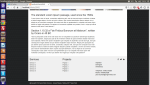
I'm not the best designer I know that aha I'm that guy that does the coding side of things! But I have updated the template, while coding, cause I find working with the design as I code is easier. I need some ideas for what I can do for the header because even in my opinion it looks a bit bland, any help would be welcome.

-
Just a quick update - I've made a few changes, removed the orange line, changed the font family, Changed the Copyright background colour, Made the text width smaller, But now I need something to go there? Was thinking something along the lines of "Why choose us?" section. Thank-you for the feedback anyway

-
Thank-you for your response, I'll take it on-board and see where it goes. The thing with the orange rectangle is I'm thinking about doing something there maybe to break the page up a little? Maybe like how there service works or something like that.
-
Hi People, Baring in mind I'm a website developer and have been for about a year and a half now, I'm still learning my website design. I've had a client asked me to create a design of your own choice, keep it professional and clean. So I went ahead and mocked up to versions of the same theme, I'm not sure whether to stick with this theme or ditch it? Bare in mind these are pretty rough copies. There is a light and dark theme Any feedback welcome Thanks.


-
Just had a quick look at your website, and Ill say the concept and theme is a good idea, but there is still some finishing off to be done, for example - The logo puts me off as its too big, try making it smaller and put a padding on the top and left of 10, might make it look a bit more better. There is another problem, the menu drop down on the left hand side, doesn't close when opened! It's annoying Also I don't know if it's just me but the font family looks a bit odd. Try messing around with a few different kinds, see which one suits the site better. Hope any off this helped.
-
Thanks guys! Looks like I'll stick at it for the next year and see where life takes me then.