lee grant
Privileged
-
Joined
-
Last visited
Everything posted by lee grant
-
you can use copyscape I would have thought
-
I actually think it looks quite nice, if you find it boring yourself why not try using some more bright vibrant colours to shake it up a little? One thing I would say is you could possible do something in the way of a logo, at the moment the plain text just looks boring.
-
Relax, socialise a little more and take the whole webdesign thing easier, if your restless your not taking in as much information. So all this extra work your putting in does'nt have the full effect it should be having.
-
Again it's quite bland looking and unprofessional, I'm not doubting you could be good. Do you use photoshop? If so you should have a look through something like this to learn the odd trick youl'll find tweeking with your designs and coming up with something a little more eye catching that much easier.
-
Looks really nice I bet it'd take alot of effort coding! And yeah post more
-
I think you may have over stepped the "Less is more" effect here lol. I think you should change the background colour to something easier on the eyes and that will really highlight your text because at the moment it's not doing that. I'm not a big fan of the font and the overall look just seems like its had no effort put into it. Sorry it sounds a bit harsh but I think you could improve greatly.
-
I'd consider taking home 420 a week a good wage!
-
would that bed before tax?
-
I don't think I can pass much advice here, whenever I design I like it at first and the further I get into it the more I dislike and end up scrappingg it!!
-
In my opinon I like dark sleek designs with a stand out colour link, along the lines of this http://www.netdreams.co.uk/ But I think what looks good and what doesn't is really down to personal preference.
-
Try not to actaully slice much, you'll find as you learn more that alot of your design can be made up of colours, borders ect rather than all sliced images. It'll save on loading times and make for editing/styling alot easier. So if possible make each image seperate and slowly craft you design in Dreamweaver/notepad.
-
Try this http://www.htmldog.com/guides/cssbeginner/
-
thank you very much! I guess try keeping thing in proportion and be careful with your fonts, also print work does'nt work too weel with gradients/transparancy.
-
number two!
-
Hmmm, seems to work for me now. 2 seconds ago it was messed up and I hit f5 anyways thatnks for checking!
-
So typical of ie, all looks/works fine in firefox but I've tested my wordpress blog in ie and it's gone to pot. Any one see whats doing this at all? http://www.klevermedia.co.uk/blog
-
I've sorted mt problems for now thanks
-
Just asking for a little help again, I wasnt to have my comment number clickable leading to comments page, I've tried this <a href=" <?php comments_link(); ?>" title="<?php comments_number('0', '1', 'more'); ?>"</a> but with no effect. Also I want to display my date like this. Any ideas please?
-
Thanks, I'm getting to work on a tutirial now. it's a long process huh
-
Hi, does anyone know of a good source where I can get hold of some decent video tutorials of making themes from scratch in wordpress? Text would be fine if you know of any good in detail too
-
Yes that worked, thank you very much
-
Got it, there was a ' deleted in the config.php file that made the database name incorrect! Feel an idiot ha
-
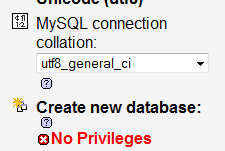
Ok this is where I'm getting a little confused lol when I create a new user or click old user to see preferences all I get are options to change name or password, nothing else. I'm using plesk btw
-
Would that be a no?

-
I'm doing it on localmahine, I've tried re-installing 3 times. same problem! I altered the install file to show the errors, which now gives Parse error: syntax error, unexpected T_STRING in /var/www/vhosts/klevermedia.co.uk/httpdocs/wordpress/wp-config.php on line 22