Skip to content
View in the app

A better way to browse. Learn more.

Web Designer Forum

A full-screen app on your home screen with push notifications, badges and more.

To install this app on iOS and iPadOS
  1. Tap the Share icon in Safari
  2. Scroll the menu and tap Add to Home Screen.
  3. Tap Add in the top-right corner.
To install this app on Android
  1. Tap the 3-dot menu (⋮) in the top-right corner of the browser.
  2. Tap Add to Home screen or Install app.
  3. Confirm by tapping Install.

Calligraphy Logos crit

Featured Replies

Hello,

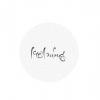
I have made some calligraphy logos lately,

So I need some critiques to let me know how to be better next time


THANKS YOU SO MUCH


Since I can't post link yet,

So please search on google, the first and only one: 7490367 behance


btw. If you like my works, PLEASE click on the "appreciate" button, it means lot to me,


Thanks you

Hi, I love the calligraphy lettering. it's lovely - however the text isn't legible, and I would make the text fill up the circle more.

Create an account or sign in to comment

Account

Navigation

Search

Search

Configure browser push notifications

Chrome (Android)
  1. Tap the lock icon next to the address bar.
  2. Tap Permissions → Notifications.
  3. Adjust your preference.
Chrome (Desktop)
  1. Click the padlock icon in the address bar.
  2. Select Site settings.
  3. Find Notifications and adjust your preference.