KCooper
Privileged
-
Joined
-
Last visited
Everything posted by KCooper
-
Thats just what I needed! Cheers dude! +1 Kyle
-
Hi guys, Its my first time properly using Wordpress as a CMS (for my portfolio site) and I'm having a bit of trouble adding a contact form. I've tried using 'Contact Form 7', and it downloads and installs fine, but it gives me a small piece of code, '[contact form 1 ('contact form 1')]' (its something like this, not exactly this), to paste into my post/page. It works fine, but it displays on my site as a post, and I simply want it to appear on my Contact page as a contact form, not being displayed as a post. Is there perhaps some piece of code I am missing to be able to code it in and reference it from my contact_page_template.php file, thus bypassing the need to add the piece of code as a post? I know I could just code it manually, but it seems silly when all this should be doable using Wordpress and widgets!! I'm sure its something obvious, but a point in the right direction would be welcomed, Thanks in advance, Kyle
-
Doooooooooo itttt!
-
Seconded. Brotherhood was one of my favourite games of last year
-
Haha, my alibi is you can see the bottle of robinsons squash in the background
-
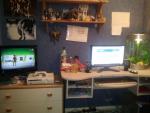
My workspace is in dire need of a tidy, nowhere near as neat as yours, lol. Although I do work a lot better in a tidy environment, I've just been so busy I haven't got round to it :-P Heres a pic; Liking your assassins creed figure!
-
The length of time required can vary quite drastically, so I would work out roughly how many hours you think it would take, multiplied by your hourly wage (whatever you think that is... I usually go for £15 - £20 p/h depending on complexity, usually £15). This is probably the fairest way of working it out, without ripping you or your client off. Kyle
-
Your gonna want to find out which of the following they are after; 1. Simple PSD to HTML/CSS conversion, you supply them with the basic files once complete. or... 2. PSD to HTML/CSS conversion, along with integration into the bigcartel system; theming etc. So, more information I would say, mate Kyle
-
I'm sure I've seen a WDF icon being used on someones portfolio from this very forum... No idea who, though, and perhaps I dreamt it (not the greatest dream, granted...) Kyle
-
I like the concept but I agree with what nuksies said above, theres no indication about what section is under what hover. Depending on how you look at it, this might not be a big issue, but it on the other side of the coin, its a pretty fundamental irritation - maybe try and implement some basic header into each image stating what area it is?? I do like the premise though, and good work for such an early draft! Kyle
-
You have also linked to the main jquery library too, right? You should have 2 jquery links in your header. One to the main jquery library, and one to the droppy.js file. Kyle
-
I agree with whats been said, really. Good job for your first css hand coded site, but the colors are pretty bright, could definately do with a toning down. I'd also make the navigation bar text a bit bigger; I can read it fine but you can't assume all your visitors will. It would benefit from being a larger font size.
-
I see you have the "smashing wordpress: beyond the blog" book on your desk, I bought this very same book but a few weeks ago lol Kyle
-
Ahh, you absolute star. I knew it'd be something stupid like that but I'd be buggered if I could spot what! lol Thanks for your help once again, mate. Kyle
-
Hi guys, I'm currently in the process of redesigning my portfolio website in WordPress I'm having an issue with my #container div, and I'm sure its just me being stupid but I can't seem to fix the problem. There is obviously a get_header.php include and a get_footer.php include, and I have placed the opening for my container div in the header, and the close of the container div in the footer. In the CSS the container div contains the usual wrapper information (position: relative, width: 960px, margin-left: auto, margin-right: auto) but this just appears to be ignored by wordpress. To get it working properly I am having to put the container div into the template pages I am using. This is obviously not ideal as a) I am repeating a div ID twice, and not all my pages are template pages, ie my blog page, so these pages ignore the CSS rules entirely! I'm sure I'm just missing something stupid, but after a day of staring at the code I'm blind to what it could be. Any help would be appreciated :-) The site link is in my footer. You can see that both the home page and the about me page are taking note of the container div CSS, but you can see in the code thats only because I have had to repeat the #container div wrapper in the template files. Thanks in advance, Kyle
-
I have only recently started getting into Wordpress, and I needed to have a "recent posts" area in my footer. I installed 2 plugins; post-plugin library and recent posts, both by Rob Marsh. I then pasted this piece of code; <?php recent_posts(); ?>, into the place I wanted the recent pots to appear, in my case, the footer, and styled it. There are various ways to customize what posts appear, how many posts appear etc, and all this can be found in the documentation that comes with the plugins. I don't know if this is the best way to do it, but its the way I did it. You can see it working in my footer on my site. Kyle
-
£15 per month, times 12 months is £180. I'd be really surprised if you got a website to the standard of studentbeans, including hosting, for that price.
-
Same here, its something that just seemed to pass me by, I'm a bookmark sorta guy
-
If you are just looking for a CMS to build your portfolio into, I can recommend Wordpress, I have literally spent the last 2 days doing exactly this, and its been a pretty good experience. If, however, you are looking for the challenge of developing your own custom CMS, I'd imagine that would be a rather hefty undertaking. TomCash's advice above seems pretty solid though, +1 for the depth Kyle
-
I ended up going with the Starkers theme. Didn't take too long to start getting my theme underway. Thanks for the advice, guys. Kyle
-
Welcome back dude, I'm still poking around here! I was thinking its been a while since you have been on the forums! Kyle
-
I'm just going to reiterate whats already been said; grab yourself a free copy of Notepad++, a good book on HTML and CSS (I used 'head first HTML & CSS'), have the W3C website open in your browser and start coding! Once you have developed some intermediate skills in HTML and CSS (enough to knock together a simple website via Notepad++), open up Dreamweaver and give it a go. Who knows, you may end up preferring to stick with the hand coding route Kyle
-
There isn't really a definite answer for which one is better, the important thing is that you have a fundamental understanding of the code required to build a website. Use dreamweaver if that works well for you, just make sure you can also follow and understand the code that is generated behind it. Personally I use Notepad. Kyle
-
Only welshman to vote thus far! Whoohoo! I'm from the south wales region. Kyle
-
I used Avast! for 3/4 years without any issues, then one day a GUI update came out, and it stopped playing nice. I moved to AVG and haven't looked back, I've found it to be a great piece of anti-virus software. Kyle