Alex Perseval
Members
-
Joined
-
Last visited
Everything posted by Alex Perseval
-
Thank you Jason, this has been very helpful.
-
Well said any tips though?
-
Define nice?
-
Likeddddddddddddd
-
My site has only 160 backlinks, apparently a good optimized site needs thousands. What is a good way to generate backlinks?
-
Good guess The lower the number in the timeout statement, the quicker it goes, I put it on 2500 thanksssssss
-
<script language="JavaScript1.2" id="scroller"> //Secify scroller contents var line=new Array() line[1]="Business Cards" line[2]="Letterheads" line[3]="Posters" line[4]="Leaflets" line[5]="Flyers" //Specify font size for scoller var ts_fontsize="24px" //--Don't edit below this line var longestmessage=1 for (i=2;i<line.length;i++){ if (line[i].length>line[longestmessage].length) longestmessage=i } //Auto set scroller width var tscroller_width=line[longestmessage].length lines=line.length-1 //--Number of lines //if IE 4+ or NS6 if (document.all||document.getElementById){ document.write('<form name="bannerform">') document.write('<input type="text" name="banner" size="'+tscroller_width+'"') document.write(' style="background-color: '+document.bgColor+'; margin-left: 15px; color: '+document.body.text+'; font-family: verdana; font-size: '+ts_fontsize+'; font-weight:bold; border: medium none" onfocus="blur()">') document.write('</form>') } temp="" nextchar=-1; nextline=1; cursor="\\" function animate(){ if (temp==line[nextline] & temp.length==line[nextline].length & nextline!=lines){ nextline++; nextchar=-1; document.bannerform.banner.value=temp; temp=""; setTimeout("nextstep()",1000)} else if (nextline==lines & temp==line[nextline] & temp.length==line[nextline].length){ nextline=1; nextchar=-1; document.bannerform.banner.value=temp; temp=""; setTimeout("nextstep()",1000)} else{ nextstep()}} function nextstep(){ if (cursor=="\\"){ cursor="|"} else if (cursor=="|"){ cursor="/"} else if (cursor=="/"){ cursor="-"} else if (cursor=="-"){ cursor="\\"} nextchar++; temp+=line[nextline].charAt(nextchar); document.bannerform.banner.value=temp+cursor setTimeout("animate()",25)} //if IE 4+ or NS6 if (document.all||document.getElementById) window.onload=animate // --> </script> Any idea on how to change the scroll speed? I wanna slow it down a bit
-
haha how did I guess you'd be all over this topic
-
WHERE CAN I BUY IT!? The florescentizer not worth the money, trust me from experience :/ The emotionator made me jizz in my pants... I can't actually believe I sat through that whole video. :L That is so what I thought hahaha
-
Quite simply. http://likeaphobia.us/images/2621.jpg
-
haha thanks
-
hmm well i haven't really ever used jQuery so wouldn't know what to use. I am still at the problem though, how would I get the bullets on one line?
-
Haha. what would you use instead?
-
Hey guys. With the help of the <marquee> tag. I just want a simple effect across the page with the use of bullet points before each word. This is what I have so far. <marquee bgcolor=#ffffff width=860 height=100 direction=right scrollamount="10"><ul id="mylist"> <li>Business Cards </li> <li> Letterheads </li> <li> Labels </li> <li> Leaflets </li> <li> Posters </li> </ul> </marquee> (sorry if that looks a bit messy) Basically what has happened here is that each list item goes on a separate line. So i added this CSS #mylist { margin: 0px; padding: 0px; list-style-image: none; list-style-type: none; } #mylist li { float: left; margin-top: 0px; margin-right: 1px; margin-bottom: 0px; margin-left: 0px; padding-top: 0px; padding-right: 0px; padding-bottom: 0px; padding-left: 0px; } This put each list item on one line, but the spacing between each word has disappeared and so have the bullet points. Any help will be appreciated. Thanks
-
One of the main reasons for search engines minimizing the effects of meta keywords is because past site owners misused the system. For example, a company who sold antiques would have keywords such as "Historic, Artifacts, Antiques" etc. Their SEO would be based on their keywords, site traffic, any other meta data and how well their site was laid out. But if the site owner of a local toy company saw how well the antique store was doing with their site. The owner of the toy company might add in some keywords to its' meta data even if it wasn't relevant. Such as: "Historic, Artifacts, Antiques". It was just another way of bringing in traffic, but definitely an unfair way of doing so.
-
What is timthumb exactly?
-
Yeah I have been told that is one of the worst things to use because it is so untidy and I should use something else but for the life of me i can't remember what they told me to use :L
-
This really didn't work for me. I have fixed now but thanks anyway. Just need to sort out the alignment for my header.
-
What i'd try first is like you suggested and wrap it in a <div>. <div class="imageLink"> <a href="image" url="target_blank" /> </div> Bearing in mind you want as clean coding as possible, I'm still learning so I wouldn't be able to help you there. As for the CSS I find sometimes this may work, though for reasons I don't know sometimes it doesn't. .imageLink { position: center; width: 500px; height: 500px; } Might be a load of crap, I don't know. Always worth a shot though.
-
this twitter is a bit quiet, but follow me if ya like @AlexPerseval
-
loser
-
As we're on the subject, any idea how I can move the text around in the header itself? It's a bit low at the moment, love being a newb.

-
You get a +1 for superb coding... Thanks a lot p.s guys i love the amount of help everyone has given me on my first site lol i'm surprised you havent all got fed up with the amount of changes i have given it lol getting there...
-
I'll see what difference it makes thanks I'll see how this comes out as thanks Does this help with the SEO also?
-
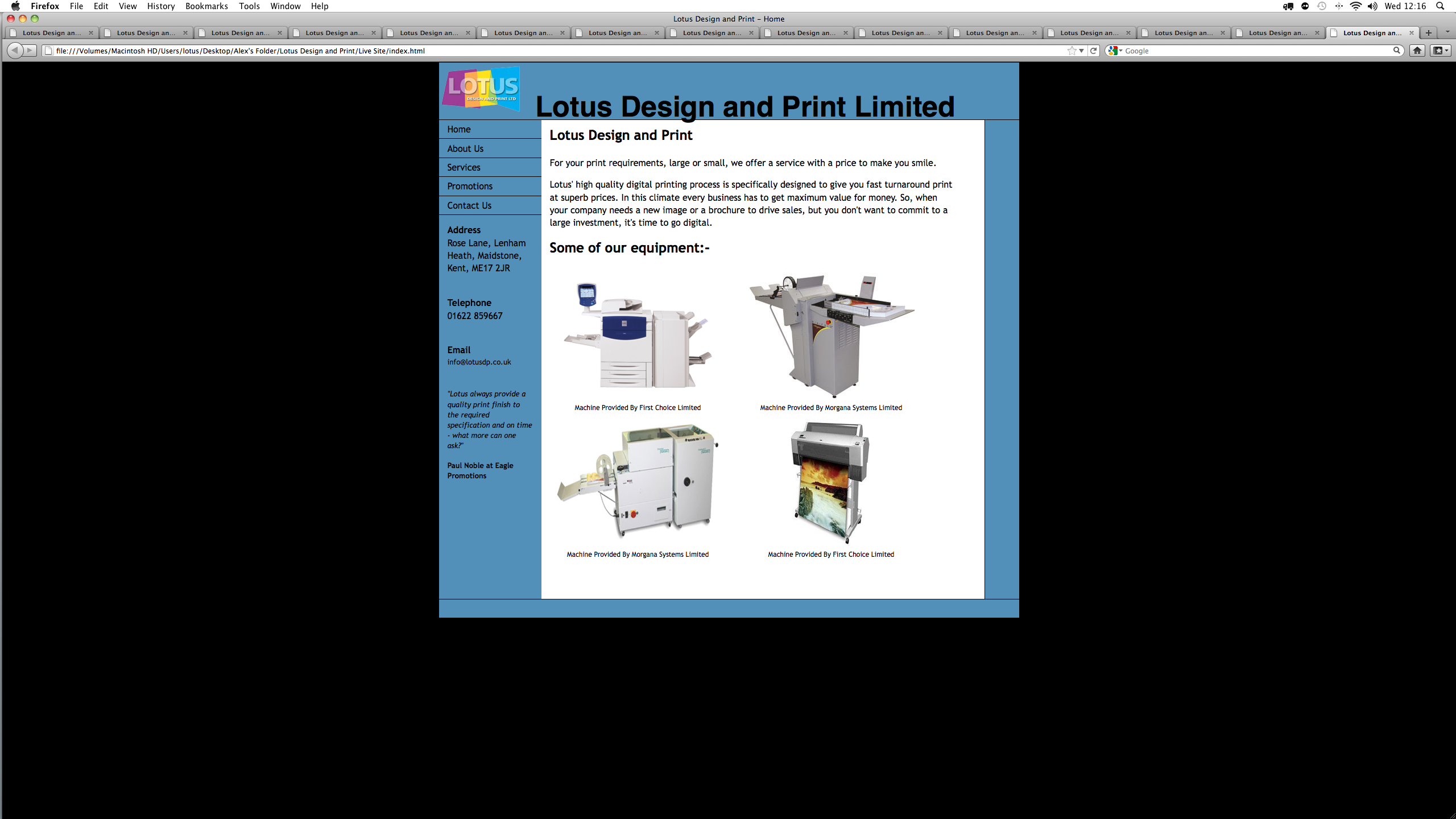
dont laugh <!DOCTYPE html PUBLIC "-//W3C//DTD XHTML 1.0 Transitional//EN" "http://www.w3.org/TR/xhtml1/DTD/xhtml1-transitional.dtd"> <html xmlns="http://www.w3.org/1999/xhtml"> <head> <link rel="stylesheet" type="text/css" href="stylesheet.css" /> <meta http-equiv="Content-Type" content="text/html; charset=UTF-8"/> <meta name="description" content="Lotus Design and Print Limited are based in Maidstone and Ashford in Kent. We provide an excellent, high quality digital printing service which is specifically designed to give you fast turnaround print at superb prices." /> <meta name="keywords" content=" Business Cards, Labels, Stickers, Letterheads, NCR Pads, Leaflets, Flyers, Brochures, Booklets, Newsletters, Menus, Posters, Calenders, Postcards, Maidstone, Ashford, Kent, Lenham, 4 Colour, Digital, Print, Printers, Cheap, Wiro Binding,"/> <title>Lotus Design and Print - Home</title> <body> <div class="header"> <div class="headerLogo"> <p> <img src="logo24.png" width="150" height="95" alt="Lotus Design and Print Limited" /> </p> </div> <div class="headerText"> <p> Lotus Design and Print Limited </p> </div> </div> <div class="container"> <div class="sidebar1"> <ul class="nav"> <li><a href="index.html" >Home</a></li> <li><a href="about us.html" >About Us</a></li> <li><a href="services.html" >Services</a></li> <li><a href="promotions.html">Promotions</a></li> <li><a href="contact us.html" >Contact Us</a></li> </ul> <div class: "contactinfo"> <p><strong>Address</strong><br/> Rose Lane, Lenham Heath, Maidstone, Kent, ME17 2JR</p> <br/> <p><strong>Telephone</strong> <br/> 01622 859667</p> <br/> <p><strong>Email</strong> <br/> <small>info@lotusdp.co.uk</small></p> <br/> </div> <div class: "sidebarinfo"> <p><small><i>"Lotus always provide a quality print finish to the required specification and on time - what more can one ask?"</i></small></p> <p><small><b>Paul Noble at Eagle Promotions</b></small></p> </div> <p> </p> <p> </p> <p> </p> <p> </p> <p> </p> <p> </p> <p> </p> <p> </p> <p> </p> <p> </p> <p> </p> <!-- end .sidebar1 --></div> <div class="sidebar2"> </div> <div class="content"> <h2>Lotus Design and Print</h2> <p>For your print requirements, large or small, we offer a service with a price to make you smile.</p> <p>Lotus' high quality digital printing process is specifically designed to give you fast turnaround print at superb prices. In this climate every business has to get maximum value for money. So, when your company needs a new image or a brochure to drive sales, but you don't want to commit to a large investment, it's time to go digital.</p> <h2>Some of our equipment:-</h2> <div class="img"> <img src="securedownload.jpeg" alt="Xerox 700" width="300" height="223" /> <div class="desc">Machine Provided By First Choice Limited</div> </div> <div class="img"> <img src="morganadigifold.jpg" alt="Digifold" width="300" height="223" /> <div class="desc">Machine Provided By Morgana Systems Limited</div> </div> <div class="img"> <img src="morganakwikfold.jpg" alt="Kwikfold" width="300" height="223" /> <div class="desc">Machine Provided By Morgana Systems Limited</div> </div> <div class="img"> <img src="wf7880land.jpg" alt="Epson Pro 7880" width="300" height="223"/> <div class="desc">Machine Provided By First Choice Limited</div> </div> <!-- end .content --></div> <!-- end .container --></div> <div class="footer"> </div> </body> </html>