ppdesign
Members
-
Joined
-
Last visited
Everything posted by ppdesign
-
Ideally like this: http://imageshack.us/photo/my-images/827/staticpagemockup.jpg/
-
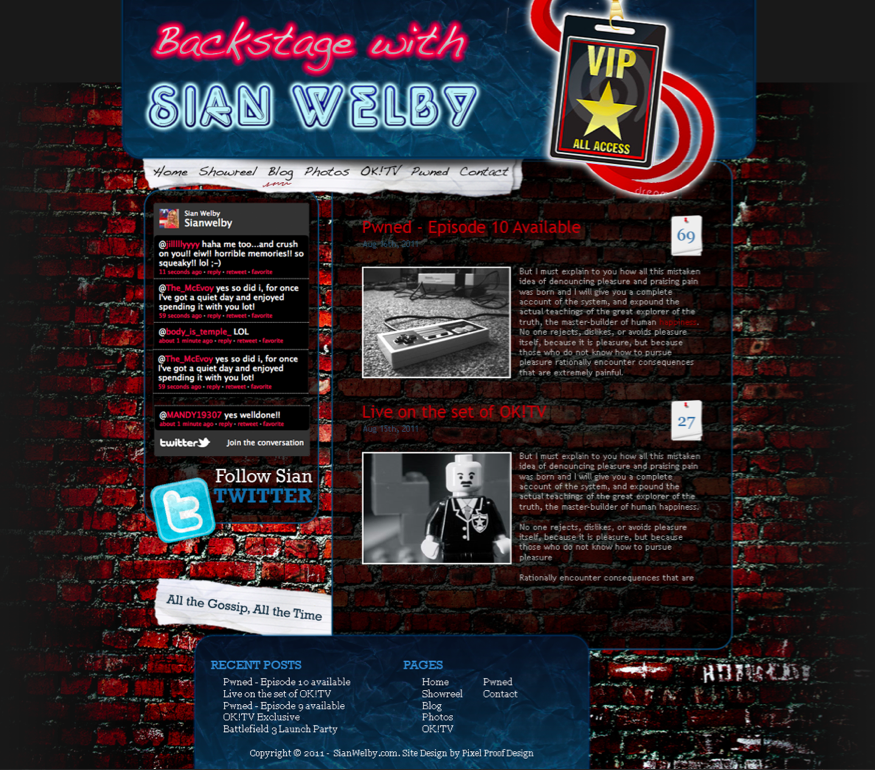
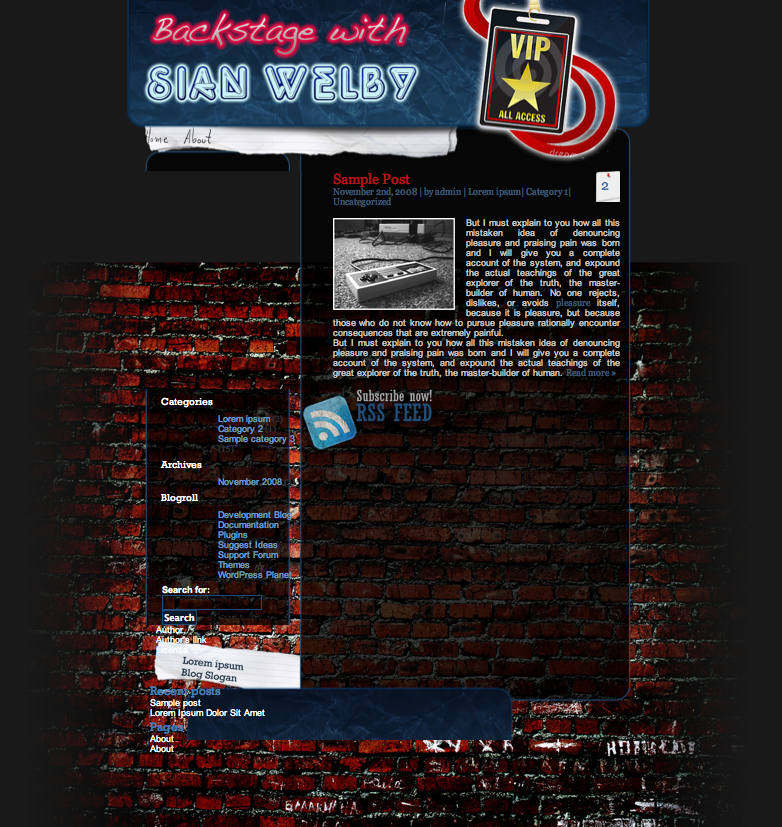
Thanks to Sash the site is coming along quite nicely now - see here: http://ppdesign.host22.com/ A few queries tho if any of you guys have the solutions On the static pages I've created, the page doesn't seem to be displaying the correct background image, it's leaving it blank currently. Clicking 'Read More' on the Blog page for the Posts takes me to the Post page, but doesn't show the full post - I've no idea why! I'd like to remove the sidebar on the left and replace it with the Twitter Profile Widget here - http://twitter.com/about/resources/widgets/widget_profile - I assume it's a case of swapping out the code in the sidebar.php and then tidying up the styling? Any help would be greatly appreciate - Sash has been a huge help so far!
-
Colour me confused. Just read the whole thread, yet the company is now moving away from Social Networking solutions to Rag Tag Games? Am I missing something? Perhaps the time spent developing the games could've been funnelled into the SNS?
-
No joy there either, still has that big gap...
-
I still can't shift the bottom bar - it's still missing a chunk of background

-
If possible - just to 2 paragraphs - how do I extend that? I assume I can also use the template for static pages now, i.e. About, Contact etc - and the loop will be replaced by the content? The other question was about that sidebar widget.
-
I've always used Wordpress, but have been tempted to give Joomla a go if it's easier to customise from scratch. I love the plugins and widgets for Wordpress which really help put sites together, so hopefully Joomla has something similar.
-
I've also been using the 'More' tag with some other designs - is there a way to hardcode this into the WP loop to say and this after 2 paragraphs?
-
Awesome - thanks! Definitely showing latest 2 posts now, and I've removed the link to get to more (will use an archive page for this), but it's cut out the background box again? Is there a way to remove the sidebar on the left and use a Twitter feed code as well? <script src="http://widgets.twimg.com/j/2/widget.js"></script> <script> new TWTR.Widget({ version: 2, type: 'profile', rpp: 4, interval: 30000, width: 250, height: 300, theme: { shell: { background: '#333333', color: '#6399c6' }, tweets: { background: '#424141', color: '#6399c6', links: '#db094f' } }, features: { scrollbar: false, loop: false, live: false, behavior: 'all' } }).render().setUser('sianwelby').start(); </script> Cheers!

-
Ah yup, got that. I'm wondering why my second post isn't showing below the first properly? Is there a way to rectify this? I'm assuming it's in the CSS or WP loop? Thanks to everyone for the help so far - learning loads!

-
Brilliant, thanks. Thought the image thing might be something silly like that! I've got the posts showing now, just need to figure out how to only show 2 on the home page, and to fit them into the right area!
-
Brilliant, thanks! Can you give me some idea of what I was doing wrong? I've noticed the HTML code in the place of the loop, so have adjusted this to an example of a Loop that I found in a tutorial. It's now not displaying the post, but shows the title of the latest post. Ideally I want to show the latest 2 posts on the homepage - can I use code in the Loop/Index page to call that out? The other pages will just be pages that display the posts based on their category tags to make it easier for my friend to update themselves. The footer also doesn't seem to be displaying - is this to do with the index.php? sian.zip
-
I run the design side of it, I have coders doing the work for me normally but due to various circumstances they've not been able to. This is a side project to help teach myself the coding side of it. Wordpress is still something new to me.
-
So using some very rudimentary tutorials I've managed to cobble together a theme which seems to have some success working, but some of the images aren't quite lining up or showing. Zip file attached of the theme folder. If someone could take a look that would be great - the only thing I can think of is that my stylesheet isn't calling out in the .php files correctly. I've also attached an HTML file in the zip showing the look I'm after! wordpress.zip
-
I'd happily pay for the service - but everyone seems to chuck on so many extras when I just want the home page and single post/archive page, no custom widgets etc. Anywhere you'd recommend?
-
Hi guys, You might have seen previous posts from me, taking a PSD to a Wordpress site. I've tried to circumnavigate the root of paying an agency to do this, and have managed to get the PSD into an HTML file without too many issues - see it here The next step is obviously getting it into the Wordpress template. The guides and tutorials (I've looked at about 30 so far!) haven't been particularly clear, and require a lot of PHP knowledge from what I can establish - not something I have, but I'm trying to learn! What are people's thoughts on developing it into a WP theme using a child theme - is this the best way to do it or should I modify the standard twentyten/eleven themes that come with WP? Thanks!
-
It's nice and clean - I like that. The one thing I would say is that perhaps you could re-work the active areas for the menu - you don't need to be close to the button for it to be active. Can't remember the technical phrase for this (v. early Thursday morning), but that would be a nice little touch.
-
Right - got the header back in there - missing a full stop in the code. Doh! Also managed to tweak the tables a little bit so everything lines up - just need to get rid of a bit of extra length in the sidebar that shows below the base of it. Not sure where it's coming from!

-
Thanks Wickham - have grabbed the files and updated with new files. For some reason the header image isn't showing, despite being in the correct place from what I can see.... http://pixelproofdesign.co.uk/test/ppdfinal110822.html
-
I'd do something about the Buy It Now button - the styling on it makes it look like it's missing the wording if that makes sense. The stamping effect doesn't look too professional IMHO.
-
I like it - it's nice and clean and makes the content the focus of the blog. You could perhaps re-work the header and come up with something a bit more exciting logo wise - but other than that it's all good
-
Everything seems fine here in Safari...brilliant job! Can I grab the HTML and CSS from somewhere?
-
I've uploaded the site here HTML file attached, CSS below. As you can see, I need to swap the content block and the sidebar block. The template I've modified has these elements on opposite sides. body { background: #000000 url('./images/jpgs/bg-image.jpg') fixed no-repeat bottom center; color: #333; margin: 0px; padding: 0px; text-align: center; } h1, h2, h3, ul, li, p, form { margin: 0px; padding: 0px } hr { display: none; } a{ text-decoration:none; } a:hover{ text-decoration:underline; } .space { clear: both; } #page { margin: 0px auto; padding: 0; width: 960px;/*909*/ } #header { background: url('./images/pngs/header-960x308.png') no-repeat top left; height: 308px; width: 960px;/*909*/ text-align: center; } #headerimg { height: 185px; margin: 0px; padding: 55px 0px 0px 45px; text-align: left; } #top_nav { height: 45px; padding-left: 105px; text-align: left; } #top_nav ul { list-style: none; } #top_nav li { display: inline; } #top_nav li a:hover { background: url('./images/pngs/hover.png') no-repeat bottom center; } #top_sidebar { color: #fff; font-weight: bold; height: 10px; padding-right: 155px; text-align: right; } #content { background: url('./images/pngs/bg-635x1.png') repeat-y top left; float: left; text-align: left; } .blogcontent, .widecolumn { float: left; padding: 10px 0px; width: 635px; } .blogcontent form { color: #fff; padding: 10px 50px 0px 90px; } .blogcontent input { background-color: transparent; border: 1px solid #214b73; color: #fff; } .blogcontent #searchsubmit { background: #b1b1b1; color: #214b73; font-weight: bold; padding: 2px; } .blogcontent h2 { color: #fff; font: bold 18px Georgia, Arial; padding: 0px 50px 0px 90px; } .blogcontent small a { font-size: 18px; padding: 0px 50px 0px 90px; } .post { padding: 0px 50px 0px 90px; text-align: left; } .post h2 { color: #fff; padding: 0px; } .post .post_title { float: left; width: 90%; } .post_title h2, a { color: #b31414; font: normal 24px Georgia, Arial; padding: 0px; margin: 0px; } .post_title a { text-decoration: none; } .post_title a:hover { color: #fff; } .post_title small { color: #385673; font: normal 12px Georgia, Arial; } .post_title small a { color: #385673; font: normal 12px Georgia, Arial; padding: 0px; margin: 0px; } .post .postmetadata { background: url('./images/pngs/bg-45x58.png') no-repeat top left; float: right; height: 34px; padding: 12px 10px; width: 25px; } .postmetadata a { color: #416fa3; text-decoration: none; } .postmetadata span { color: #416fa3; font: normal 24px Georgia, Arial; padding-left:5px; } .entry { color: #c3c3c3; font: normal 12px Arial; padding: 20px 0px; } .entry a { color: #385673; font: normal 12px Georgia, Arial; padding: 0px; margin: 0px; } .entry a:hover { color: #69c; } .entry blockquote { border: 2px dashed #042748; padding: 8px; } .entry img { float: left; padding: 0px 20px 0px 0px; } .entry ul { padding-left: 20px; } .entry li { list-style: url('./images/pngs/bull-list.png'); } .entry ol li { list-style: decimal; } .entry p { text-align: justify; padding: 0px; } .entry span { color: #b31414; } #sidebar { background: url('./images/pngs/bg-325x1.png') repeat-y top left; float: left; padding: 0px 20px; text-align: left; width: 285px; } #sidebar ul { list-style: none; margin: 0px; padding: 5px 0px; } #sidebar li { margin: 0px; padding: 0px 0px 0px 20px; } #sidebar li h2 { color: #fff; font: normal 18px Rockwell, Georgia, Arial; margin: 0px; padding: 10px 0px; } #sidebar ul ul { list-style: none; margin: 0px; } #sidebar ul ul li { margin: 0px; padding: 0px 0px 0px 30px; } #sidebar ul ul li a { color: #69c; font: normal 12px Arial; text-decoration: none; } #sidebar ul ul li a:hover { color: #b31414; } .bottom_sidebar { background: url('./images/pngs/bottom-325x90.png') no-repeat bottom center; float: right; padding: 0px 0px 0px 15px; height: 90px; text-align: left; width: 310px; } #search { font: bold 12px Arial; color: #fff; padding: 0px 0px 15px 15px; } #search input { background-color: transparent; border: 1px solid #214b73; color: #fff; } #search #searchsubmit { background:#0B192C; color: #FFFFFF; font-weight: bold; padding: 2px; } #footer { background: url('./images/pngs/footer-960x200.png') no-repeat top left; color: #fff; height: 200px; text-align: left; width: 960px; } #footer .column1 { float: left; font: normal 10px Arial; padding: 0px 0px 0px 80px; width: 300px; } .column1 .bottom { padding: 50px 0px 0px 40px; } .column1 a { color: #fff; font: normal 12px Arial; text-decoration: none; } #footer .column2 { float: left; font: normal 12px Arial; padding: 35px 0px 0px 0px; width: 250px; } .column2 h2 { color: #457db9; font: normal 20px Rockwell; } .column2 ul { list-style: none; } .column2 a { color: #fff; font: normal 12px Arial; text-decoration: none; } final.html
-
Hey everyone, Been a while since I've been on here, but hoping to get the same expert level of help I got last time! I've designed a site for a friend and am trying to code it into an HTML page before moving it to Wordpress so she can update it as necessary. I've attached the original design, and the CSS code below - as you can see, what I've got is getting there, but I'm not sure where it's going wrong in the CSS code that's moving the various elements around. I guess I'm struggling with the basic way of laying the page out - it looks like the width settings of the div content and sidebar are messing me around... If anyone has any ideas that would be great! body { background: #000000 url('./images/jpgs/bg-image.jpg') fixed no-repeat bottom center; color: #333; margin: 0px; padding: 0px; text-align: center; } h1, h2, h3, ul, li, p, form { margin: 0px; padding: 0px } hr { display: none; } a{ text-decoration:none; } a:hover{ text-decoration:underline; } .space { clear: both; } #page { margin: 0px auto; padding: 0; width: 960px;/*909*/ } #header { background: url('./images/pngs/header-960x308.png') no-repeat top left; height: 308px; width: 960px;/*909*/ text-align: center; } #headerimg { height: 185px; margin: 0px; padding: 25px 0px 0px 45px; text-align: left; } #top_nav { height: 45px; padding: 20px 0px 0px 50px; text-align: left; } #top_nav ul { list-style: none; } #top_nav li { display: inline; } #top_nav li a:hover { background: url('./images/pngs/hover.png') no-repeat bottom center; } #top_sidebar { color: #fff; font-weight: bold; height: 10px; padding-right: 0px; text-align: right; } #content { background: url('./images/pngs/bg-635x1.png') repeat-y top right; float: right; text-align: left; } .blogcontent, .widecolumn { float: right; padding: 0px 30px 0px 0px; width: 635px; } .blogcontent form { color: #fff; padding: 10px 50px 0px 90px; } .blogcontent input { background-color: transparent; border: 1px solid #214b73; color: #fff; } .blogcontent #searchsubmit { background: #b1b1b1; color: #214b73; font-weight: bold; padding: 2px; } .blogcontent h2 { color: #fff; font: bold 18px Georgia, Arial; padding: 0px 50px 0px 90px; } .blogcontent small a { font-size: 18px; padding: 0px 50px 0px 90px; } .post { padding: 0px 50px 0px 90px; text-align: left; } .post h2 { color: #fff; padding: 0px; } .post .post_title { float: left; width: 90%; } .post_title h2, a { color: #b31414; font: normal 24px Georgia, Arial; padding: 0px; margin: 0px; } .post_title a { text-decoration: none; } .post_title a:hover { color: #fff; } .post_title small { color: #385673; font: normal 12px Georgia, Arial; } .post_title small a { color: #385673; font: normal 12px Georgia, Arial; padding: 0px; margin: 0px; } .post .postmetadata { background: url('./images/pngs/bg-45x58.png') no-repeat top left; float: right; height: 34px; padding: 12px 10px; width: 25px; } .postmetadata a { color: #416fa3; text-decoration: none; } .postmetadata span { color: #416fa3; font: normal 24px Georgia, Arial; padding-left:5px; } .entry { color: #c3c3c3; font: normal 12px Arial; padding: 20px 0px; } .entry a { color: #385673; font: normal 12px Georgia, Arial; padding: 0px; margin: 0px; } .entry a:hover { color: #69c; } .entry blockquote { border: 2px dashed #042748; padding: 8px; } .entry img { float: left; padding: 0px 20px 0px 0px; } .entry ul { padding-left: 20px; } .entry li { list-style: url('./images/pngs/bull-list.png'); } .entry ol li { list-style: decimal; } .entry p { text-align: justify; padding: 0px; } .entry span { color: #b31414; } #sidebar { background: url('./images/pngs/bg-325x1.png') repeat-y top left; float: left; padding: 0px 0px; text-align: top; width: 325px; } #sidebar ul { list-style: none; margin: 0px; padding: 5px 0px 0px 70px; } #sidebar li { margin: 0px; padding: 0px 0px 0px 20px; } #sidebar li h2 { color: #fff; font: normal 18px Rockwell, Georgia, Arial; margin: 0px; padding: 10px 0px; } #sidebar ul ul { list-style: none; margin: 0px; } #sidebar ul ul li { margin: 0px; padding: 0px 0px 0px 30px; } #sidebar ul ul li a { color: #69c; font: normal 12px Arial; text-decoration: none; } #sidebar ul ul li a:hover { color: #b31414; } .bottom_sidebar { background: url('./images/pngs/bottom-325x90.png') no-repeat bottom left; float: left; padding: 0px 150px 0px 0px; height: 0px; text-align: left; width: 325px; } #search { font: bold 12px Arial; color: #fff; padding: 10px 0px 0px 90px; } #search input { background-color: transparent; border: 1px solid #214b73; color: #fff; } #search #searchsubmit { background:#0B192C; color: #FFFFFF; font-weight: bold; padding: 2px; } #footer { background: url('./images/pngs/footer-960x200.png') no-repeat top left; color: #fff; height: 200px; text-align: left; width: 960px; } #footer .column1 { float: left; font: normal 10px Arial; padding: 0px 0px 0px 80px; width: 300px; } .column1 .bottom { padding: 0px 0px 0px 40px; } .column1 a { color: #fff; font: normal 12px Arial; text-decoration: none; } #footer .column2 { position: left; font: normal 12px Arial; padding: 5px 0px 0px 70px; width: 300px; } .column2 h2 { color: #457db9; font: normal 20px Rockwell; } .column2 ul { list-style: none; } .column2 a { color: #fff; font: normal 12px Arial; text-decoration: none; }
-
Have deleted it since