PhilDesigns
Members
-
Joined
-
Last visited
Everything posted by PhilDesigns
-
that chrome effect was something I mastered back in 2006, http://phildesigns.deviantart.com/gallery/#/doqxno filters are not necessary. the slider is just a rough sketch and the panels are incomplete. i could go on to say a majority of the websites in your portfolio use dated techniques, doesn't mean ****.
-
all very useful tips thanks dude, as for the bottom box; this website is still in the works so I've yet to decide what I want to do with it. I have a lot of detailing/touching up I want to do.
-
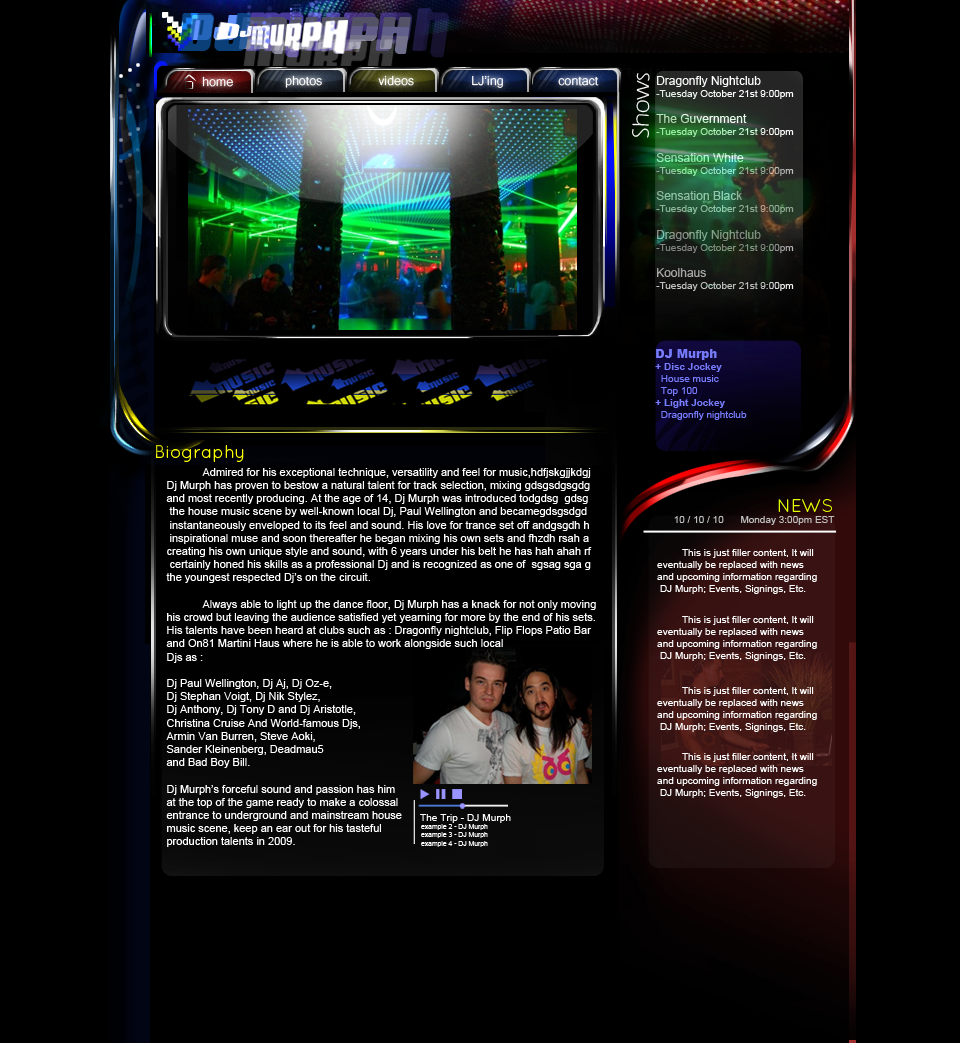
This is a website I've been designing for a really good friend of mine / roomate 300 + Layers, no filters, no styles, scaled to 90% Adobe Photoshop CS5 Intuos4 Medium Tablet comments & suggestions please it's still in the works, I have no time limit for this one. *UPDATED*
-
that right there is a fine example of 1998
-
about time.. damn, who uses Iexplore these days anyway?
-
COMODO internet security.. free or paid both amazing
-
sorry about that I thought i'd uploaded it on the first go; it's lacking a footer, i'm aware of this. I also feel it looks too.. 'imagey' if you know what I mean, i'm trying to find a balance of good design, yet keeping it looking like a website. My favorite part would be the nav, i'm thinking about carrying the nav over to a new design.
-
Tools used: Adobe photoshop cs4 - mostly comprised of dodge, burn, brush, and marque tools to create a "chrome" effect. Intuos4 medium tablet It isn't finished, I would appreciate some feedback on the design in terms of making it slice/code ready

-
1997 had better websites than this
-
I recommend a different font for your content, Your current one really takes a lot out of the quality in my opinion. Try one that's similar to the "logo" or header font, maybe make it a bit thicker.
-
it`s an ever changing industry, you can learn it all but new things will come out; your best bet is just to go to college.
-
well it doesnt live up to that "knock out the competition" slogan, but it has potential; the nav kinda throws it off.
-
1015 one thousand - fifteen
-
i'm speaking of your index page as a whole, it feels like there's more you can do to make this website feel like you're on it for some good dance tunes
-
worth every penny I'd say, couldn't see myself ever going back to the mouse; I plan on upgrading to the Cintiq 21ux in time, maybe a year or so.
-
I like the subject chosen, however this layout doesn't seem to fit it; the potential is there but it just doesn't have that club/dance music feel to it. I need to see more in the header that says hey, this is a dance-music website
-
well done, nice design
-
a website i've been working on for a good friend of mine.

-
I disagree with photoshop not being used a web-design tool; I personally design all of my websites in photoshop first to get an understanding of the layout and see how it will function before I make it function, After that I slice it up and ready it for code; this is how you produce captivating websites, you excel in the design portion and and follow up with smooth, easy function. There are many designers who use my method, and from what I have seen produce some outstanding work.
-
i use this, after coming across google chrome it's all I use unless i'm testing a design in other browsers
-
names phil, from niagara falls, ontario, canada. 21 years old; full time new-media web design student (2 years) 7 years experience with Photoshop, I've owned an Intuos4(medium) for almost a year now. looking to offer and receive critique, and just chill out, talk design.
-
I own the Wacom Intuos4 (Medium) Tablet right now with plans to buy the Cintiq 21UX.. a heavy price tag, but a must own for me. The tablet has revolutionized the way I work, productivity is quicker, and i'm able to do things not possible via use of mouse I use the pen as a mouse nowadays, don't do anything without using my pen.