PhilDesigns
Members
-
Joined
-
Last visited
-
that chrome effect was something I mastered back in 2006, http://phildesigns.deviantart.com/gallery/#/doqxno filters are not necessary. the slider is just a rough sketch and the panels are incomplete. i could go on to say a majority of the websites in your portfolio use dated techniques, doesn't mean ****.
-
all very useful tips thanks dude, as for the bottom box; this website is still in the works so I've yet to decide what I want to do with it. I have a lot of detailing/touching up I want to do.
-
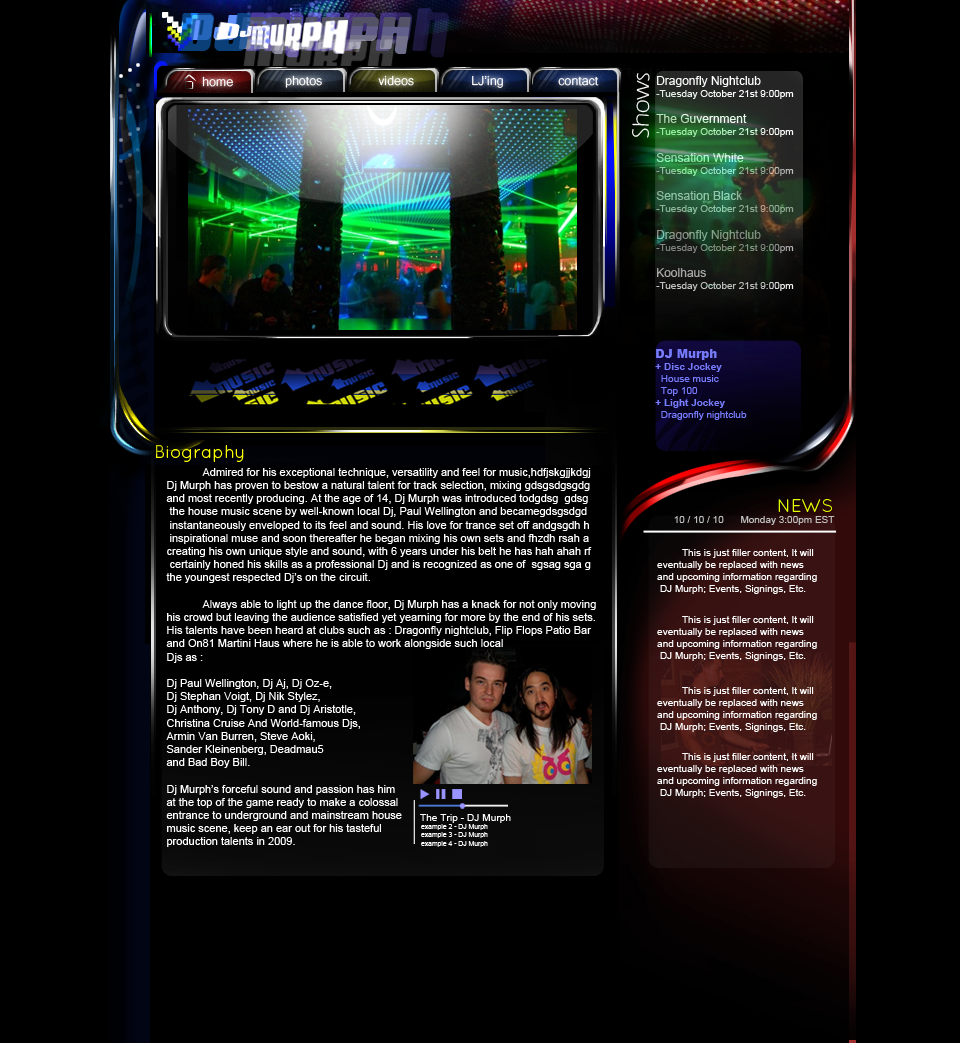
This is a website I've been designing for a really good friend of mine / roomate 300 + Layers, no filters, no styles, scaled to 90% Adobe Photoshop CS5 Intuos4 Medium Tablet comments & suggestions please it's still in the works, I have no time limit for this one. *UPDATED*
-
that right there is a fine example of 1998
-
about time.. damn, who uses Iexplore these days anyway?
-
COMODO internet security.. free or paid both amazing
-
sorry about that I thought i'd uploaded it on the first go; it's lacking a footer, i'm aware of this. I also feel it looks too.. 'imagey' if you know what I mean, i'm trying to find a balance of good design, yet keeping it looking like a website. My favorite part would be the nav, i'm thinking about carrying the nav over to a new design.
-
Tools used: Adobe photoshop cs4 - mostly comprised of dodge, burn, brush, and marque tools to create a "chrome" effect. Intuos4 medium tablet It isn't finished, I would appreciate some feedback on the design in terms of making it slice/code ready

-
1997 had better websites than this
-
I recommend a different font for your content, Your current one really takes a lot out of the quality in my opinion. Try one that's similar to the "logo" or header font, maybe make it a bit thicker.
-
it`s an ever changing industry, you can learn it all but new things will come out; your best bet is just to go to college.
-
well it doesnt live up to that "knock out the competition" slogan, but it has potential; the nav kinda throws it off.
-
1015 one thousand - fifteen
-
i'm speaking of your index page as a whole, it feels like there's more you can do to make this website feel like you're on it for some good dance tunes
-
worth every penny I'd say, couldn't see myself ever going back to the mouse; I plan on upgrading to the Cintiq 21ux in time, maybe a year or so.