sebsn
Members
-
Joined
-
Last visited
Everything posted by sebsn
-
You need contrast. At the moment it looks like you had a nice websiite and toned down the birghtness slider.
-
Nice overview. Stumbled of course!
-
It looks good and professional to me but still fresh and energetic. The only thing is that if Javascript is deactivated it's really messy. The twitter bird looks a little bit misplaced somehow. I don't like it sticking it's tail in the email button The text in the university logo is blurry do you have a better version?
-
Well let's see. I love it! Really.. It is simple and beautiful and has a good feel about it. But I wouldn't write if there wasn't a BUT. 1. I don'tlike the black dropshadow under the black headings. It feels dirty not slick like the rest. 2. The second point isn't about the design. I just don't know if the potential demographic of your users will like it or feel it will help them. Especially if it is a very one-location based service. I mean - is this a page a normal job seeking guy would be comfortable to use?
-
Nice, thanks. They look good - mostly. But I don't think I am gonna use them.
-
What if you do it for 8 hours a day and don't make a dime? You can't really tell by time. It stops being a hobby when you are professional and you are professional if you can support yourself financially via Webdesign.
-
The sad thing is... I might not be going to use it because my friend isn't really fond of the colors. Well goes for sale then... I'll finish it anyway and @Gareth thanks for all the help.
-
How is this for the slider? I don't know really. It feels better but I don't know about the preview thumbnails. I don't like them under the slider either. Somebody got an idea?
-
I agree to most of the posters before me. One point I want to add. You may want to introduce another color. At the moment you habe red and white - so basically just red. Try to find a good fitting color to counterpoint (is that the right word in english?) the red and let it stand out.
-
I like the basic Idea and that there is alot of white space BUT The background graphic for header and footer are way to rough and the logo should at least be transparent the boxes on the right are blurry as well as the player. it would be better with sharp edges the twitter bird needs something that explains it. not anyone know it and the bird is misplaced if you dont know what it is
-
thanks
-
And the next update:
-
Thx gareth^^ you're right. What about this? The slider still is not quite right :/
-
Another Update:
-
Some good thoughts. But might I add that this article is from 2002 - so some of the conclusions especially on the second page are outdated. Please don't even try to make thing work in Netscape - because after all Netscape now is DEAD!
-
I never tried it and I would like a review too. I just can not believe it can be good. Don't know why though.
-
This is so nice of you. I mean I would never have heard of it. I cheer for you. WAY TO GO!
-
I would suggest Wordpress or Joomla. Joomla is far more compex and complicated so Wordpress it is. Now, in Wordpress there are pages and articles. Basically what you want - so I guess - are multiple articles that just don't appear to be blogposts. As for chronological order and general appearance. Am I right? If so, you have to work on the Wordpress loop. You can have multiple loops for different categories. So let's say you want a featured article and articles in 4 different categories spread over the front page. You now need 4 Loops which you place among the page. It is a very similar process to creating a blog but you have to get into the loop and how it works. Just ask if there are anymore questions.
-
You are right. I made the slider a bit smaller now so that the text won't stretch so much. The replacement text under the Design/Dev/wordpress box is really bad. When this thing finally becomes a Webseite (xhtml/css) there will be lists or very short text instead. It's such a pain to do this in Photoshop (at least for me) I'm thinking about adding another mosaic effect on top of the footer to round it up. What do you think?
-
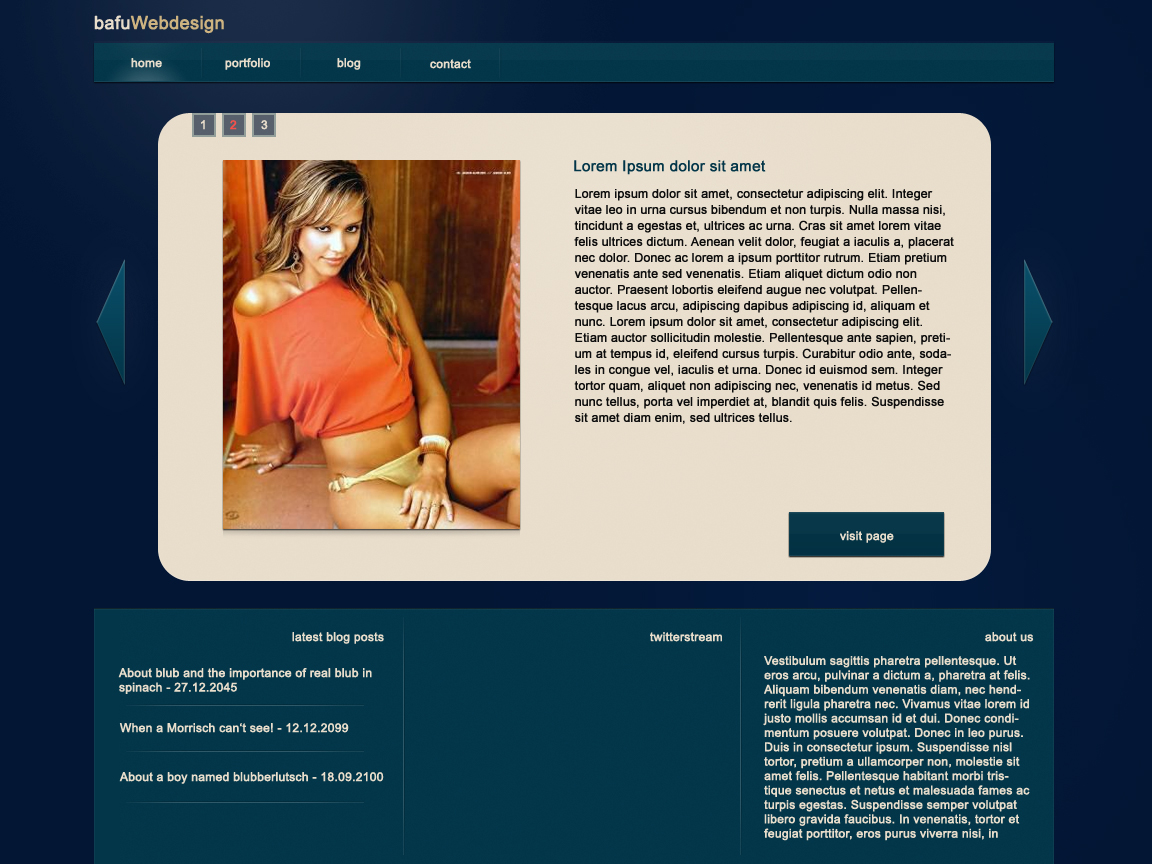
**UPDATE** Here is the new version. I like it much better. What do you think?
-
Your error message tells you that your server needs authorization. So you have to put an username and a passwort into the mix. Heres how it works: http://email.about.com/od/emailprogrammingtips/qt/PHP_Email_SMTP_Authentication.htm
-
Thanks for the advice. I was thinking about a logo but decided against it at first. But I see your point an I'll try a few things. I almost always have this problem that my design doent look right finished in Photoshop because so much of the "moving content" is missing. I don't know how to really FINISH a design in PS what IS a problem for me. Anyways I'll will let you know if the next version is ready and show it again. This is only a 1 to 2 hour sketchwork and I hope I am able to improve it further.
-
2nd pic here. didnt work in the first post
-
Hey, a friend and I are going to make our little webdesign hobbiist thingy public. I present you an "early" Photoshop Mockup of the design. What do you think? UPDATE: See a few posts down //Text and Images might be changed in the process aswell as the typography in the blogsection of it (+ more yadda yadda like date etc)
-
Then every page is a seperate document. There should be no problem to use different backgrounds.