n0xx
Members
-
Joined
-
Last visited
Everything posted by n0xx
-
err... This bright red border at the bootom is your footer m8. http://westcountrydental.angelfire.com/images/img6.gif You can try add 2px's to height too.
-
add to wrapper width:702px; or maybe color of border is black and u dont see it ?
-
You cant do this other way... Why your middle image have height:600px; ?? Create middle image with width:1000px heigth;1px and add repeate-y you can add min-height:xx px; too //edit and all your content will go inside div #mid <div id="mid"> <div id="content"></div> </div>
-
add something like this to your code : and in css #wrapper { border:1px solid; } You can add to css property something like this too: margin-left:auto; margin-right:auto; That will make your page always in the center of the screen.
-
oh sry didnt see link to site :]
-
send html
-
damn its hard to find something in this code m8 its messy for me. First of all why you have pagecontent in the col-right? Second thing for what is div - crowd ? I will try to fix this m8 but i need some time.
-
You talking about problem with width of those 2 blue boxes ? (those white lines) #col-left and #col-right yes ?
-
add this div at the end of container. Before closing container div.
-
hmm its masterpage... will be hard to do something without home page, becouse i dont see any content :] First of all : I understand u talking about this dark blue color yes ? Lets try this : add div at the bottom of container. width:100%; height:1px; clear:both; if this doesnt work will be easier to solve this problem when i will have a homepage.
-
add html too
-
send html and css file.
-
yea but maybe u will give a direct link ? :] http://mybrute.com/
-
maybe just create animation in flash not in ps ? :/
-
-
Working for me, result - Warsaw
-
this index.php shoud work but without validation. Im using validation when i creating form in dreamweaver. //hmm its friday so i added this contanct.html with validation. have a good day index.php contact.html
-
maybe delete this background-image: url(images/shadow.png); background-repeat:repeat-y; from wrapped and add to content css.
-
can u send a screenshot with working background and screenshot in ff ?
-
try to change in #content{ margin: 0 auto; to margin-left:0px; and tell me is it workin.
-
can u give adress of this site ? or html file with this .png ? or even screen of the page ...
-
no problem m8.
-
body { margin:0; } add id to this div in html and in css #div id { margin-left:0; } shoud fix your problem.
-
nice and clean site. I just dont like a hover on navigation - i dont like this white color. Exept this one little thing i like your design.
-
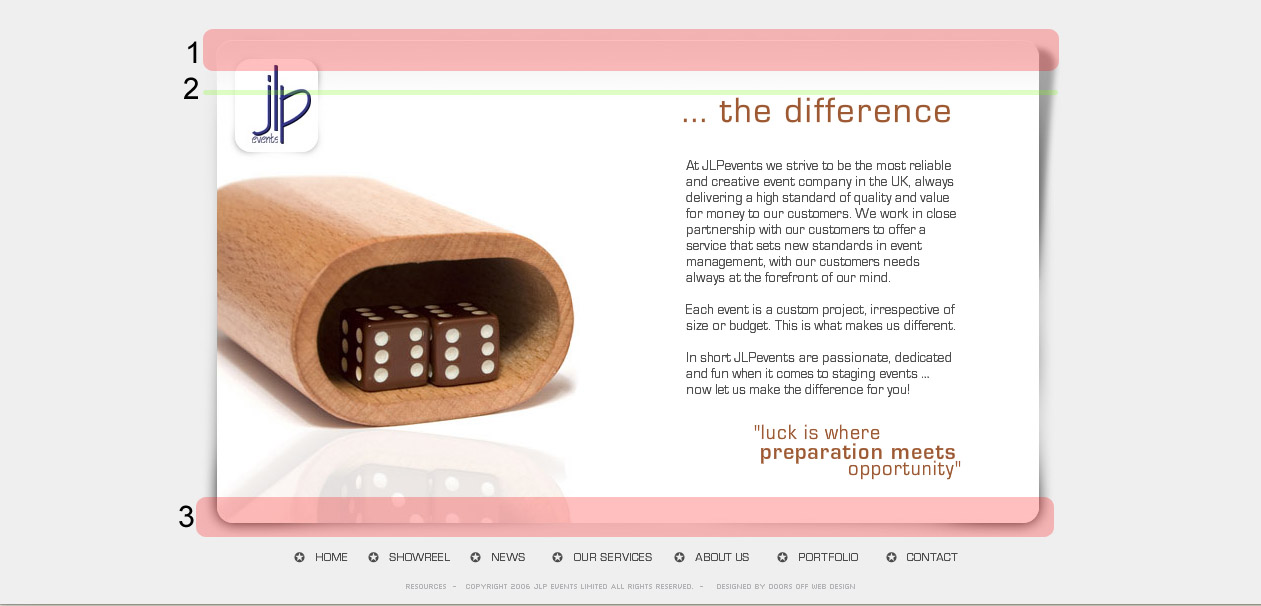
Will be a problem with this kind of shadow if u will have a "simple" shadow you can do something like this : where : <div id="container"> <div id="1"> </div> //thats a top part of the site <div id="2"> </div> //there goes all content of te site <div id="3> </div> //thats a bootom part of the site </div> //end of container <div id="footer></div>