Skip to content
View in the app

A better way to browse. Learn more.

Web Designer Forum

A full-screen app on your home screen with push notifications, badges and more.

To install this app on iOS and iPadOS
  1. Tap the Share icon in Safari
  2. Scroll the menu and tap Add to Home Screen.
  3. Tap Add in the top-right corner.
To install this app on Android
  1. Tap the 3-dot menu (⋮) in the top-right corner of the browser.
  2. Tap Add to Home screen or Install app.
  3. Confirm by tapping Install.

Re-introduction

Featured Replies

Hey guys...just so you know it's still me, just with an uppercase G (Thanks Ben!)


I'd like to take this opportunity to say hello to newer ppl, thankyou for putting up with me to older ones.


That's all :)

Welcome to the forum again buddy! This thread confused me so much.

  • 3 weeks later...

Welcome to WDF I hope you enjoy your....hey have we already met before :p


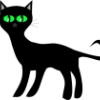
I don't think anyone has had to put up with you, it is a pleasure to have you here and being such a fun active member of the community, so thank you for being here :) I like your new avatar by the way :D

Welcome to WDF I hope you enjoy your....hey have we already met before :p


I don't think anyone has had to put up with you, it is a pleasure to have you here and being such a fun active member of the community, so thank you for being here :) I like your new avatar by the way :D


^^

ooh! get your sexy new avatar! purrrrrrrrr!

(oh and welcome again :D )

Create an account or sign in to comment

Account

Navigation

Search

Search

Configure browser push notifications

Chrome (Android)
  1. Tap the lock icon next to the address bar.
  2. Tap Permissions → Notifications.
  3. Adjust your preference.
Chrome (Desktop)
  1. Click the padlock icon in the address bar.
  2. Select Site settings.
  3. Find Notifications and adjust your preference.