


Beno
Members
-
Joined
-
Last visited
Everything posted by Beno
-
Thanks for your input. I have got rid of the twitter box and added a little bird in the corner saying follow me which will save space and i have extended the welcome box. Any other views?
-
Hi Guys, I have created my first portfolio site, its coded but its not yet been published online. I was wondering whether i could have some professional advice on the design but i would like to have your oppinions on layout of the content as maybe it seems to squashed. There is a screen shot of the coded design attached i would be grateful for any help or advice. Regards, Ben

-
Like the service. I think that would be better is if it could be used as a more permanent address so you can pick the url after the / so decrease.it/benwhite This maybe would be good to send to clients to show them the design instead of giving a link of your hosting providers subdomain or like that.
-
Thanks very much Make Me A Website and Wickham, I have followed your fix on adding margin:0 and that has fixed it so it goes all the way across thanks! One of my friends has suggested to try absolute instead of fixed then i put in bottom:1 and it worked! I appreciate your help and time you spent to help me. Many Thanks, Beno
-
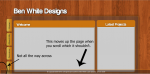
Hey Guys, I'm having a problem positioning the footer on my portfolio site. The website is layed out in a container and i have tried have tested having the footer code in the container and out of it but both have the same result. Here is the code of website html and css, <!DOCTYPE html PUBLIC "-//W3C//DTD XHTML 1.0 Transitional//EN" "http://www.w3.org/TR/xhtml1/DTD/xhtml1-transitional.dtd"> <html xmlns="http://www.w3.org/1999/xhtml"> <head> <meta http-equiv="Content-Type" content="text/html; charset=utf-8" /> <title>Ben White De</title> <link rel="stylesheet" type="text/css" href="Main.css" /> <script type="text/javascript"> <!-- function MM_swapImgRestore() { //v3.0 var i,x,a=document.MM_sr; for(i=0;a&&i<a.length&&(x=a[i])&&x.oSrc;i++) x.src=x.oSrc; } function MM_preloadImages() { //v3.0 var d=document; if(d.images){ if(!d.MM_p) d.MM_p=new Array(); var i,j=d.MM_p.length,a=MM_preloadImages.arguments; for(i=0; i<a.length; i++) if (a[i].indexOf("#")!=0){ d.MM_p[j]=new Image; d.MM_p[j++].src=a[i];}} } function MM_findObj(n, d) { //v4.01 var p,i,x; if(!d) d=document; if((p=n.indexOf("?"))>0&&parent.frames.length) { d=parent.frames[n.substring(p+1)].document; n=n.substring(0,p);} if(!(x=d[n])&&d.all) x=d.all[n]; for (i=0;!x&&i<d.forms.length;i++) x=d.forms[i][n]; for(i=0;!x&&d.layers&&i<d.layers.length;i++) x=MM_findObj(n,d.layers[i].document); if(!x && d.getElementById) x=d.getElementById(n); return x; } function MM_swapImage() { //v3.0 var i,j=0,x,a=MM_swapImage.arguments; document.MM_sr=new Array; for(i=0;i<(a.length-2);i+=3) if ((x=MM_findObj(a[i]))!=null){document.MM_sr[j++]=x; if(!x.oSrc) x.oSrc=x.src; x.src=a[i+2];} } //--> </script> <body onload="MM_preloadImages('http://i360.photobucket.com/albums/oo44/benographics/homerhover.png','http://i360.photobucket.com/albums/oo44/benographics/Aboutmehover.png','http://i360.photobucket.com/albums/oo44/benographics/serviceshover.png','http://i360.photobucket.com/albums/oo44/benographics/Contacthover-2.png')"><div id="welcome"> <p> </p> </div> <div id="container"> <div id="Recent_projects"> <p> </p> <p> </p> <p> </p> <p> </p> <p> </p> </div> <div id="navbar_home"><a href="#home" onmouseout="MM_swapImgRestore()" onmouseover="MM_swapImage('Home','','http://i360.photobucket.com/albums/oo44/benographics/homerhover.png',1)"><img src="http://i360.photobucket.com/albums/oo44/benographics/home-16.png" name="Home" width="45" height="110" border="0" id="Home" /></a></div> <div id="navbar_about"><a href="#aboutme" onmouseout="MM_swapImgRestore()" onmouseover="MM_swapImage('About Me','','http://i360.photobucket.com/albums/oo44/benographics/Aboutmehover.png',1)"><img src="http://i360.photobucket.com/albums/oo44/benographics/About-Me-1.png" name="About Me" width="44" height="109" border="0" id="About Me" /></a></div> <div id="navbar_services"><a href="#services" onmouseout="MM_swapImgRestore()" onmouseover="MM_swapImage('Services','','http://i360.photobucket.com/albums/oo44/benographics/serviceshover.png',1)"><img src="http://i360.photobucket.com/albums/oo44/benographics/services.png" name="Services" width="44" height="109" border="0" id="Services" /></a></div> <div id="navbar_contact"><a href="#contact" onmouseout="MM_swapImgRestore()" onmouseover="MM_swapImage('Contact','','http://i360.photobucket.com/albums/oo44/benographics/Contacthover-2.png',1)"><img src="http://i360.photobucket.com/albums/oo44/benographics/Contact-1.png" name="Contact" width="44" height="109" border="0" id="Contact" /></a></div> <div id="footer2"> <p>© Copyright 2009-2010 | Designed and coded by: Ben White | Last Updated: <!-- #BeginDate format:En2 -->12-Dec-2009<!-- #EndDate --> </p></div> </div> </body> </html> and the footer css #footer2 { position:fixed; bottom:0; height:34px; background-image:url(file:///C|/Users/Ben/Desktop/Backup/Ben%27s%20Files/Ben%20White%20Design/Portfolio%20Site/Graphics/footer.png); background-repeat:repeat-x; line-height:10px; width:100%; font-size:12px; text-align:center; color:#FFF; font-family:Arial, Helvetica, sans-serif; } Attached is the results of what is happening. If anyone could help me help i would be extremely grateful! Regards, Ben
-
I love you're designs, your colour schemes work very well. By looks of things you don't need to improve much more as your designs are very good!
-
Hi, The Photoshop part is to purely design what its going to look like. What i do is start with a blank canvas the seize of my screen and then i design what i would like it to look like. I then hide all layers apart from the one you want and i use the rectangular marquee tool. I then copy it and save it. The rest is positioned in CSS. I'm sorry to say that i don't know the book you have said about, although any good html and css book should take you through the process of design then coding it. I would suggest looking at some reviews of the book, you would find some more information there. Ben
-
Hey, Nice to see you learning website design I'm still quite new like you but i have a few pointers. I would suggest that you design your website in photoshop or a good graphics program first. It makes it so much easier to edit it in photoshop then later once you have coded it. While your still new at designing websites, stick at learning HTML and CSS. My friend is also quit new to it and went straight on to learning Javaascript. Stay learning all languages before moving on to any other. I also agree with Charlotte, try and stay away from using tables or if you do, make sure you do all your formatting and colour changes in the css and then using classes. Hope this helped, Ben
-
Hey, I like your design! I like the gradient background as it fits well with the sky and also fits that paper style body. I also like the way you change the background for times of day. What would be good if you used Javascript that looks at your clock and automatically changes the background at different times of day eg. night it changes to dark. I think that you should change the nav bar so it looks like a diary and the nav images are stuck there being held by a paper clip Nice Site Ben
-
Hi, I'm guessing your image looks a little like this in regards to the drop shadow, Its quite simple to fix you need to change the direction and spread of your drop shaodow, image below shows what i would do.... Have fun


