


sass
Members
-
Joined
-
Last visited
-
What's rude is the messages that try to stop you leaving. Wish I hadn't clicked it.
-
I would work on your coding skills before charging anyone for them. Your site has 322 errors.
-
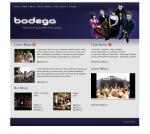
My first design for this client, any ideas? The pictures i've been given are quite formal so i've tried to keep the design the same. Cheers David
-
Every time I try use it I get this message Error: 406 Not Acceptable Anyone know what i'm doing wrong
-
The design is amazing. I didn't know the egg was an egg til I read the taglne, you can't really make it out. Really like the footer, think the fold on the be my friend sticker could be smaller though.
-
I have worked for the NHS in general practice on and off since they first used computers. Now as it it was then, if something to do with the computers has to be changed/upgraded etc it's one person you have to convince. I think they need to concentrate on there patient/appointment management software before anything else. Anyhoo, back on topic, I hate IE6 as well although I think I would actually miss the challenge of having to code round it
-
I think font size and line height is noticeably different in google chrome. It's driving me daft at the moment with a design i'm working on because i've got it displaying perfect in firefox, safari, opera and ie. I can't ignore chrome though as the percentage of people using it is continually increasing according to my stats. Why'd they have to release another browser of all things
-
Thanks for replying! I originally had a grey paper style background but I felt the load time for the images would be too long. I'll try a gradient and maybe a plain grey background and post the results. D'you think the overall layout looks complete enough though? As an aside - I work in music for a living and i come up against the same issues with web design. If you work on something yourself for too long in a creative medium it's hard to remain objective of your own work and think about the end user.
-
Thanks Dan, that helped me too!
-
I tested it like below and it does work. Let me see how you have used it and i'll try help. <html> <script language="JavaScript"> <!-- function expand(param) { param.style.display=(param.style.display=="none")?"":"none"; } //--> </script> <a href="java script:expand(document.getElementById('div1'))">Title 1</a> <div class="dottedBorders" id="div1" width="300px" style="display:none"> <p>some text</p> </div> <a href="java script:expand(document.getElementById('div2'))">Title 2</a> <div class="dottedBorders" id="div2" style="display:none"> <p>some text</p> </div> </html>
-
Hi Jobjar I was looking for the same thing and found this http://www.dmxzone.com/forum/topic/31395/ the code from dave thomas does what you need.
-
I know this style is used quite a lot at the moment but I think it suits the subject. I tried putting drop shadows on everything but it looked too much so I removed nearly all of them. Do you think it looks too flat.
-
Thanks for the comments I think i've been a bit lazy with the footer so i'll work on it some more. I'm from Glasgow Darren, u?
-
Don't know if anyone will still be interested but I've been using dream-hosting for a few years and have been quite happy with the service. Can't remember any downtime. It sometimes can take up to 24 hours for a ticket response but i've always dealt with the same guy and he's very helpful.
-
Thanks socreative, i've change the banner text to red and updated the image. Any use?

