Qwibble
Members
-
Joined
-
Last visited
Everything posted by Qwibble
-
Anyone got any idea on these?
-
It's something that both Safari, and Google Chrome do. I'm not sure what it is that causes it, but with a wordpress hack that targets chrome and safari, you can eliminate it by applying your own padding to those two browsers. /* Safari and Chrome Hack */ @media screen and (-webkit-min-device-pixel-ratio:0) { .cssclass or #cssid { padding : 0px; etc... } } I used it in my latest project for a form so can vouch for it.
-
So I had a theme working with a static inserting of the jquery library (jquery-1.1.3.1), but now that some of wordpress's plugins want to use the jquery library, its pulling its own, more up to date version (1.3.2). These scripts no longer work on it, which is rather annoying. I'm a real javascript noob, it's something I've never delved into personally, just used premade scripts. How can I make these compatible with the wordpress jquery? I really want these, since I've already configured the css and everything. Reset the form field on mouse click <script type="text/javascript"> $(function() { swapValues = []; $(".swap_value").each(function(i){ swapValues[i] = $(this).val(); $(this).focus(function(){ if ($(this).val() == swapValues[i]) { $(this).val(""); } }).blur(function(){ if ($.trim($(this).val()) == "") { $(this).val(swapValues[i]); } }); }); }); </script> Jquery Dropdown Menu <script type="text/javascript" >/** * hoverIntent r5 // 2007.03.27 // jQuery 1.1.2+ * <http://cherne.net/brian/resources/jquery.hoverIntent.html> * * @param f onMouseOver function || An object with configuration options * @param g onMouseOut function || Nothing (use configuration options object) * @author Brian Cherne <brian@cherne.net> */ (function($){$.fn.hoverIntent=function(f,g){var cfg={sensitivity:7,interval:100,timeout:0};cfg=$.extend(cfg,g?{over:f,out:g}:f);var cX,cY,pX,pY;var track=function(ev){cX=ev.pageX;cY=ev.pageY;};var compare=function(ev,ob){ob.hoverIntent_t=clearTimeout(ob.hoverIntent_t);if((Math.abs(pX-cX)+Math.abs(pY-cY))<cfg.sensitivity){$(ob).unbind("mousemove",track);ob.hoverIntent_s=1;return cfg.over.apply(ob,[ev]);}else{pX=cX;pY=cY;ob.hoverIntent_t=setTimeout(function(){compare(ev,ob);},cfg.interval);}};var delay=function(ev,ob){ob.hoverIntent_t=clearTimeout(ob.hoverIntent_t);ob.hoverIntent_s=0;return cfg.out.apply(ob,[ev]);};var handleHover=function(e){var p=(e.type=="mouseover"?e.fromElement:e.toElement)||e.relatedTarget;while(p&&p!=this){try{p=p.parentNode;}catch(e){p=this;}}if(p==this){return false;}var ev=jQuery.extend({},e);var ob=this;if(ob.hoverIntent_t){ob.hoverIntent_t=clearTimeout(ob.hoverIntent_t);}if(e.type=="mouseover"){pX=ev.pageX;pY=ev.pageY;$(ob).bind("mousemove",track);if(ob.hoverIntent_s!=1){ob.hoverIntent_t=setTimeout(function(){compare(ev,ob);},cfg.interval);}}else{$(ob).unbind("mousemove",track);if(ob.hoverIntent_s==1){ob.hoverIntent_t=setTimeout(function(){delay(ev,ob);},cfg.timeout);}}};return this.mouseover(handleHover).mouseout(handleHover);};})(jQuery);</script> <script type="text/javascript" charset="utf-8"> //<![CDATA[ $(document).ready(function() { function addMega(){ $(this).addClass("hovering"); } function removeMega(){ $(this).removeClass("hovering"); } var megaConfig = { interval: 100, sensitivity: 10, over: addMega, timeout: 100, out: removeMega }; $("li.mega").hoverIntent(megaConfig) }); //]]> </script>
-
Your my hero. Second idea works a treat <3 Cheers man. I'd got it working with images, but it wasnt what my original hope was. Yours is better than my original aim xD
-
Surely the smaller images and more code more than outweighs 8 or so large images to do the three boxes. I'll go for it =)
-
Let me rephrase the question. In the first post there is an image. If you click on it and see the image full sizes, you'll see that the white areas have a slight gradient and border around the outside, aswell as very slightly curved corners. How would you go about applying this background to the three areas using background images, with the least load time (images and code) possible, whilst allowing for them to stretch vertically(very important) and horizontally(not such a priority). Does that help? =)
-
Anyone? This'll be the finish to the coded version of the template =)
-
No, I can't simply stretch the background image/images like that. And the background does have slighty curved corners, and a double border sort of. Anyway, I'm thinking a 4 way sliding doors css effect, but not sure how to pull it off. Any ideas?
-
Lovely. Cheers mate. I'd tried splitting them up and floating one right and one left, but hadnt thought about the widths =)
-
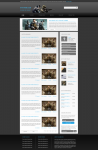
Second problem of the evening xD Okay, so you can see here, that the featured news, news, and sidebar all share a commonly styled background. I want to be smart, and use the same images for all three, rather than the user downloading differently sized images for each section. I'm struggling of thinking of a clean, friendly way of doing it codewise. Does anyone have any sugestions? I'm sure someones come across something similar before and found a solution =) Matt~
-
First problem of the evening =) I have for example, a row of buttons created like such ; HTML <p class="buttonSquare"> <a href="#"><span>Previous</span></a> <a href="#"><span>Next</span></a> <a href="#"><span>1</span></a> <a href="#"><span>2</span></a> <a href="#"><span>3</span></a> <a href="#"><span>4</span></a> <a href="#"><span>5</span></a> </p> CSS .buttonSquare { display : block; height : 24px; line-height : 24px; margin : 0px; padding : 0px; } .buttonSquare a{ background : transparent url(images/buttonSquare.png) no-repeat scroll 0 0; color : #747474; display : block; float : left; font-size : 10px; height : 24px; line-height : 23px; margin : 0 8px 0 0; max-width : 250px; padding : 0; text-decoration : none; } .buttonSquare a span{ text-align : center; background : url(images/buttonSquare.png) no-repeat scroll 100% 0; display : block; float : left; height : 24px; margin : 0 0 0 8px; padding : 0 8px 0 0; } They all align to the left of whatever their container div on the site, but the problem is, I want some to align to the right, and some to align to the left. Here for example, Previous, and Next should align to the left of their container div, and the numbers to the right. Sure I can split them into two paragraphs and have text-align : left/right, but they dont show horizontally alligned then in one row. How would you go about doing this with the tidiest code possible?
-
Im looking to have a featured enws image scroller like in these two examples. http://uk.gamespot.com/ http://wiinetwork.net/ I'm working with wordpress. These things are fairly common, so I'm pretty sure a plugin must exist, and one doesnt it should be easy to hook up, but I just have no idea how. Does anyone know the right plugin?
-
Hey all you wordpress lovers =P I'm trying to style some of the default wordpress widgets such as catagories and search, but the catagories doesnt put a class or id in its <ul> or have a container div which is what I want to use to style it. Does anyone know where wordpress pulls its default widgets from so I can go in and add the class's and id's to the code before it is generated? I've spent all day looking at plugins that act as a replacement for these, and none have done anything better, so I think the defaults are the way to go I've styled wp-poll, and GeneralStats, so don't see why the default plugins cant include something to use to style them through css. Looking forward to a boot in the right direction ^^ Matt~
-
First off, I'm a real newbie to Joomla. I asked this question in their forums, but noone has replied to me, and it keeps getting kocked further and further back. I've found these forums far more helpful, so was hoping some Joomla users would be able to send me in the right direction. Basically I'm looking to impliment a featured news image spotlight scroller much like on http://uk.gamespot.com/ and http://wiinetwork.net/, but haven't got a clue what words to search, or what to do really, *shrugs* Can anyone give me any advice? =) I have a javascript image scroller like I want it in my html template, but I want to make sure I can impliment it first before I do anything. Any help would be greatly appreciated. Matt~ p.s meant to edit the title, but have found I cant now I've posted it. sorry =(
-
It depends what browser people are viewing it in. Whilst it may display perfectly in lets say Firefox, it may render horribly in Internet Explorer. What you need to do is test it in all browsers, and keep fixing it until it renders perfectly in all the major ones. These would be IE7, IE8, Firefox, Opera, Chrome, Safari.
-
Okay, so I'm looking to use Joomla to build up a gaming community for a popular european game. The "network", will be fairly large, featuring several sort of sections, using the same user accounts but under seperate subdomains, such as video.mysite.com. This will be achieved through JFusion. Community Builder would be used for customising account entry fields. However, I've never used Joomla before, and there are still many elements I'm unsure on before I set off, such as a spotlight featured image rotator with text on the frontpage. I know how to achieve it in code terms, but not in hooking it up to work, and still be dynamic. What I'm asking is, would anyone experienced with Joomla and how it operates, and possibly with a knowledge of the things I've mentioned, be open to adding me on msn to guide me through it all, and help me understand. I don't want anyone to do it for me, I want to learn, but it's having someone with the expertise and knowledge helps, and saves alot of long, extended headaches on a personal project I'd like to get live a.s.a.p. My msn is mcorner1@hotmail.co.uk Feel free to add it and discuss with me, it'd be greatly appreciated as someone whos sort of a novice on CMS's in general, and a complete newbie to Joomla. Cheers, Matt~ P.s. I know I also posted this in How do I do that? but feel it was the wrong place. Apologies.
-
Okay, so I'm looking to use Joomla to build up a gaming community for a popular european game. The "network", will be fairly large, featuring several sort of sections, using the same user accounts but under seperate subdomains, such as video.mysite.com. This will be achieved through JFusion. Community Builder would be used for customising account entry fields. However, I've never used Joomla before, and there are still many elements I'm unsure on before I set off, such as a spotlight featured image rotator with text on the frontpage. I know how to achieve it in code terms, but not in hooking it up to work, and still be dynamic. What I'm asking is, would anyone experienced with Joomla and how it operates, and possibly with a knowledge of the things I've mentioned, be open to adding me on msn to guide me through it all, and help me understand. I don't want anyone to do it for me, I want to learn, but it's having someone with the expertise and knowledge helps, and saves alot of long, extended headaches on a personal project I'd like to get live a.s.a.p. My msn is mcorner1@hotmail.co.uk Feel free to add it and discuss with me, it'd be greatly appreciated as someone whos sort of a novice on CMS's in general, and a complete newbie to Joomla. Cheers, Matt~
-
It's done using a php randomiser. Search google for 'php random text / quote' or something along those lines, you'll be bound to find something.
-
Hmm, I think it may be worth moving away from the massive softwares such as Joomla and Drupal, and going with GLFusion. It offers everything you want, and the support team are extremely active, and will help you with your business database. I suggest you check it out. =)
-
Just wrap an element with the direct link to that file. Something along the lines of - <a href="link/to/image.jpg"><img src="link/to/image.jpg /></a> Is that what your after? And if you link to files such as video files, they will be downloaded, not played, because currently (until HTML 5 i think?) there is no built in video support like there is for images.
-
Thanks for your help man =)
-
Nevermind, worked that out. Now all I want to manage is for the div to disappear when the user clicks outside the div, or scrolls the page. Is that possible?
-
Wrong thread >.<
-
Kay so that works, but I dont want it to stretch the div that its in, I want it to be ontop of it, like the one here is xD, Thoughts?
-
For my site design, I'm looking to have a user box similar to WDF in the header. I've created it and all, but now I want to do the dropdown. I'm using mootools, but couldnt find any tutorials or anything to help. I was looking at some actual dropdown navigation menus, but with no real knowledge of javascript, I wouldnt know how to change them from hover, to click to open and close. Anyway, if anyone knows any tutorials, or can show me how, it'd be much appreciated. It'd finish off my design =)