Ashraf
Members
-
Joined
-
Last visited
-
Greetings I was working on this HTML page for a while and now I need to embed a flash photo gallery. There are 2 galleries that I need to use. Tilt viewer and Polaroid. I need to embed them inside the large pink area the canter of the page <div id="content_inside">. The galleries are JS based. I need some help with that. Please check the attached ZIP files. Gallery.zip: I included Tiltviwer files and added "images" folder and "Gallery2.html" tiltviewer.zip and polaroid gallery.zip are the original files I downloaded. TiltViwer: I embeded the flash object into the html page but for some reason it still calls images from flickr not from the xml file. When I use the original index.html page included it works just fine. I copied the <scrypt> part from "index.html" to my "gallery2.html" but still doesn't work. I noticed that the external JS file "swfobject" adds an extra <div> in "index.html" embedding the flash object in it. I hope someone can point out what am I missing or how to get the gallery to read the data from the XML file directly. Polaroid gallery: I tried embedding the flash object as well, but I can't find an XML file to link to the images I wanna load in the gallery. I hope someone can help me embed that one too. I'm new into xHTML and CSS, took me sometime to put this layout together, I'm all open to suggestions about cleaning my code or writing it in a better way. Thank you in advance. Gallery.zip Polariod gallery.zip tiltviewer.zip
-
Various vector images from my works.
-
 Summer Greeting
-
 Summer Greeting
-
 Crossing
-
 Overseas Delivery
-
 Happy Ramadan
-
 Happy Egyptian Mother's Day
-
 Trick or Treat
-
 Halloween Castle
-
 Halloween Bats
-
 Easter Greeting
-
 Coloring Chick
-
 Under Water Grub
-
 Diver wanna-be
-
 Cool Diver Cat
-
 The Dentist
-
 Standing Cow
-
 Sexy Cow
-
 Pissing Cow
-
 Christmass Greeting
-
 Christmass Greeting
-
-
 Very nice.. the illustration and the design, all work together very well.. Great job.
 -
Thank you a lot Mike, i can never thank you enough for your generous reply. According to what I found on SEO online, directory depth could be a problem specially if the path is deeper than 3 levels. I hope I'm on the safe side but you are right it would be better to have a shorter path, the URLs are defined by an array inside the site's PHP script I'm sure my developer can fix that As for the descriptive paragraph, I made sure I added description and keywords meta tags inside each page, yet as you already know, the crawler can't find a solid HTML page to read. Did you mean including the paragraph inside the page's content? cause google already archived my about-us and contact-us and work-policy pages very well. And yes I'm already a member in google webmaster tools, great service, I've submitted my site map there already yet I'm still surprised I can't easily find my content online. I've also subscribed in google analytics but failed to set up right, it doesn't read all the activity on my website though I did my best with their tracking code, I think if dropping it since I already can use the statistics from my CP, and of course we have google apps which is another great service to use. I still wonder what kind of methods are followed in the cases of other stock sites and forums, since I plan on starting couple of websites that could include a forum and dynamic content... you got any tips for that? Thank you again so much for your help and glad you liked my website.
-
I think you mean, adding strokes to text. Well "create outline" in illustrator does mean turning text into vector. In order to create a stroke around the text do the following, hope it helps you. 1. select the text with the selection tool not the text tool 2. on the color tab, choose a stroke color, text should get stroke as soon as you do that. 3. set stroke width from the stroke tab Generally, you can apply a stroke to text just the same way you do to an object Good luck.
-
Thank you mike it was comforting to know that my pages will get indexed as I said my URLs are very friendly and simple, such as While the URLs from Dreamstime.com come like this My site is pretty similar to istock and dreamstime This post URL on the forum is istock, dreamstime and forums score very high in ranking though they have Dynamic URLs, yet when I searched for content from my site I couldn't reach anything. I wanna know wts their secret?
-
It's kinda tough situation. IMO you have 2 options, 1. ask the person that gave you these files to save them into a different format and re-send to you. 2. get Illustrator or let someone who has an illustrator copy to re-save the files for you in an Inkscape friendly format If you choose to re-save the files in a friendly format make sure the files don't contain any special effect from Illustrator, such as feathers or blend options or special strokes...etc. Good luck
-
My first advice is to check illustrator's Help files about clipping masks, they are clear enough. it's in the help files under Reshaping Objects > Clipping masks But here's a little go-through about clipping masks.. A clipping mask is an object that hides a part of another object. for example: 1. Draw a circle 2. Draw a rectangle with a different color, make the rectangle taller than the circle but thinner than the circle 3. Select both > Right Click > Make Clipping Mask The object on top defines the visible area of the lower object. meaning, it defines what part of the lower object u'll still see and the rest will be hidden. I hope this is any kind of help you.
-
Yes sometimes Illustrator is that crazy, How about trying this.. Copy everything, paste in a new file and save... It's not a direct solution bit it's a work around. Hope this helps, Good luck
-
I've been reading about SEO for my dynamic website. From wt I learned, dynamic URLs are not Crawler friendly and usually crawlers ignore URLs with queries and ?-& signs. My site is dynamic and is a small stock images site. When I search for my images I get results for my works posted on Istockphoto.com and Dreamstime.com but not from my website, although I have friendly URLs and submitted xml sitemap to the search engines. My question is... how comes istockphoto.com and dreamstime.com are being well indexed despite their dynamic URLs, same things with forums.. how comes forum posts rank high and get indexed despite their dynamic URLs... Anyone can help me understand this?
-
@red-X I'm glad it works in IE7 and FF3 I hope to get it fixed on the rest of browsers. @yusran Thank you ysuran for your advice, I reduced the indent to half but still nothing happened, they just changed positions. Anyone with another idea?
-
I managed to fix the first problem. I changed the element (.item) size, increased by 12 px I hope someone give me an answer for problem two, since this has been happening for a while now that the thumbnails jump around like that.
-
Darn, you people are fast, I was already writing the reply and it was only me in here.. anyways here's what I had on mind... just like NeRo said: These are the links from your page sourcs <tr> <td><img src="file:///C|/Users/Administrator/Desktop/thumb_2.jpg" width="100" height="40" /></td> <td><img src="file:///C|/Users/Administrator/Desktop/thumb_31.jpg" width="100" height="40" /></td> <td><img src="file:///C|/Users/Administrator/Desktop/thumb_51011171.jpg" width="100" height="40" /></td> </tr> I think the images are simply mis-linked, you could have checked the wrong HTML file for code... That's as far as I know....
-
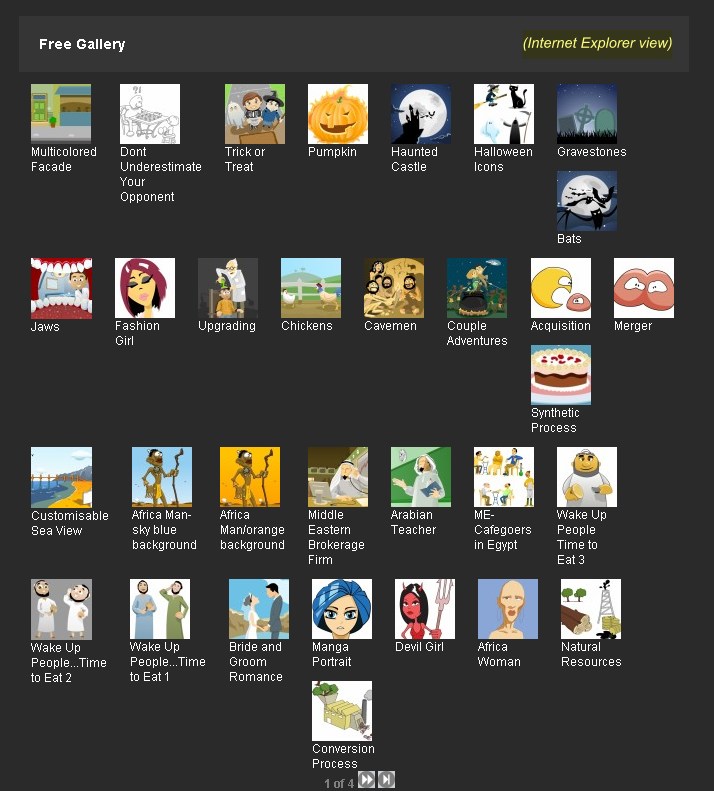
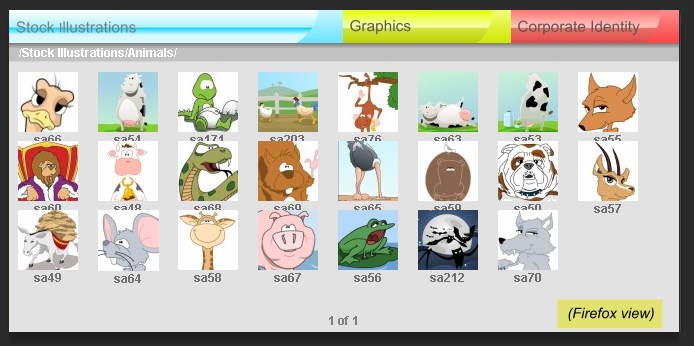
Hi again everybody... This is kinda urgent. I was fixing couple of link colors in my CSS then troubles appeared. I have 2 problems. But the biggest problem is, I should launch the site TOMORROW according to the countdown I had a week ago. I've attached the CSS file too. First problem: http://www.duettographics.com/items/5/Stoc...ions/Animals/1/ Thumbnails in the page over-lap covering the text under each thumbnail. Problem occurs in FF, but looks fine in IE, I guess it's cause IE gives little extra space between items. Problem Two http://www.duettographics.com/free-gallery/1/ In IE, thumbnails jump around the page almost randomly, they even move when i mouse-over to view the tool-tip preview, not to mention the PNG transparency problem at the bottom of the page (pagination place) Please check the attached images and CSS file or visit the links to see the problem with your own eyes. I hope these problems aren't serious, it's unfortunate that I'm still a CSS beginner. Thank you in advance style.css

-
This is my Halloween greeting to you all, Please feel free to send and copy to your family, friends and beloved ones... Enjoy "None commercial use please..."