eighty0ne
Members
-
Joined
-
Last visited
Everything posted by eighty0ne
-
thanks Jock - just tried that but no luck sadly it just seems to want to create a link to the current page here is one of the pages in question the full code for that section runs <p><?php the_field('in_a_nutshell'); ?></p> <p><?php the_field('materials'); ?></p> <p><?php the_field('price'); ?></p> <p><?php the_field('in_their_words'); ?></p> <p><b>FIND OUT MORE </b><a href="<?php echo the_field('buy_online'); ?>" TARGET="_blank">HERE</a></p> weird - anyone else any ideas? cheers
-
hello all wondered if you could help me figue out why the code below isn't working? I have 'buy_now' set up as a Custom Field in Wordpress. <p><b>FIND OUT MORE </b><a href="<?php the_field('buy_online'); ?>" TARGET="_blank">HERE</a></p> apologies if this is in the wrong forum section cheers for any help eighty0ne
-
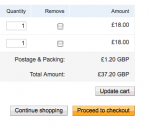
hey all - does anyone know if I can change "Postage & Packing" in the paypal checkout? i need it to say "Handling Charge"...
-
hi Jay, that sounds good - all I am looking to do is add a blog to www.triptychevents.co.uk would your hosting allow us to resolve the issue? we have our domain with 123-Reg we might add a gallery with pictures at some point but it's nothing too big... perhaps you could PM me if you think you can help? cheers all, eighty0ne
-
hey, thanks again - how do I go about doing this? will I still be able to have the blog in www.mydomain.com/blog? i also have hosting with UK2.net for a couple of other domains - perhaps I could use that to host my blog?
-
thanks Faevilangel - how do I go about installing PHP? is that possible?
-
hi - thanks for your responses. as per wordpress instructions, I have uploaded their files to my /blog folder then visiting http://www.triptychevents.co.uk/blog/wp-admin/install.php to continue setup... this is where I get the error message. any thoughts?
-
hi - should be a quick one for anyone who knows about Wordpress - I am receiving the following code when I try to install my new blog. It looks like the right install instructions but something has gone wrong along the line. I am being forced to use myfreesql on (evil) 123-Reg - could this be the problem? Any help gratefully received. eighty0ne <?php /** * WordPress Installer * * @package WordPress * @subpackage Administration */ /** * We are installing WordPress. * * @since unknown * @var bool */ define('WP_INSTALLING', true); /** Load WordPress Bootstrap */ require_once(dirname(dirname(__FILE__)) . '/wp-load.php'); /** Load WordPress Administration Upgrade API */ require_once(dirname(__FILE__) . '/includes/upgrade.php'); if (isset($_GET['step'])) $step = $_GET['step']; else $step = 0; /** * Display install header. * * @since unknown * @package WordPress * @subpackage Installer */ function display_header() { header( 'Content-Type: text/html; charset=utf-8' ); ?> <!DOCTYPE html PUBLIC "-//W3C//DTD XHTML 1.0 Transitional//EN" "http://www.w3.org/TR/xhtml1/DTD/xhtml1-transitional.dtd"> <html xmlns="http://www.w3.org/1999/xhtml" <?php language_attributes(); ?>> <head> <meta http-equiv="Content-Type" content="text/html; charset=utf-8" /> <title><?php _e('WordPress › Installation'); ?></title> <?php wp_admin_css( 'install', true ); ?> </head> <body> <h1 id="logo"><img alt="WordPress" src="images/wordpress-logo.png" /></h1> <?php }//end function display_header(); function display_setup_form( $error = null ) { if ( ! is_null( $error ) ) { ?> <p><?php printf( __('<strong>ERROR</strong>: %s'), $error); ?></p> <?php } ?> <form id="setup" method="post" action="install.php?step=2"> <table class="form-table"> <tr> <th scope="row"><label for="weblog_title"><?php _e('Blog Title'); ?></label></th> <td><input name="weblog_title" type="text" id="weblog_title" size="25" value="<?php echo ( isset($_POST['weblog_title']) ? esc_attr($_POST['weblog_title']) : '' ); ?>" /></td> </tr> <tr> <th scope="row"><label for="admin_email"><?php _e('Your E-mail'); ?></label></th> <td><input name="admin_email" type="text" id="admin_email" size="25" value="<?php echo ( isset($_POST['admin_email']) ? esc_attr($_POST['admin_email']) : '' ); ?>" /><br /> <?php _e('Double-check your email address before continuing.'); ?> </tr> <tr> <td colspan="2"><label><input type="checkbox" name="blog_public" value="1"<?php if( isset($_POST) && ! empty($_POST) && isset( $_POST['blog_public'] ) ) : ?> checked="checked"<?php endif; ?> /> <?php _e('Allow my blog to appear in search engines like Google and Technorati.'); ?></label></td> </tr> </table> <p class="step"><input type="submit" name="Submit" value="<?php esc_attr_e('Install WordPress'); ?>" class="button" /></p> </form> <?php } // Let's check to make sure WP isn't already installed. if ( is_blog_installed() ) {display_header(); die('<h1>'.__('Already Installed').'</h1><p>'.__('You appear to have already installed WordPress. To reinstall please clear your old database tables first.').'</p></body></html>');} switch($step) { case 0: case 1: // in case people are directly linking to this display_header(); ?> <h1><?php _e('Welcome'); ?></h1> <p><?php printf(__('Welcome to the famous five minute WordPress installation process! You may want to browse the <a href="%s">ReadMe documentation</a> at your leisure. Otherwise, just fill in the information below and you’ll be on your way to using the most extendable and powerful personal publishing platform in the world.'), '../readme.html'); ?></p> <!--<h2 class="step"><a href="install.php?step=1"><?php _e('First Step'); ?></a></h2>--> <h1><?php _e('Information needed'); ?></h1> <p><?php _e('Please provide the following information. Don’t worry, you can always change these settings later.'); ?></p> <?php display_setup_form(); break; case 2: if ( !empty($wpdb->error) ) wp_die($wpdb->error->get_error_message()); display_header(); // Fill in the data we gathered $weblog_title = isset($_POST['weblog_title']) ? stripslashes($_POST['weblog_title']) : ''; $admin_email = isset($_POST['admin_email']) ? stripslashes($_POST['admin_email']) : ''; $public = isset($_POST['blog_public']) ? (int) $_POST['blog_public'] : 0; // check e-mail address $error = false; if (empty($admin_email)) { // TODO: poka-yoke display_setup_form( __('you must provide an e-mail address.') ); $error = true; } else if (!is_email($admin_email)) { // TODO: poka-yoke display_setup_form( __('that isn’t a valid e-mail address. E-mail addresses look like: <code>username@example.com</code>') ); $error = true; } if ( $error === false ) { $wpdb->show_errors(); $result = wp_install($weblog_title, 'admin', $admin_email, $public); extract($result, EXTR_SKIP); ?> <h1><?php _e('Success!'); ?></h1> <p><?php printf(__('WordPress has been installed. Were you expecting more steps? Sorry to disappoint.'), ''); ?></p> <table class="form-table"> <tr> <th><?php _e('Username'); ?></th> <td><code>admin</code></td> </tr> <tr> <th><?php _e('Password'); ?></th> <td><?php if ( !empty( $password ) ) { echo '<code>'. $password .'</code><br />'; } echo '<p>'. $password_message .'</p>'; ?></td> </tr> </table> <p class="step"><a href="../wp-login.php" class="button"><?php _e('Log In'); ?></a></p> <?php } break; } ?> <script type="text/javascript">var t = document.getElementById('weblog_title'); if (t){ t.focus(); }</script> </body> </html>
-
thanks for your help Connetu_C, although I am slightly bamboozled! it all sounds very technical. could anyone advise whether this is actually worth our while before I spend money/get lost in the setup process...
-
an example might be a company called www.perfectwedding.com with redirects from: www.bridesmaid.com www.groom.com www.weddingcake.com etc...
-
hi - we're thinking of purchasing some new domain names based on our keywords then getting them redirected to our primary domain - on the basis that these domains would appear higher in search engines... i have seen this done by other companies - would you recommend it? and if so, how do I go about redirecting them properly so we don't get penalised by the search engine spiders? i have read about 301 redirects using .htaccess but wanted to check on this forum first thanks in advance, eighty0ne
-
hey all - I found NetRenderer to check my new site for IE compatability it seems that IE6/IE5.5 cannot display transparent PNG. should this be a major concern? is there a way around it? thanks, eighty0ne
-
Wickham, you are nothing short of a legend. Everything is back in it's place! Thank you ~ eighty0ne
-
anyone know where I've gone wrong with this? sorry - going crazy trying to fix it and hitting brick wall
-
agh, thanks sepia but not joy... my borders are set to none here: .profile a img { float: right; border-top-style: none; border-right-style: none; border-bottom-style: none; border-left-style: none; } .profile a { border-top-style: none; border-right-style: none; border-bottom-style: none; border-left-style: none; } unless I am barking up the wrong tree with that... the following should also feature (on this page): #wrapper #blocks #block_right_profile ul { font-weight: bold; list-style-type: none; } #wrapper #blocks #block_right_profile ul li a { text-decoration: none; color: #B10202; as should this (on this page): #wrapper #blocks #block_left_large ul ul li { font-weight: normal; padding-top: 2px; padding-bottom: 2px; agh
-
hi semiotically - yep, I've done that - I can't figure out what on earth is happening something very simple I am sure but I can't see it...
-
the css isn't updating the <li> styling on my what we do page either - very confused...
-
hey all - two slightly different issues - it's as though my css isn't updating properly? firstly, my team page - I am sure I have coded for no borders on the links and for them floated right but it just isn't happening for me! are they being controled by some other code? secondly, in my profile pages, I am sure I've coded the <li> elements on the right to be red with no decoration but they're just not playing dice... I am also pretty sure the <li> elements in my #block_left_large div are styled differently to how they display... hmmn.. what's going on?! link to my css yours hopefully, eighty0ne
-
smashed it! here's what I used... <div id="blocks"> <div class="profile"> <img src="../images/gif/ian.gif" width="192" height="175" alt="ian" /><h1>IAN</h1><p>Curabitur ac nulla tellus, id vulputate quam. Quisque scelerisque fermentum turpis ut molestie. Quisque scelerisque fermentum turpis ut molestie.</p></div> <div class="profile"><img src="../images/gif/joe.gif" width="192" height="175" alt="joe" /><h1>JOE</h1><p>Curabitur ac nulla tellus, id vulputate quam. Quisque scelerisque fermentum turpis ut molestie. Quisque scelerisque fermentum turpis ut molestie.</p></div> <div class="profile"><img src="../images/gif/alex.gif" width="192" height="175" alt="alex" /><h1>ALEX</h1><p>Curabitur ac nulla tellus, id vulputate quam. Quisque scelerisque fermentum turpis ut molestie. Quisque scelerisque fermentum turpis ut molestie.</p></div> <div class="profile"><img src="../images/gif/mik.gif" width="192" height="175" alt="mik" /><h1>MIK</h1><p>Curabitur ac nulla tellus, id vulputate quam. Quisque scelerisque fermentum turpis ut molestie. Quisque scelerisque fermentum turpis ut molestie.</p></div> <div class="profile"><img src="../images/gif/jamie.gif" width="192" height="175" alt="jamie" /><h1>JAMIE</h1><p>Curabitur ac nulla tellus, id vulputate quam. Quisque scelerisque fermentum turpis ut molestie. Quisque scelerisque fermentum turpis ut molestie.</p></div> </div> and the css } .profile { height: 315px; width: 182px; float: left; background-image: url(../images/png/profile_rpt.png); background-repeat: repeat-y; padding-right: 5px; padding-bottom: 5px; } #wrapper #blocks .profile p { font-size: 12px; margin-left: 10px; font-weight: normal; } #wrapper #blocks .profile h1 { font-weight: bold; margin-top: 5px; margin-left: 10px; margin-bottom: 5px; font-size: 12px; } thanks for your help everyone! eighty0ne
-
ps. the reason I chose to use 10 divs is so I could have the grey background behind the text
-
gaz, thanks - maybe I am being slow today but I still don't quite see what I need to change. is it because I have used ten divs and I only really need five? are you saying I need to place the images in the divs rather than using them as backgrounds? agh, sorry... also, why does it display as I want it to in dreamweaver and then nothing at all the same in browser? odd, no? thanks again for all your help peeps if anyone could spell out the code I need to use for each div that would be superb.. eighty0ne
-
hey all - so is my code completely off the mark? still a bit confused... all help gratefully received! eighty0ne
-
here's my code if it helps? <div id="blocks2"> <div id="ian" class="teamBox"></div> <div id="joe" class="teamBox"></div> <div id="alex" class="teamBox"></div> <div id="mik" class="teamBox"></div> <div id="jamie" class="teamBox"></div> <div class="teamText">IAN<br /><br />Curabitur ac nulla tellus, id vulputate quam. Quisque scelerisque fermentum turpis ut molestie. Etiam libero leo, luctus vel dignissim quis, pretium vel augue. </div> <div class="teamText">JOE<br /><br />Curabitur ac nulla tellus, id vulputate quam. Quisque scelerisque fermentum turpis ut molestie. Etiam libero leo, luctus vel dignissim quis, pretium vel augue. </div> <div class="teamText">ALEX<br /><br />Curabitur ac nulla tellus, id vulputate quam. Quisque scelerisque fermentum turpis ut molestie. Etiam libero leo, luctus vel dignissim quis, pretium vel augue. </div> <div class="teamText">MIK<br /><br />Curabitur ac nulla tellus, id vulputate quam. Quisque scelerisque fermentum turpis ut molestie. Etiam libero leo, luctus vel dignissim quis, pretium vel augue. </div> <div class="teamText">JAMIE<br /><br />Curabitur ac nulla tellus, id vulputate quam. Quisque scelerisque fermentum turpis ut molestie. Etiam libero leo, luctus vel dignissim quis, pretium vel augue. </div> </div> } #wrapper #blocks2 #ian { background-image: url(../images/png/ian.png); background-repeat: no-repeat; } #wrapper #blocks2 #joe { background-image: url(../images/png/joe.png); background-repeat: no-repeat; } #wrapper #blocks2 #alex { background-image: url(../images/png/alex.png); background-repeat: no-repeat; } #wrapper #blocks2 #mik { background-image: url(../images/png/mik.png); background-repeat: no-repeat; } #wrapper #blocks2 #jamie { background-image: url(../images/png/jamie.png); background-repeat: no-repeat; } .teamBox { height: 175px; width: 192px; float: left; } .teamText { height: 145px; width: 172px; float: left; margin-left: 5px; margin-right: 5px; background-color: #CCC; font-family: Tahoma, Geneva, sans-serif; font-weight: bold; color: #000; text-align: justify; padding: 5px; } #blocks2 { height: 350px; }
-
sorry Faevilangel, thanks for your help but I'm still confused could you run that by me again? what do I need to change? thanks, eighty0ne
-
hey all, having an issue with this page i have attached an image of how i'd like it to display (this is how it displays in dreamweaver) - what have I done?! thanks, eighty0ne