project_lumino
Members
-
Joined
-
Last visited
Everything posted by project_lumino
-
Awesome thanks for that!! Works perfectly :-) something new to add to my web design knowledge (it still has a long way to grow!)
-
I'm putting a scrolling text area box on my site as it's a long bit of text and I don't want the page to scroll down that far! So I looked online and I've put in a read only text area and adjusted the size with css so the code looks like this: <textarea name="textarea" readonly="readonly" id="riley1929"> the text </textarea> CSS #riley1929 { width:900px; height:500px; } It's been a while since I've done the website as the company took a break. So now I'm updating it. The problem I have is where the text before had paragraphs and the heading were bold, these have now disappeared. And now in the preview the html code shows. Example: <p class="style6"> <b>Chassis</b> <p class="style6"> text blah blah blah. <p></p> Now it is putting the paragraph tags after that. I assume it's because I've put it to CSS now. I've forgotten what to do. How can I do paragraphs and bold headings in the box now? I would show an example but I'm my work pc now and my webdesign is on my laptop next to me but it doesnt have an internet connection.
-
Hi, I'm partly self taught but in three days submit my final Open University project for the Web Design and Development course. I have found these very usefuL. I also took the Design and the Web course which is more of an introduction. I find them useful as they cover a lot of subjects and terms that you might not come across self taught. The exercises are useful to help and it's also a reference point. They are £200 each but enable you to work and study at the same time. Although motivation is needed at time to do it as I find I get distracted by the television and social networking sites lol However if I were your age and could turn back time I would have taken more interest in doing a uni/college course. I'm only 21 so the idea isn't completly out the window but I feel I'm going to do OK with Open Uni route. I think doing a college course helps to improve your confidence and would give you a portfolio with all the coursework needed. Also there are contacts which can help you begin to build up a client base. My first website is one for my music which helped me to learn the basics and my second is for a car company that is constantly being updated (so I get paid!) but that was through my boyfriends Dad. I also may have a second project coming up for an artist that my Dad has sorted for me. When I get more confident I want to advertise myself to local companies and build it up from there. I do worry that more people are being taught web design from a young age at GCSE level which will make the market more competitive than it would've been ten years ago. But then I think there will always be someone out there who needs a site it's just a case of finding them!
-
Also I have just noticed on my work computer that the product page is really affected by the advert column. It seems to be placed on top of the content div.
-
Hi, The website I have been working on for a college project has some trouble with the positioning of a div. I would like to make sure it always stays as far right as possible. At the moment it is leaving a lot of unwanted white space to the right and crosses over into the central div. Obscuring it. Can I change this with percentages? Thanks for any help! H The site with the problem!
-
Hey thanks for the help. I tried that, this is a silly thing but I've gone blank on how to add a bottom margin to the images through html? It didn't change though when I opened it in Mozilla, in Safari it's still fine. It annoys me because it was fine the other day and I haven't edited the page layout from what I can remember, for it to change. hmm. It needs sorting before I hand in my project though. Oh the joys of learning
-
Hi, I am having a problem with a site I'm designing for a course project. In my page editor the lay out is fine, and it did used to work in a browser but now the "advert" div has moved down too far on all of the pages. I've tried adjusting the CSS but not having any luck. Can any one help me put it back to the top? View the page /* CSS Document */ body {font-family:Georgia, "Times New Roman", Times, serif;} h1 p {margin-left:20px;} h1 {font-size:24px;} #content {padding:15px; margin-left:20px; height:700px; float:left; width:900px;} #navbar {background-color:E6E6E6;} #leftbar {float:left; width:200px; height:700px; color:#FF33FF;} #leftbar li {list-style:none; padding-left:0.5em; } #advert {float:right; padding:10px; height:700px; width:200px;} a:links {color:#FF33FF;} a:visited {color:#FF33FF;}
-
I wanted to know how to make a changing image sequence for my site the same as the one in this website that is at the top: Pre War Riley Website Is it quite a simple thing to do?
-
Yay thank you it worked!!! Before I was copying the table data in to text edit to un format it then putting the text file in the tabular data. I read that on another site where a girl had the same problem but she was using Front Page whereas I use DW. It kind of worked but at least this one works perfectly :-)
-
Hi, I've received an xls spread sheet to put into my site. I have never done this before but looked online and then on Dreamweaver and copied the unformatted table data into the "insert - table object - import tabular data" Surprised that for once something worked! Almost... Most of the data has been put nicely into columns and rows but then some data has been clumped together. There are 132 rows in total and 5 columns. I can see how to edit the data in order to separate them all into rows but there is so much I'd be here all night. Here is a snippet of what code went right and what went wrong. I don't know if the line breaks are meant to be there but why has it worked with the first section and the last but not the middle? <table border="1"> <tr> <td>DESCRIPTION</td> <td>SECTION</td> <td> </td> <td>PRICE </td> </tr> <tr> <td> </td> <td> </td> <td> </td> <td>ex vat (each)</td> </tr> <tr> <td> </td> <td> </td> <td> </td> <td> </td> </tr> <tr> <td>Spare tyre holder (possibly Kestrel/Alpine)</td> <td>Bodywork</td> <td> </td> <td>10</td> </tr> <tr> <td>water powered in car heater (Smiths)</td> <td>Bodywork</td> <td> </td> <td>10</td> </tr> > <tr> <td>air 8" headlights Bodywork 240<br /> Windscreen wiper motor Bodywork 40<br /> Large Rotax Headlamps (10 inch) Bodywork 550<br /> Spun brass dynamo cover (unused) Bodywork 50<br /> Front louvred aprons Bodywork 10<br /> Drum brake backing plates Brakes 20<br /> Brake drum back plates Brakes 10<br /> Brake backing plates (racing new) Brakes 100<br /> Large brake drums (Possibly from Riley Tourer) Brakes 20<br /> Foot brake assemblys Brakes 80<br /> Hand brake assembly Brakes 45<br /> Various Riley foot pedals Brakes 30<br /> Brake Drums Brakes 12<br /> Standard Riley Brake shoes Brakes 15<br /> Std Riley brake drums Brakes 20<br /> Brake Shoes Brakes 15<br /> Riley 9 Radiator honey comb Cooling 50<br /> Radiator thermostate assembly Cooling 30<br /> Complete 6 cyl radiator (good condition) Cooling 350<br /> Monaco complete radiator (good condition) Cooling 160<br /> Riley 9 radiator complete Cooling 120<br /> Large chrome radiator surround Cooling 70<br /> New quick release radiator cap (bare casting) Cooling 80<br /> Radiator cap Cooling 25<br /> Riley 6 Cylinder radiator honey comb Cooling 70<br /> Radiator fans Cooling 30<br /> Smiths 4 rev counter</td>
-
I had the same thought when I started my website. I think you have to take in to account the amount of content on the front page. If there are images, substantial amounts of texts and a navigation index then I think the top left alignment can work well. I think sites can look nice if divided into three parts. I'd get an idea on the content and draw out different layouts.
-
Yeah making your own could be a nice idea, if you have wooden flooring! Here are some I found online that you could mess around with: Maybe rotate this one to make the lines vertical. Maybe a bit dark? Quite pale but image quality is good. iloveflooring.com - this has some good examples of wooden flooring and the images are good quality. Hope that helps H
-
Hello, I would really like to put this gallery into my site and I downloaded the file however I don't really have any idea what to do with the files Gallery I have chosen the gallery without script as I'm only getting to grips with css/html at the moment. Where abouts should I put the files? What file should I choose to open? How can I get the images in? The site I'm doing is for a car company and I started working on it before I went away for 4 months. I was learning at the time and didn't finish the site completely. Whilst away it was being managed by one of the partners of the business but he's over 70 and never done any web design so the site is in a bit of a muddle and I'm still figuring that all out. The gallery I am using at the moment is a bit messy. It works but I really want a clean, smart look. My site Sorry for all the questions, I really want the site to look good this week as I'm getting paid for it and don't want to let them down. H
-
Yeah I know lol Its not exactly "What you see is what you get" because I am not seeing what I am meant to be getting! Now for some reason in IE as it appears bigger than in Mozilla and Safari the navigation bar gets pushed on to a second line. So I might have to catergorize it and make a drop down menu for the cars on sale.
-
I agree you did mention to add the clear: both but I didn't realise I had to have two seperate #footer parts on the css. But at least that part of the site is reasonably sorted. Although I wish things didn't look different in all the browsers!
-
A friend of mine just checked it out for me. He noticed that there was only css for "#footer li". I needed to put a "#footer" Clear: Both; only needed to be on the footer li Clear: Left; on the footer. In DW8 the changes don't appear but in Mozilla, IE it is now fine. Safari still isn't perfect but it's in the right part of the screen and I think will be fine with a few more adjustments.
-
I have tried doing it better but as I'm learning more I'm sure it will become neater. Believe me I do want to get better! I just wish someone could help me get the footer correct. As that is one of the only things that has to be done as I need to put the last updated date on there. I'm on a bit of a time limit as I'm going away for 6 months in 3 wks. I know at my level that is a challenge so it doesn't need to be too advanced just a more consistent design to the old website.. The site obviously won't be able to be updated so frequently with sales but for now I just want the site to hold the information that it can right now. After all anything is better and an update from how it looks at the moment! But I just want the footers to line up right now as I just can't see what is blocking me from doing that. Thank you for the suggestions so far. They must be correct but there also must be something stopping it?
-
I tried doing that and this happened: I don't know what it is with footers but they never seem to work with me
-
For the web site I am "renovating" I would like to have a list of services and when clicking on each service a drop down information box appears. The company director described what he wanted as: "I also would like where client clicks on restoration services that there be another step so each one can be highlighted and then a pic and description of each one can follow rather than at present where it is just a list of services." I haven't been sent any photo's yet but I think I can see what he would like. This is the page I am updating : Restoration Services As a beginner this is a quite a good challenge because I can see so much of the site that needs doing but there is a the problem of not knowing how to do it all so very much a learning as I go along process!
-
To make it like this? <div id="footer"> <ul> <li>Ashridge Automobiles 2008</li> <li><a href="ashridgeindex.html" target="_parent">Home</a></li> <li><a href="britishsports.html" target="_parent">British Sport & Saloon Cars</a></li> <li>Vintage & PVT</li> <li>Projects & Barnfinds</li> <li>Riley Spares & Automobiles</li> <li>Restoration Services</li> <li>Wanted</li> <li>Contact Us</li> </ul> </div> </div> </body> </html> That didn't make any changes unfortunately
-
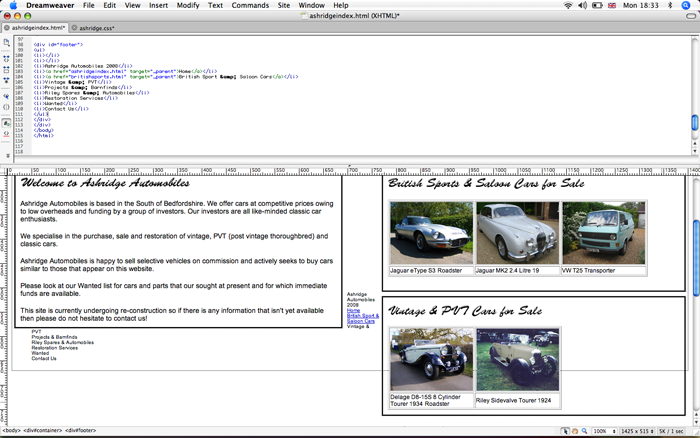
Right I have tried to tidy it up a little. I didn't mean to sound ungrateful for any help I was just worried that if I change one bit of code to re write it I will lose the whole thing so apologies if I did! I've given myself a bigger headache now, the footer just won't stay at the bottom. I can't understand why on some of the pages the footer is perfect and then on others it isn't when it seems to be in the same position with the same CSS On the "Contact" page I have no idea what I did but the footer just shifted up to the top and I can't figure out how to get it back to normal. I'm feeling frustrated about it all as it looked almost done when I first started it and I understood it all. I put it through the w3 validation site to sort out any errors and now it's all messed up and I want to rip my hair out! I have uploaded these pages with the errors to my server Here Here is the index page code as it is now. <!DOCTYPE html PUBLIC "-//W3C//DTD XHTML 1.0 Transitional//EN" "http://www.w3.org/TR/xhtml1/DTD/xhtml1-transitional.dtd"> <html xmlns="http://www.w3.org/1999/xhtml"> <head> <meta name="generator" content="HTML Tidy for Linux (vers 1 September 2005), see www.w3.org" /> <meta http-equiv="Content-Type" content="text/html; charset=utf-8" /> <title>Ashridge Automobiles | Bedfordshire</title> <link href="ashridge.css" rel="stylesheet" type="text/css" /> <style type="text/css"> /*<![CDATA[*/ <!-- .style3 {font-size: 14px} .style7 {font-size: 12px} .style8 {color: #000000} --> /*]]>*/ </style> <meta name="keywords" content="vintage cars, restoration, jaguars, british sport cars, PVT, Pst Vintage Thoroughbred, Ashrdge Automobiles, Automobiles, Leighton Buzzard, Befordshire, Barn finds" /> <style type="text/css"> /*<![CDATA[*/ p.c3 {visibility:visible;} object.c2 {width:400px;height:262px} p.c1 {text-align: left} /*]]>*/ </style> </head> <body> <div id="container"> <div id="navigation"> <!--The header is now incorporated into the navigation div--> <img src="images/ashridgebanner.jpg" alt="Ashridge Automobiles Ltd" /> <ul> <li><a href="ashridgeindex.html" target="_parent">Home</a></li> <li><a href="britishsports.html" target="_parent">British Sport & Saloon Cars</a></li> <li><a href="vintagepvt.html">Vintage & PVT</a></li> <li><a href="vw.html">Other Cars of Interest</a></li> <li>Projects & Barnfinds</li> <li>Riley Spares & Automobiles</li> <li>Restoration Services</li> <li>Wanted</li> <li><a href="contact.html">Contact Us</a></li> </ul> </div> <div id="content"><!--Site Introduction--> <p class="c1"><img src="images/welcometitle.jpg" alt="Welcome" /></p> <p class="c1">Ashridge Automobiles is based in the South of Bedfordshire. We offer cars at competitive prices owing to low overheads and funding by a group of investors. Our investors are all like-minded classic car enthusiasts.</p> <p class="c1">We specialise in the purchase, sale and restoration of vintage, PVT (post vintage thoroughbred) and classic cars.</p> <p class="c1">Ashridge Automobiles is happy to sell selective vehicles on commission and actively seeks to buy cars similar to those that appear on this website.</p> <p class="c1">Please look at our Wanted list for cars and parts that our sought at present and for which immediate funds are available.</p> </div> <!--Current Cars on Sale--> <div id="sale"> <p><img src="images/carsforsale.jpg" alt="Cars for Sale" /></p> <table width="510" border="1" cellpadding="1" summary="Briish Sport cars and Saloon cars that Ashridge Autmobiles currently have on sale."> <tr> <th scope="col"><a href="jagetype.html"><img src="images/sale/jaguaretypethumbnail.jpg" alt=" Jaguar E-Type Series 3 Roadster Automatic." width="170" height="128" border="0" align="left" /></a></th> <th scope="col"><a href="jaguarMK2.html"><img src="images/sale/jaguarmk2thumbnail.jpg" alt=" Jaguar MK2 2.4 litre" width="170" height="128" border="0" align="top" /></a></th> <th scope="col"><a href="vw.html"><img src="images/sale/vwthumbnail.jpg" alt=" VW T25 Transporter" width="170" height="128" border="0" /></a></th> </tr> <tr> <td><span class="style7">Jaguar eType S3</span> <span class="style7">Roadster</span></td> <td><span class="style7">Jaguar MK2 2.4 Litre 19</span></td> <td><span class="style7">VW T25 Transporter</span></td> </tr> </table> <p> </p> </div> <div id="salevintage"> <p><img src="images/VintageandPVT.jpg" alt="Cars for Sale" /></p> <table width="340" border="1" cellpadding="1" summary="Briish Sport cars and Saloon cars that Ashridge Autmobiles currently have on sale."> <tr> <th scope="col"><a href="delage.html"><img src="images/sale/vintage/delagestraightthumbnail.jpg" alt="Delage D8-15S 8 Cylinder Tourer" width="170" height="128" border="0" align="left" /></a></th> <th scope="col"><a href="rileysv.html"><img src="images/sale/vintage/rileysvtthumbnail.jpg" alt="RIley SIdevalve Tourer" width="170" height="128" border="0" align="top" /></a></th> </tr> <tr> <td><span class="style7">Delage D8-15S 8 Cylinder Tourer 1934</span> <span class="style7">Roadster</span></td> <td><span class="style7">Riley Sidevalve Tourer 1924</span></td> </tr> </table> </div> </div> <div id="footer"> <ul> <li>Ashridge Automobiles 2008</li> <li><a href="ashridgeindex.html" target="_parent">Home</a></li> <li><a href="britishsports.html" target="_parent">British Sport & Saloon Cars</a></li> <li>Vintage & PVT</li> <li>Projects & Barnfinds</li> <li>Riley Spares & Automobiles</li> <li>Restoration Services</li> <li>Wanted</li> <li>Contact Us</li> </ul> </div> </body> </html> And the CSS: /* CSS Document */ body { font-family:Arial, Helvetica, sans-serif; height:1500px; } #container { margin:0 auto; background-color:#FFFFFF; } #navigation li { display:inline; font-size:13px; text-align:right; padding: 0 5px; font-weight:bold; width: 1000px; } #content { width:500px; margin-left:5px; margin-top:10px; border:thin; border-color:#000000; border-style:solid; font-size:14px; float:left; padding:10px; } #content1 { width:1000px; margin-left:5px; border:thin; border-color:#000000; border-style:solid; font-size:14px; padding:10px; } #contact { width:400px; margin-left:5px; border:thin; border-color:#000000; border-style:solid; font-size:14px; float:left; padding:10px; margin-top:10px; } #sale { float:right; width:600px; margin-left:5px; margin-right:5px; margin-top:10px; border:thin; border-color:#000000; border-style:solid; padding:10px; } #salevintage { float:right; width:600px; margin-left:5px; margin-right:5px; margin-top:10px; border:thin; border-color:#000000; border-style:solid; padding:10px; } #footer li { font-size:10px; list-style: none; display:inline; margin-left:10px; clear:both; } a:links { color:#000000; text-decoration:none; } a:hover { color: #0000CC; text-decoration:none; } a:visited { color:#000000; } <!--Photo Galleries--> #photo_strip {width:900px; margin-left:15px;} #container1 {margin:0; padding:0; height:430px; overflow:auto; color:#222; background:#fff;} #container1 ul {margin:0; padding:0; list-style:none; white-space:nowrap; display:table-row;} #container1 ul li {display:table-cell; padding:0 15px; background:#fff; border-bottom:1px solid #; vertical-align:top;} #container1 ul li img {border:1px solid #555; margin: 30px 0 10px 0;} #photo_strip h1 {text-align:center; padding:0; margin:0; width:630px; height:38px; line-height:35px; color:#555; font-weight:normal; font-size:20px; border-bottom:1px solid #;} #container1 p {margin:0; padding:5px 0; font-size:11px;} #container1 { width:630px; scrollbar-arrow-color: #eee; scrollbar-3dlight-color: #; scrollbar-highlight-color: #eee; scrollbar-face-color: #; scrollbar-shadow-color: #eee; scrollbar-darkshadow-color: #; scrollbar-track-color: #fff; } #container1 ul li {display:inline; zoom:1; height:390px;} * html #container1 {height:470px; he\ight:430px;} /*CONTACT FORM*/ #contactform { margin: 0; width: 500px; background: #CCCCCC; padding: 5px; } #contactform * { font-family: Verdana, Arial, Helvetica, sans-serif; font-size: 12px; } #contactform ol { margin: 0; padding: 0; list-style: none; } #contactform li { margin: 0 0 5px 0; padding: 10px; background: #FBFAEC; } #contactform li.buttons { margin: 0; overflow: hidden; } #contactform label { margin:0px; width: 190px; display: block; float: left; padding: 5px 10px 2px 0; } #contactform input.text { width: 274px; border: 1px solid #D4D4D4; padding: 2px; margin: 0; } #contactform textarea { width: 274px; border: 1px solid #D4D4D4; padding: 0px; height: 80px; background: #FDFDF7; } #contactform li.buttons input { padding: 4px; float: right; margin: 0 0 0 5px; width: auto; } I'm so grateful for any help! Holly
-
That didn't help for some reason I took out the flash slide show as I don't think I will keep it there for now and then it completely messed up the footer, now its not even in a horizontal line. I'm not sure if I am placing the footer in the correct place? <!DOCTYPE html PUBLIC "-//W3C//DTD XHTML 1.0 Transitional//EN" "http://www.w3.org/TR/xhtml1/DTD/xhtml1-transitional.dtd"> <html xmlns="http://www.w3.org/1999/xhtml"> <head> <meta name="generator" content="HTML Tidy for Linux (vers 1 September 2005), see www.w3.org" /> <meta http-equiv="Content-Type" content="text/html; charset=utf-8" /> <title>Ashridge Automobiles | Bedfordshire</title> <link href="ashridge.css" rel="stylesheet" type="text/css" /> <style type="text/css"> /*<![CDATA[*/ <!-- .style3 {font-size: 14px} .style7 {font-size: 12px} .style8 {color: #000000} --> /*]]>*/ </style> <meta name="keywords" content="vintage cars, restoration, jaguars, british sport cars, PVT, Pst Vintage Thoroughbred, Ashrdge Automobiles, Automobiles, Leighton Buzzard, Befordshire, Barn finds" /> <style type="text/css"> /*<![CDATA[*/ p.c3 {visibility:visible;} object.c2 {width:400px;height:262px} p.c1 {text-align: left} /*]]>*/ </style> </head> <body> <div id="container"> <div id="header"><img src="images/ashridgebanner.jpg" alt="Ashridge Automobiles Ltd" /></div> <div id="navigation"> <ul> <li><a href="ashridgeindex.html" target="_parent">Home</a></li> <li><a href="britishsports.html" target="_parent">British Sport & Saloon Cars</a></li> <li><a href="vintagepvt.html">Vintage & PVT</a></li> <li>Projects & Barnfinds</li> <li>Riley Spares & Automobiles</li> <li>Restoration Services</li> <li>Wanted</li> <li><a href="contact.html">Contact Us</a></li> </ul> </div> <div id="content"> <p class="c1"><img src="images/welcometitle.jpg" alt="Welcome" /></p> <p class="c1">Ashridge Automobiles is based in the South of Bedfordshire. We offer cars at competitive prices owing to low overheads and funding by a group of investors. Our investors are all like-minded classic car enthusiasts.</p> <p class="c1">We specialise in the purchase, sale and restoration of vintage, PVT (post vintage thoroughbred) and classic cars.</p> <p class="c1">Ashridge Automobiles is happy to sell selective vehicles on commission and actively seeks to buy cars similar to those that appear on this website.</p> <p class="c1">Please look at our Wanted list for cars and parts that our sought at present and for which immediate funds are available.</p> </div> <div id="sale"> <p><img src="images/carsforsale.jpg" alt="Cars for Sale" /></p> <table width="510" border="1" cellpadding="1" summary="Briish Sport cars and Saloon cars that Ashridge Autmobiles currently have on sale."> <tr> <th scope="col"><a href="jagetype.html"><img src="images/sale/jaguaretypethumbnail.jpg" alt=" Jaguar E-Type Series 3 Roadster Automatic." width="170" height="128" border="0" align="left" /></a></th> <th scope="col"><a href="jaguarMK2.html"><img src="images/sale/jaguarmk2thumbnail.jpg" alt=" Jaguar MK2 2.4 litre" width="170" height="128" border="0" align="top" /></a></th> <th scope="col"><a href="vw.html"><img src="images/sale/vwthumbnail.jpg" alt=" VW T25 Transporter" width="170" height="128" border="0" /></a></th> </tr> <tr> <td><span class="style7">Jaguar eType S3</span> <span class="style7">Roadster</span></td> <td><span class="style7">Jaguar MK2 2.4 Litre 19</span></td> <td><span class="style7">VW T25 Transporter</span></td> </tr> </table> <p> </p> </div> <div id="salevintage"> <p><img src="images/VintageandPVT.jpg" alt="Vintage & PVT Cars for Sale" /></p> <table width="526" border="1" cellpadding="1"> <tr> <td width="255"><a href="delage.html"><img src="images/sale/vintage/delagestraightthumbnail.jpg" alt="** PLEASE DESCRIBE THIS IMAGE **" width="255" height="192" border="0" /></a></td> <td width="255"><a href="frazernash.html"><img src="images/sale/vintage/fnbmwthumbnail.jpg" alt="** PLEASE DESCRIBE THIS IMAGE **" width="255" height="191" border="0" /></a></td> </tr> <tr> <td><span class="style3">Delage D8-15S 8 Cylinder Tourer 1934.</span></td> <td><span class="style3">Frazer Nash/BMW 319</span></td> </tr> <tr> <td><a href="rileysv.html"><img src="images/sale/vintage/rileysvtthumbnail.jpg" alt="** PLEASE DESCRIBE THIS IMAGE **" width="255" height="181" border="0" /></a></td> <td><a href="brooklands.html"><img src="images/sale/vintage/rileythumbnail" alt="** PLEASE DESCRIBE THIS IMAGE **" width="255" height="191" border="0" /></a></td> </tr> <tr> <td><span class="style3">Riley Sidevalve Tourer 1924</span></td> <td><span class="style3">Riley Brooklands Style 6 Cylinder</span></td> </tr> </table> </div> <div id="contact"><img src="images/contactus.jpg" alt="Contact Us" /> <p>If you would like to view our cars then don't hesitate to get in touch!</p> <p>Please ring <strong>01525 377977</strong> to book an appointment.</p> <p>To send an email please visit the Contact Us section.</p> </div> <div id="footer"> <ul> <li>Ashridge Automobiles 2008</li> <li><a href="ashridgeindex.html" target="_parent">Home</a></li> <li><a href="britishsports.html" target="_parent">British Sport & Saloon Cars</a></li> <li>Vintage & PVT</li> <li>Projects & Barnfinds</li> <li>Riley Spares & Automobiles</li> <li>Restoration Services</li> <li>Wanted</li> <li>Contact Us</li> <p> </p> </ul> </div> </div> </body> </html> /* CSS Document */ body { font-family:Arial, Helvetica, sans-serif; } #container { width:1000px; margin:0 auto; background-color:#FFFFFF; } #content { width:400px; margin-left:5px; margin-top:10px; border:thin; border-color:#000000; border-style:solid; font-size:14px; float:left; padding:10px; } #content1 { width:1000px; margin-left:5px; border:thin; border-color:#000000; border-style:solid; font-size:14px; padding:10px; } #contact { width:500px; border:thin; border-color:#000000; border-style:solid; font-size:14px; float:right; padding:10px; } #main { width:1000px; padding:10px; } #sale { float:right; width:530px; margin-left:5px; margin-right:5px; margin-top:10px; border:thin; border-color:#000000; border-style:solid; padding:10px; } #salevintage { float:right; width:530px; margin-left:5px; margin-right:5px; margin-top:10px; border:thin; border-color:#000000; border-style:solid; padding:10px; } #contact { width:400px; margin-left:5px; border:thin; border-color:#000000; border-style:solid; font-size:14px; float:left; padding:10px; margin-top:10px; } #navigation li { display:inline; font-size:13px; text-align:right; padding: 0 5px; font-weight:bold; width: 1000px; } #logo { margin:10px; } #footer li { font-size:10px; list-style: none; display:inline; margin-left:10px; clear:both; } #photo_strip {width:900px; margin-left:15px;} #container1 {margin:0; padding:0; height:430px; overflow:auto; color:#222; background:#fff;} #container1 ul {margin:0; padding:0; list-style:none; white-space:nowrap; display:table-row;} #container1 ul li {display:table-cell; padding:0 15px; background:#fff; border-bottom:1px solid #; vertical-align:top;} #container1 ul li img {border:1px solid #555; margin: 30px 0 10px 0;} #photo_strip h1 {text-align:center; padding:0; margin:0; width:630px; height:38px; line-height:35px; color:#555; font-weight:normal; font-size:20px; border-bottom:1px solid #;} #container1 p {margin:0; padding:5px 0; font-size:11px;} #container1 { width:630px; scrollbar-arrow-color: #eee; scrollbar-3dlight-color: #; scrollbar-highlight-color: #eee; scrollbar-face-color: #; scrollbar-shadow-color: #eee; scrollbar-darkshadow-color: #; scrollbar-track-color: #fff; } #container1 ul li {display:inline; zoom:1; height:390px;} * html #container1 {height:470px; he\ight:430px;} /*CONTACT FORM*/ #contactform { margin: 0; width: 500px; background: #CCCCCC; padding: 5px; } #contactform * { font-family: Verdana, Arial, Helvetica, sans-serif; font-size: 12px; } #contactform ol { margin: 0; padding: 0; list-style: none; } #contactform li { margin: 0 0 5px 0; padding: 10px; background: #FBFAEC; } #contactform li.buttons { margin: 0; overflow: hidden; } #contactform label { margin:0px; width: 190px; display: block; float: left; padding: 5px 10px 2px 0; } #contactform input.text { width: 274px; border: 1px solid #D4D4D4; padding: 2px; margin: 0; } #contactform textarea { width: 274px; border: 1px solid #D4D4D4; padding: 0px; height: 80px; background: #FDFDF7; } #contactform li.buttons input { padding: 4px; float: right; margin: 0 0 0 5px; width: auto; } a:links { color:#000000; text-decoration:none; } a:hover { color: #0000CC; text-decoration:none; } a:visited { color:#000000; }
-
That didn't help for some reason I took out the flash slide show as I don't think I will keep it there for now and then it completely messed up the footer, now its not even in a horizontal line. I'm if I am placing the footer in the correct place? <!DOCTYPE html PUBLIC "-//W3C//DTD XHTML 1.0 Transitional//EN" "http://www.w3.org/TR/xhtml1/DTD/xhtml1-transitional.dtd"> <html xmlns="http://www.w3.org/1999/xhtml"> <head> <meta name="generator" content="HTML Tidy for Linux (vers 1 September 2005), see www.w3.org" /> <meta http-equiv="Content-Type" content="text/html; charset=utf-8" /> <title>Ashridge Automobiles | Bedfordshire</title> <link href="ashridge.css" rel="stylesheet" type="text/css" /> <style type="text/css"> /*<![CDATA[*/ <!-- .style3 {font-size: 14px} .style7 {font-size: 12px} .style8 {color: #000000} --> /*]]>*/ </style> <meta name="keywords" content="vintage cars, restoration, jaguars, british sport cars, PVT, Pst Vintage Thoroughbred, Ashrdge Automobiles, Automobiles, Leighton Buzzard, Befordshire, Barn finds" /> <style type="text/css"> /*<![CDATA[*/ p.c3 {visibility:visible;} object.c2 {width:400px;height:262px} p.c1 {text-align: left} /*]]>*/ </style> </head> <body> <div id="container"> <div id="header"><img src="images/ashridgebanner.jpg" alt="Ashridge Automobiles Ltd" /></div> <div id="navigation"> <ul> <li><a href="ashridgeindex.html" target="_parent">Home</a></li> <li><a href="britishsports.html" target="_parent">British Sport & Saloon Cars</a></li> <li><a href="vintagepvt.html">Vintage & PVT</a></li> <li>Projects & Barnfinds</li> <li>Riley Spares & Automobiles</li> <li>Restoration Services</li> <li>Wanted</li> <li><a href="contact.html">Contact Us</a></li> </ul> </div> <div id="content"> <p class="c1"><img src="images/welcometitle.jpg" alt="Welcome" /></p> <p class="c1">Ashridge Automobiles is based in the South of Bedfordshire. We offer cars at competitive prices owing to low overheads and funding by a group of investors. Our investors are all like-minded classic car enthusiasts.</p> <p class="c1">We specialise in the purchase, sale and restoration of vintage, PVT (post vintage thoroughbred) and classic cars.</p> <p class="c1">Ashridge Automobiles is happy to sell selective vehicles on commission and actively seeks to buy cars similar to those that appear on this website.</p> <p class="c1">Please look at our Wanted list for cars and parts that our sought at present and for which immediate funds are available.</p> </div> <div id="sale"> <p><img src="images/carsforsale.jpg" alt="Cars for Sale" /></p> <table width="510" border="1" cellpadding="1" summary="Briish Sport cars and Saloon cars that Ashridge Autmobiles currently have on sale."> <tr> <th scope="col"><a href="jagetype.html"><img src="images/sale/jaguaretypethumbnail.jpg" alt=" Jaguar E-Type Series 3 Roadster Automatic." width="170" height="128" border="0" align="left" /></a></th> <th scope="col"><a href="jaguarMK2.html"><img src="images/sale/jaguarmk2thumbnail.jpg" alt=" Jaguar MK2 2.4 litre" width="170" height="128" border="0" align="top" /></a></th> <th scope="col"><a href="vw.html"><img src="images/sale/vwthumbnail.jpg" alt=" VW T25 Transporter" width="170" height="128" border="0" /></a></th> </tr> <tr> <td><span class="style7">Jaguar eType S3</span> <span class="style7">Roadster</span></td> <td><span class="style7">Jaguar MK2 2.4 Litre 19</span></td> <td><span class="style7">VW T25 Transporter</span></td> </tr> </table> <p> </p> </div> <div id="salevintage"> <p><img src="images/VintageandPVT.jpg" alt="Vintage & PVT Cars for Sale" /></p> <table width="526" border="1" cellpadding="1"> <tr> <td width="255"><a href="delage.html"><img src="images/sale/vintage/delagestraightthumbnail.jpg" alt="** PLEASE DESCRIBE THIS IMAGE **" width="255" height="192" border="0" /></a></td> <td width="255"><a href="frazernash.html"><img src="images/sale/vintage/fnbmwthumbnail.jpg" alt="** PLEASE DESCRIBE THIS IMAGE **" width="255" height="191" border="0" /></a></td> </tr> <tr> <td><span class="style3">Delage D8-15S 8 Cylinder Tourer 1934.</span></td> <td><span class="style3">Frazer Nash/BMW 319</span></td> </tr> <tr> <td><a href="rileysv.html"><img src="images/sale/vintage/rileysvtthumbnail.jpg" alt="** PLEASE DESCRIBE THIS IMAGE **" width="255" height="181" border="0" /></a></td> <td><a href="brooklands.html"><img src="images/sale/vintage/rileythumbnail" alt="** PLEASE DESCRIBE THIS IMAGE **" width="255" height="191" border="0" /></a></td> </tr> <tr> <td><span class="style3">Riley Sidevalve Tourer 1924</span></td> <td><span class="style3">Riley Brooklands Style 6 Cylinder</span></td> </tr> </table> </div> <div id="contact"><img src="images/contactus.jpg" alt="Contact Us" /> <p>If you would like to view our cars then don't hesitate to get in touch!</p> <p>Please ring <strong>01525 377977</strong> to book an appointment.</p> <p>To send an email please visit the Contact Us section.</p> </div> <div id="footer"> <ul> <li>Ashridge Automobiles 2008</li> <li><a href="ashridgeindex.html" target="_parent">Home</a></li> <li><a href="britishsports.html" target="_parent">British Sport & Saloon Cars</a></li> <li>Vintage & PVT</li> <li>Projects & Barnfinds</li> <li>Riley Spares & Automobiles</li> <li>Restoration Services</li> <li>Wanted</li> <li>Contact Us</li> <p> </p> </ul> </div> </div> </body> </html> /* CSS Document */ body { font-family:Arial, Helvetica, sans-serif; } #container { width:1000px; margin:0 auto; background-color:#FFFFFF; } #content { width:400px; margin-left:5px; margin-top:10px; border:thin; border-color:#000000; border-style:solid; font-size:14px; float:left; padding:10px; } #content1 { width:1000px; margin-left:5px; border:thin; border-color:#000000; border-style:solid; font-size:14px; padding:10px; } #contact { width:500px; border:thin; border-color:#000000; border-style:solid; font-size:14px; float:right; padding:10px; } #main { width:1000px; padding:10px; } #sale { float:right; width:530px; margin-left:5px; margin-right:5px; margin-top:10px; border:thin; border-color:#000000; border-style:solid; padding:10px; } #salevintage { float:right; width:530px; margin-left:5px; margin-right:5px; margin-top:10px; border:thin; border-color:#000000; border-style:solid; padding:10px; } #contact { width:400px; margin-left:5px; border:thin; border-color:#000000; border-style:solid; font-size:14px; float:left; padding:10px; margin-top:10px; } #navigation li { display:inline; font-size:13px; text-align:right; padding: 0 5px; font-weight:bold; width: 1000px; } #logo { margin:10px; } #footer li { font-size:10px; list-style: none; display:inline; margin-left:10px; clear:both; } #photo_strip {width:900px; margin-left:15px;} #container1 {margin:0; padding:0; height:430px; overflow:auto; color:#222; background:#fff;} #container1 ul {margin:0; padding:0; list-style:none; white-space:nowrap; display:table-row;} #container1 ul li {display:table-cell; padding:0 15px; background:#fff; border-bottom:1px solid #; vertical-align:top;} #container1 ul li img {border:1px solid #555; margin: 30px 0 10px 0;} #photo_strip h1 {text-align:center; padding:0; margin:0; width:630px; height:38px; line-height:35px; color:#555; font-weight:normal; font-size:20px; border-bottom:1px solid #;} #container1 p {margin:0; padding:5px 0; font-size:11px;} #container1 { width:630px; scrollbar-arrow-color: #eee; scrollbar-3dlight-color: #; scrollbar-highlight-color: #eee; scrollbar-face-color: #; scrollbar-shadow-color: #eee; scrollbar-darkshadow-color: #; scrollbar-track-color: #fff; } #container1 ul li {display:inline; zoom:1; height:390px;} * html #container1 {height:470px; he\ight:430px;} /*CONTACT FORM*/ #contactform { margin: 0; width: 500px; background: #CCCCCC; padding: 5px; } #contactform * { font-family: Verdana, Arial, Helvetica, sans-serif; font-size: 12px; } #contactform ol { margin: 0; padding: 0; list-style: none; } #contactform li { margin: 0 0 5px 0; padding: 10px; background: #FBFAEC; } #contactform li.buttons { margin: 0; overflow: hidden; } #contactform label { margin:0px; width: 190px; display: block; float: left; padding: 5px 10px 2px 0; } #contactform input.text { width: 274px; border: 1px solid #D4D4D4; padding: 2px; margin: 0; } #contactform textarea { width: 274px; border: 1px solid #D4D4D4; padding: 0px; height: 80px; background: #FDFDF7; } #contactform li.buttons input { padding: 4px; float: right; margin: 0 0 0 5px; width: auto; } a:links { color:#000000; text-decoration:none; } a:hover { color: #0000CC; text-decoration:none; } a:visited { color:#000000; }
-
I do understand what you mean but I did try to make less divs as possible but got stuck when trying to make different parts of the content on the front page. However the Director of the company has given me an idea of what he wants now (kind of) so I might re work it. For now though as its frustrating me how can I make the footer line up correctly at the bottom?
-
Thanks for the replies, This is going to sound simple but because I've only taught myself with a text book its only taught me to divide up a page with divs. How would I lay it out if I put more containers in? Would you be able to give me an example of what the code would look like? Or if there are any good online tutorials explaining it?