haak
Members
-
Joined
-
Last visited
Everything posted by haak
-
@andrew Yes, you might be right, the idea was to make all the webpages revolve around an Autumn theme. I know it will be a lot of work, but part of the plan is to show-case my work...I am just an amateur doing this as a hobby - I am just learning how to use illustrator, then I'll move onto photoshop, ...etc. Still a lot to learn...
-
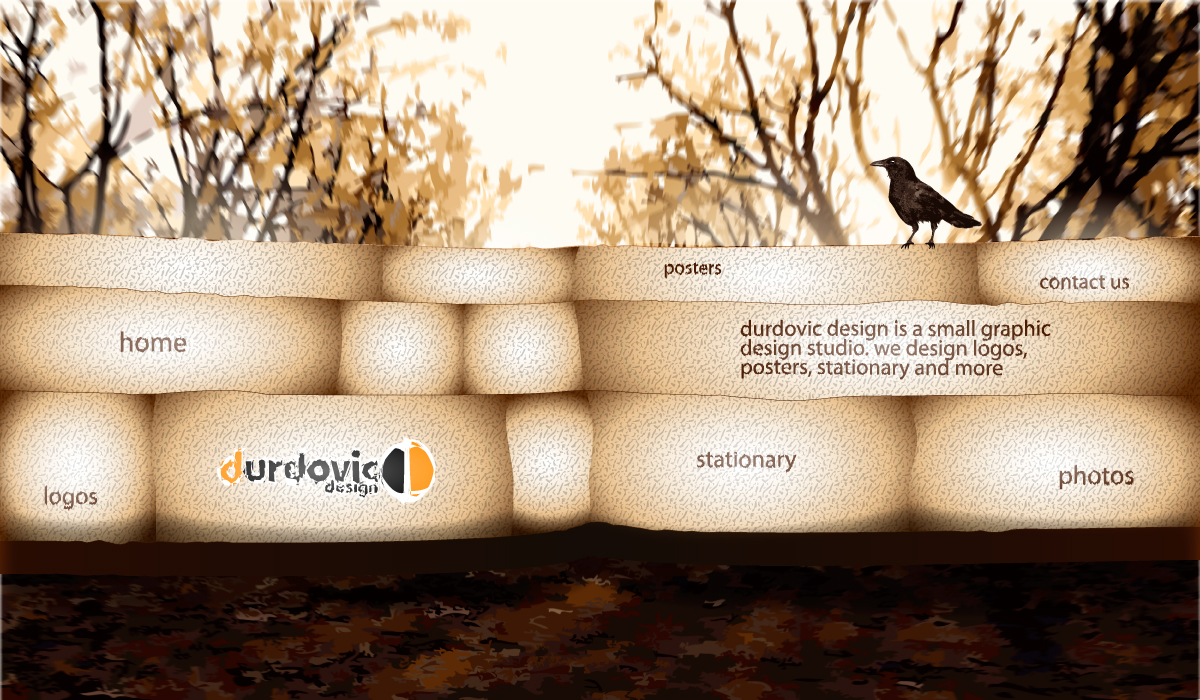
Thank you for your comments. Yes, the background is supposed to be a bit blurry as I am trying to establish perspective - maybe it needs more blur... The theme is Autumn, a home page for each season...
-
Thank you for your comments. I am still learning how to do web design so I might be wrong, but I was thinking about linking individual web pages to transparent rectangles with the corresponding text. For the hover/click effect, I will add a highlight. Each page will have to be different...I haven't tried it yet (I put the project on a backburner for now)so I am not sure if it will work...
-
Hello, I just registered yesterday, graphic design is my hobby that I just started learning not too long ago, and I hope to learn some from the people here as well. Thanks.
-
Hello. I do graphic design as a hobby and am still in the process of learning (a long bloody process it is) lol. I had an idea for a layout for a home page and am wondering what you think. Is it too simple? Or boring? Please don't hold back. Thanks.

-
Hello. I do graphic design as a hobby and am still in the process of learning (a long bloody process it is) lol. I had an idea for a layout for a home page and am wondering what you think. Please don't hold back. Thanks.