Stefano R
Members
-
Joined
-
Last visited
Everything posted by Stefano R
-
Just a guess, but try making the body have 0 margin and padding and border. i.e.: body { margin:0; border:0; padding:0; } maybe...
-
I used to use Dreamweaver a lot until I found that it was very content heavy and the design view didn't give a true representation of the site, deeming it useless. I now code straight from Photoshop. I would recommend 'Aptana Studios' as a good coder, it is very broad and quite advanced but it gets the jobdone!
-
Hi, I'm working on a few templates for a site and have encountered an issue with '.png' images. The images appear to have a cutout, only choosing to display complete transparency, or no transparency. Doing some research I was told this should have been fixed in IE7, but I'm in IE8. It works fine in Firefox and Chrome, just IE that's the issue. See below for the problem: Any Help? It is running on jQuery, is that the problem? Thanks in Advance!
-
That did just the trick, thanks very much guys, appreciated!
-
Hi, I recently started implementing jQuery into my site design, but I just need some feedback on how it works other than in my set up, so I'm looking for some diverse resolutions and browsers. My setup is: Firefox 3.6 1680 x 1050 If there are any issues you can see with the functionality, please say with the setup you have, would really help. Just try clicking "Next and Prev" to see if it works smoothly, as well as the navigation rollover. -> http://dl.dropbox.com/u/415818/jQuery%20Stuff/index.html (If it is very slow (painfully slow) just be patient, it will get there!) Thanks in advance!
-
SOLVED!! See Bottom... Hi, I recently starting using jQuery in my site design and after a few tutorials felt comfortable enough to start using it at will. I was generally playing around with making a few nav bars when I came across a problem... in IE. Here's the problem: 1. I was using the .hover -> .animate effect to make a fading nav bar 2. I set it so that when the image was hovered over, it changed the opacity of the upper image to 0, revealing the lower image 3. When hovered off, the upper image would return to have an opacity of 1 and my rollover effect was complete 4. This was all fine and dandy until I wanted to make them links, so I changed to to instead of grabbing the image, grab the 'a' anchor tag 5. This worked fine in Firefox and Chrome, but IE had other ideas, and it simply doesn't want to show the lower image Sorry about the density of the problem but does anyone know a way around this? Below is the link to the page as well as the CSS and the javascript. Thanks for any help! Page: http://dl.dropbox.com/u/415818/jQuery%20Stuff/index.html Javascript: http://dl.dropbox.com/u/415818/jQuery%20Stuff/scripts.js CSS: http://dl.dropbox.com/u/415818/jQuery%20Stuff/style.css SOLVED: Well, that was a waste of time, I just turned the get to 'a' instead of '.nav'. IE just needed a little push!
-
I would make an image that is the width of however wide your site is so that it fits on the 1024 X 768 monitor, but have it placed in a background div and center it, but I'm new to this stuff so I'm not sure!
-
I'm curious as to what you used for the home page banner, is it a jQuery element, I'm looking for something similar!
-
I believe you need to edit "lightbox.css", look for this line of code: #imageDataContainer{ font: 10px Verdana, Helvetica, sans-serif; background-color: #fff; margin: 0 auto; line-height: 1.4em; overflow: auto; width: 100% ; } That's all the text in the lightbox, just edit it to your liking!
-
Thanks for the feedback. Those boxes are navigation for the banner slider, but i made it clearer in the new version, and separated the banner from the header too, check it! Thanks
-
-
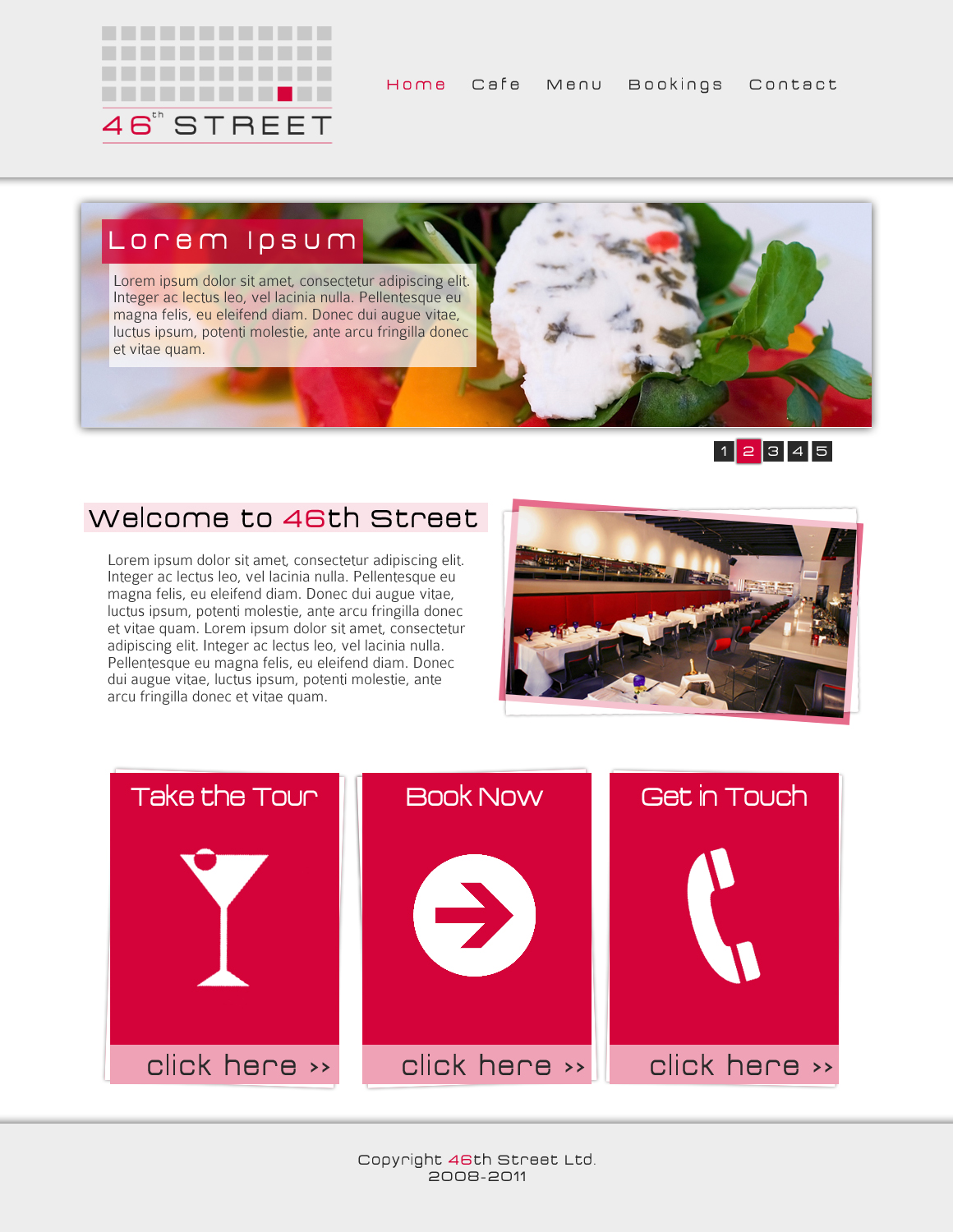
Hi, I am working o a concept for a modern London restaurant. I am working on the site for a project, would love some feedback! Took me an hour, so may be a bit rough around the edges! I have also made the logo and it's a first stab a real logo so feedback there too!
-
I like the layout and colour. There is however a mix up of fonts going on, serif for the body and main text areas, but most of your graphics are in a sans-serif font and there are two different ones I can spot in graphics alone. Not saying dont use more fonts, but I like consistency!
-
Aye, your right! I guess I just slapped a navigation bar in there without thinking, I'll toy around with it, thanks.
-
Hi, I am new on the scene of "web design" but like to play around in Photoshop a bit with ideas, so here is my mock up for a portfolio site i guess. I haven't spent that long on it but at this stage, still want feedback and criticism. Looking for ideas to fill the space and what not:
-
I am a (very) young designer from England and am looking at graphic/web design as a future career. I hope to get feedback off all my contributions and learn from my experience here! Barely at 16, I have migrated from Dreamweaver to Photoshop to Illustrator and finally Notepad. I am good with general design knowledge, and hope to improve my knowledge here! I currently provide a local service for businesses looking for a simple site under the "Little Man Design" (see avatar) name. I am always looking for new projects and competitions to keep me active! Thanks, Stef