link
Members
-
Joined
-
Last visited
-
thanks very much that's really helpful!!! i'll start making a list straight away...... cheers
-
hello everyone!!! sorry i've not been on in a while been very busy...! i need an ecommerce site but i dont know where to start...? wonderd if you guys and gals could help me to get started? the usual questions. what do i need ? where to get it ? how to do it ? can i do it on my own?
-
do yuo think there is a market for web designing anymore?? because of these free site builders that have come along i feel that the call for web design will fall because people will learn to do it themselves. i know they wont get the proffesional look of a properly designed site ?? but do people care!!!!
-
thank you everyone for your input. i'm realy glad i joined this forum!! it' the best!!! i'll get on those tutorials right away!!! i'll pop back and tell you how it's all going soon! cheers link
-
i know it's a silly question but............. how do i get as good as you lot?? i feel like i've got the design idea's, but it take's age's to put into practice. i'm willing to put in the work but just not got the time!!!
-
cheers elite ! i'll have a go in image ready and see what i can come up with!!!
-
-
right done the biz in photoshop but still can't turn it into a moving button though help????
-
yes i've been using photoshop but can't seem to get the right effect! cheers mate i'll try that bevel effect and let you know!!
-
good example ben mate ! but that's just a rollover isn't it ? i need it to look like your pushing a stone tablet into a wall !!! cheers bud
-
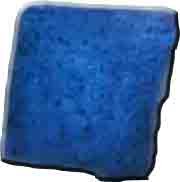
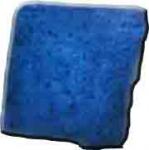
the pic is a cut out of a stone tablet! what i'm trying to do is cut out the stone and turn it into a button. then replace it on the original pic to use as a web page. i think!!! lol
-
yes thats sort of what i mean ??? i need the whole stone to depress if you know what i mean?? how did you do it bud!!
-
flash would be good! just getting to grips with it
-
hello again people? how is everyone? would it be possible to turn this pic into a button? so it looks like it being pressed? any help would be fantastic!!!

-
got any more tutorials like this ?? it's really good!