


Sanjay Khunt
Members
-
Joined
-
Last visited
Everything posted by Sanjay Khunt
-
I have surfing and found some great free website template design. Website templates are pre-designed websites all you need to do is add your own personal content and your ready to jump start your own website. You can customize the website templates any way you like. You can download any of the free designs on Open Source Design and use them on your website free of charge. Please read Terms of Use before downloading templates. See template list in my blog.
-
Check out in my blog, there is nice tutorials for rollover and dropdown menu.
-
Problem in your css code. min-height not working in IE. you haev to use this class like below. #content { width:742px; background-color:#ccc; min-height:250px; overflow:visible; background:url(../img/content-bg.gif) top center no-repeat; border-left:4px solid #000; border-right:4px solid #000; } * html #content { height:250px; } when you wire "* html class/id Name" then it will work only in ie and ie always expand tag height if there is more content so you can give fix height for ie.
-
-

From the album: Website Template Design
Design created for singer, her name is Joy omega. -

From the album: Website Template Design
Sopping cart website design. -
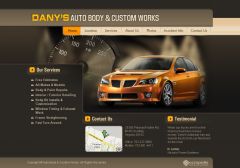
From the album: Website Template Design
-
over all nice design clean and professional I like it. But need to make sure with font size. this looks nice here but I think it will not look same when you make html. In paragraph text give some more space between lines it looks to busy now. one more thing in plan box. if you keep 1,2,3 at left and details at right side then it will look good aligned and you also decrease height. then you can see logo, header and one paragraph of content in browser without scrolling.
-
I think you Have to make more creative Before-After part. it should be more highlighted in site. For the text area you can use #f2eed7 instead of light green. For the menu no need to two separation. you can create live below image.

-
The Web Developer Toolbar is one of the most useful tools for Designer and developer. The Web Developer extension adds a menu and a toolbar with various web developer tools. It is designed for Firefox, Flock, Seamonkey, Internet Explorer 6/7, Safari and Opera and will run on any platform that these browsers support including Windows, Mac OS X and Linux. Download Web Developer Toolbar per Browser
-

