ulrichburke
Members
-
Joined
-
Last visited
Everything posted by ulrichburke
-
Dear Anyone. Hokay, this is my First Ever Website, so I'm learning about website building the hard way - DOING it! So I want to embed a graphic behind text in my site, which is in Google Classic Sites (because that's where the lady I'm doing it for bought the domain - don't ask!) I click on the text box and get the little paint palette. Click on that and choose the embed graphic option. But even if I upload a small picture on purpose, because I just want it to fit in the window behind the text so it has to be the same size - or smaller than - the area of all the writing, it comes up MASSIVE, bigger than the area of writing, bigger than the textbox the writing's in. I've tried redownloading it, changing its size/dimensions and reuploading it but it doesn't seem to matter, it's always massive and far too big for the area of writing when I re-embed it via the paint palette. How do I control its size? Is there a way of doing it online? I don't mind if it's a bit too small and there's white space around it in the text box, sometimes I'd love to have it like that but I don't know how to control its dimensions. Anyone here know? Yours respectfully Chris.
-
Dear Anyone. Am making my own, very first ever website in Google Classic SItes (cos that's the one my friend wanted to use, don't ask, I know it's so old the bugs get eaten by the Web-based spiders!) What I want to do - and if there's a way to do this in Google Forms,. tell me but a day's frustration tells me there isn't - is have a form with a heading and a nicely-boxed area for someone to type data into. So I can say 'Hi! Tell me a little about yourself.' And there's a nice box with a border around it for them to type into, and the border extends a bit if they get carried away. You know the kinda thing. Thing IS - I want the information from that, after they click SUBMIT or SEND or whatever, to go into a folder on my Google Drive, not into a folder on someone else's cloud. Which is why I'm not thrilled about using Jotform or the like - all your info's stored on their computers. Is there a program I could download and install into Windows 10 on my PC which would let me design a form, then save it in a format - might need help about formats because this is getting beyond what I actually understand - I could add to my website by some magical means you might have to tell me about as well (sorry, am a NOOB here!) so people could type into it, click SEND/SUBMIT and it gets sent to a Google Drive folder I've set up? I know Google Forms DOES this, but you don't seem to be able to do text boxes or anything with Google Forms, it just gives you one long line of text you can type. If there's a way - remember this is Google CLASSIC sites, not the new version - to do textboxes in Google Forms and someone can tell me how to do it, that's wonderful. If there ISN'T - and I'm beginning to really think there isn't - a way to do it - is there any software I could use on my PC to create the form and then embed it in my site afterwards? If I created a file on my PC with this mythical software, and stored it on Google Drive, could I link it using HTML to a sentence in my website? So someone could click on 'Click HERE to say Hallo', then get taken to the form, fill it in, click SEND, a copy of the form with their data on gets stored in my Google Drive and the version in my website gets blanked, ready for the next sucker? Er - user? All answers will be tried - it sounds SOO simple but I've been batting my head against this one for about 15 hours straight and no joy. Yours respectfully Chris
-
Dear Fisicx. Yup, it's working (to a degree!) and I'm just glad I've got it that far! I did it with a 'forwarding' in the end, from Admin Console. Took about 10 hours to propagate, didn't realise it would take that long, wasn't working yesterday teatime then I tried the address this morning more for a laugh than anything else - and the site came up! I know it's coming up under the wrong address in a way, that's because I'm doing it via forwarding I THINK - if you know any other reason that might be happening, tell me and I'll try to check it out. I'm still climbing the learning Everest on this thing, don't forget! You got me on mobile phones - I don't have a smartphone to my name so I can't check it on smartphone. Can't afford a smartphone - am on disability benefits! If you'd like to list some of the accessibility issues I'll try to sort them out, won't be right away because I'd have to learn HOW to sort them out first! And I've no idea if Google's page builder is awful or not, never seen another one anywhere. Mandy bought the Google domain name, so that was all I knew about. First time I'd ever used a page builder anywhere. Last question for you. The site's propagated so it's up - took about 10 hours like I said. If I make any changes - like add more pages, change links, whatever - will the changes also take 10 hours to percolate through? And will it result in different versions of the website appearing to different people at different times as, while the 'percolating' is happening, surely some mainframes would have Version One of the site while others have Version 2, they couldn't all have the same version simultaneously, could they, cos the website would have to be copied across to all of them, wouldn't it? So ASSUMING that to be the case, unless you say otherwise, would it be better to do alterations/additions in batches, so they're all percolating through simultaneously? I know that ended up as more than a single question, sorry! If you feel like listing the issues, like I said above, I will try to sort them all out. HOPEFULLY none of them will mean I have to bother you guys again, I'll do the best I can and only bother you all if I really need to. Thanks for putting up with a first-timer! Yours respectfully Chris.
-
Dear Fisicx. You'll be glad when you're rid of me! Don't get 'the url tells me it's google sites not your site', my site's ON Google Sites, I used Google Sites to create my site, wasn't I clear enough about that? (NO sarcasm meant there, I've got Asperger's so I can sound sarcastic but I never mean to.) Still isn't showing up in reality if I type www.accessibilitypartners.co.uk into a browser but I'm not sure if that's propagation or not, if I've stuffed up something else, tell me what it might be. Never gotten it showing up in that little window before. I've TRIED editing things in Google Domains like people tell me but Google Domains won't let things STAY edited. I took out the fullstop from the end of the URL that someone pointed out to me, pressed SAVE and it immediately put the fullstop back in again. Same with the inverted commas around the GHS name someone told me to take out, they won't STAY taken out, it just puts them back in again. I spent ages and hours trying to work out how to make editing stick, couldn't do it, read about website forwarding, tried it that way and the result's what I showed you. But it's still not showing up in reality yet. If you know how to make changes STICK in Google Domains, or if I'm trying to change the wrong things and that's why they're being changed back again...... Yours hopefully Chris.
-
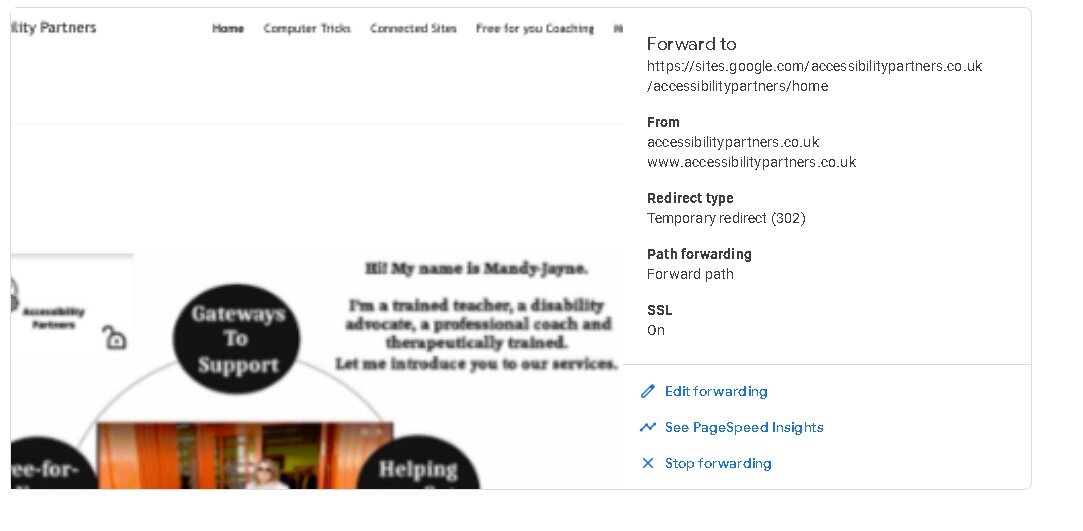
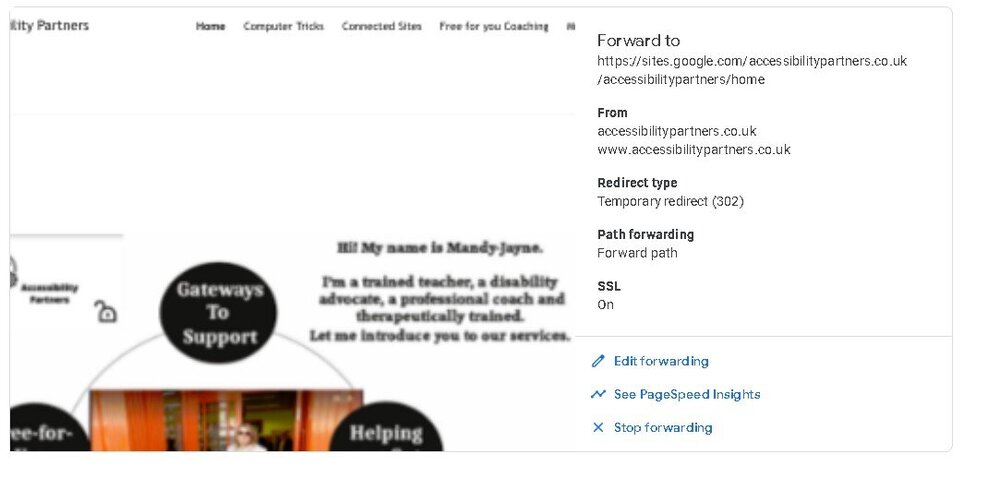
Dear Fisicx/Everybody So I've FINALLY got the site showing up in the site checker box by using URL Forwarding.... ... the graphic will show up here somewhere. It's the first time I've had the site showing up in that little picture tester box, feeling very surprised! Thing is, it's STILL not showing up under www.accessibilitypartners.co.uk If you use Site Forwarding, do you have to wait for propagation or have I messed something else up? Like I said, never had it showing up in that box before so I'm feeling hopeful, should I be? Yours timorously Chris.
-
Dear Fisicx. You're gonna hate me.... I can't make the changes stick. I can get at the inverted commas long enough to take them off, then I click on SAVE, it goes through the saving process, the screen blinks - and they're back again! The one with the extraneous fullstop won't let me access it to take the fullstop out. I've tried clicking on it, clicking on up/down arrowheads nearby - no joy. Been to Google Admin., can't see any obvious way to take it out there either. If you hit those problems, other than chucking a computer at me, how would you handle them? I'll try anything! Yours frustratedly, Chris.

-
Thanks, Fisicx. Knowing I won't delete the actual website's a huge relief. I'll change all the mistakes - it's my first try, I didn't realise the fields were automatically set and I used inverted commas with the TXT because it had them in the Google thing I looked up, didn't know they weren't needed in reality. I'll head over, make the changes, if they work - in other words if that's all the changes that need to be made - will I then be able to type in accessibilitypartners.co.uk and go to the website, or do I need to preface that with HTTPS or HTTP or WWW - I'm happy to try all 3 till I hit the right one! Glad you're on my side! Yours respectfully Chris.
-
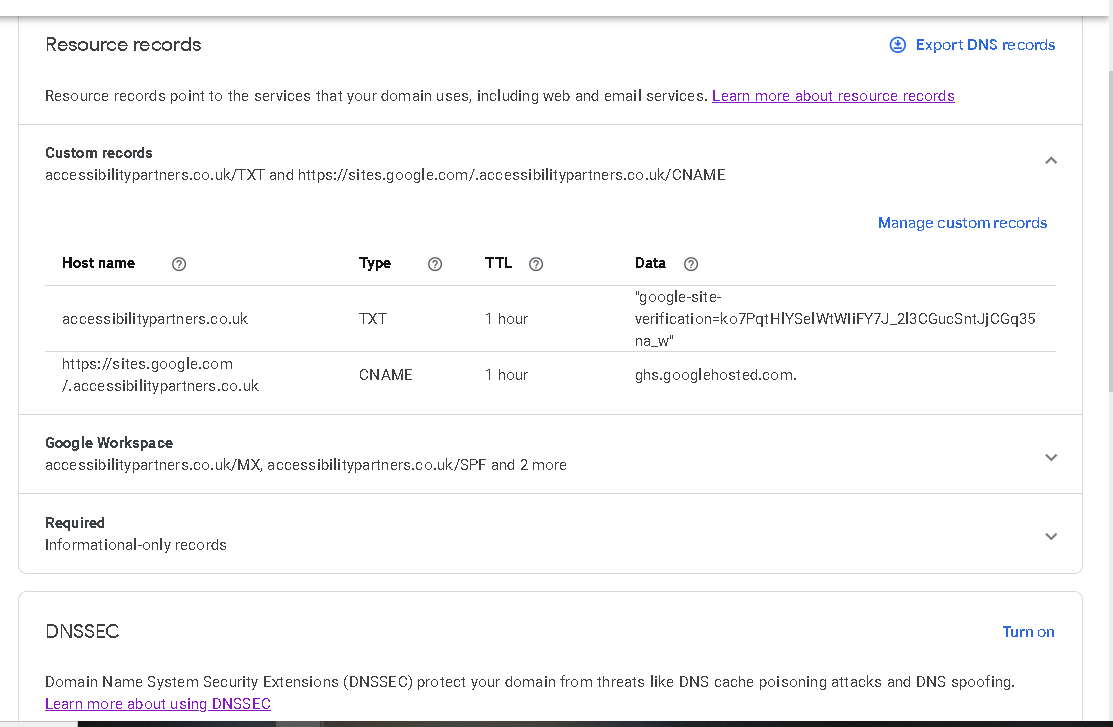
So full of thanks for your help, Fisicx. One word answer needed. If I change/reset the records, will it wipe out the actual website? So I'll have to build it all over again? I mean if I have to, I have to, just want to be prepared for it! Here's a pic. of the DNS part of Google Sites, if I've naffed up anything there tell me. Pretty sure it was the only bit I changed stuff in - not 100% but pretty sure! Yours hopefully Chris.

-
Dear Fisicx. Remembering I'm clutching at straws and don't know anything - you said 'when you build the site you'll be told the address of the nameservers'. That's the A-name, right? I read THIS in Google.... What does an A record do? https://encrypted-tbn0.gstatic.com/images?q=tbn:ANd9GcR8YE-0EI14kewHE1UFjXLPf4WKgr9sk4z0to7q2zLw&s The A-record or Address Record provides information about the IP address of your host / domain name. For example, it is the link between the name of your website and the IP address of the server on which your files are located.11 Mar 2020 So as far as someone who knows nothing can see, I need it to link my website to the server, in other words to point the website addy, accessibilitypartners.co.uk, to the sites.google name, am I right in that? I've carefully checked all my E_mails and I haven't got anything from Google Sites or anyone telling me my A-record, which I take is the same as A-name, am I right? So I can't link the two names without it - if I'm wrong, tell me, cos I'm seriously clutching at straws with this right now, you'd think they'd make this easier but it's a frickin' nightmare - so obviously I need to find it. When I learned about pinging I thought I could just ping it from my CMD prompt - but nope, it doesn 't ping. Nor does the posh site find it. But if I type in the sites.google name I get taken there so the thing does exist. If there's another way of finding Google nameservers, which I understand to be the mainframes that link the sites.google name to the accessibilitypartners.co.uk name, and a way to use them that DOESN'T involve putting the A-name in somewhere - as I read above, it's the link between my website's name and Google Sites, isn't it, am I right there? So as it's the link, wouldn't that be the reason the two aren't talking to eachother, because they don't have the connecting A-name which seems to be unfindable? Or am I missing something here that's obvious to all you guys but not to this beginner!?! I know I can trust you guys so if there's anything you want to see screenshots of that might explain where I've naffed up, just tell me. I know where the Admin. Console is, where the DNS site is, where all the rest of it is, it's just this last bit of making 'em all talk to eachother nice that's killing me! Still trying to wrap my head around this. And as you can see, still lost! Yours sorrowfully Chris.
-
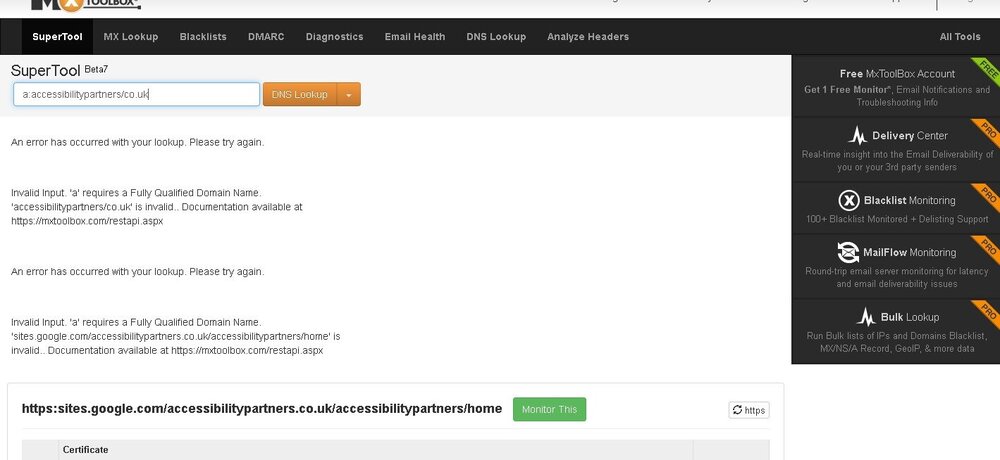
Dear Everyone. This is NOT a 'bump', sorry for 2 posts so close together but this is getting even more puzzling (and frankly, frustrating on the 'let's-change-our-name-to-Bruce-Banner-and-go-green!' level!) This IS our domain name, bought and paid for! Why is it saying it doesn't qualify? I mean if you type it in, it takes you to the site so why do none of these info-finding sites - or pings - believe it exists? And AS they don't believe it exists, how do I find it's flippin' A-name!?! God, I'm lost! I am soooo determined to get this website working........ Yours frustratedly Chris.
-
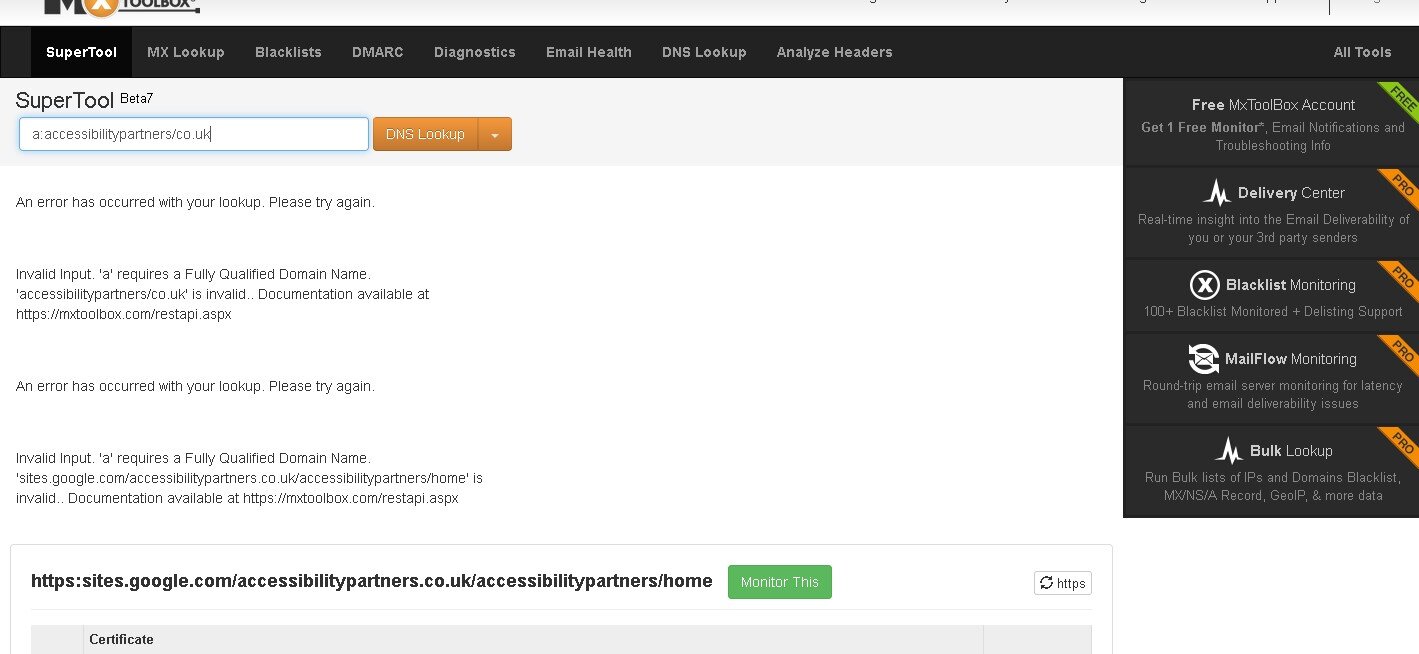
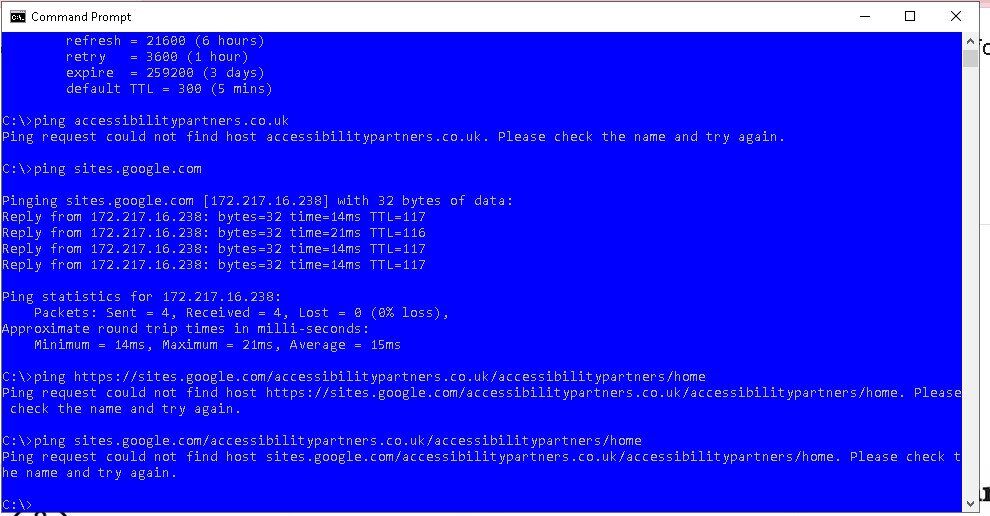
Dear Fisicx and all. I'm back (AAARRRRGGGHHH!!! they cry. "We thought we'd gotten rid of this loser...." I can't find my A-name for love nor money nor pinging. Have a look at this. (I'm hoping the graphic will appear in the gap, if it doesn't, I mean the enclosed graphic wherever it is!) As you can see, I've learned the wonders of the word Ping. So I tested it on Google and got the Google A-name back. Yayy, thought I, I'll do it on mine. So I did. And Ping doesn't believe it's there. Yet when I type it in manually, I get taken there. Please, why can't I get my A-name by pinging? And as I can't, how do I find it to use it? I've got totally zero idea where to look for the thing. I'm in Google Domains. The site's built in Google Sites. We are Google Central!! And Google is magnificent at listing how to do everything apart from the One Necessary Thing, it pulls this trick alll the freakin' time. So yes I've found the help page walking you through doing it. It tells you where to put your A-name (anatomical details censored!) It does not tell you how to find the flamin' thing in the first place!! Pinging works for lots of sites I tried. Why not mine? Yours puzzledly Chris.
-
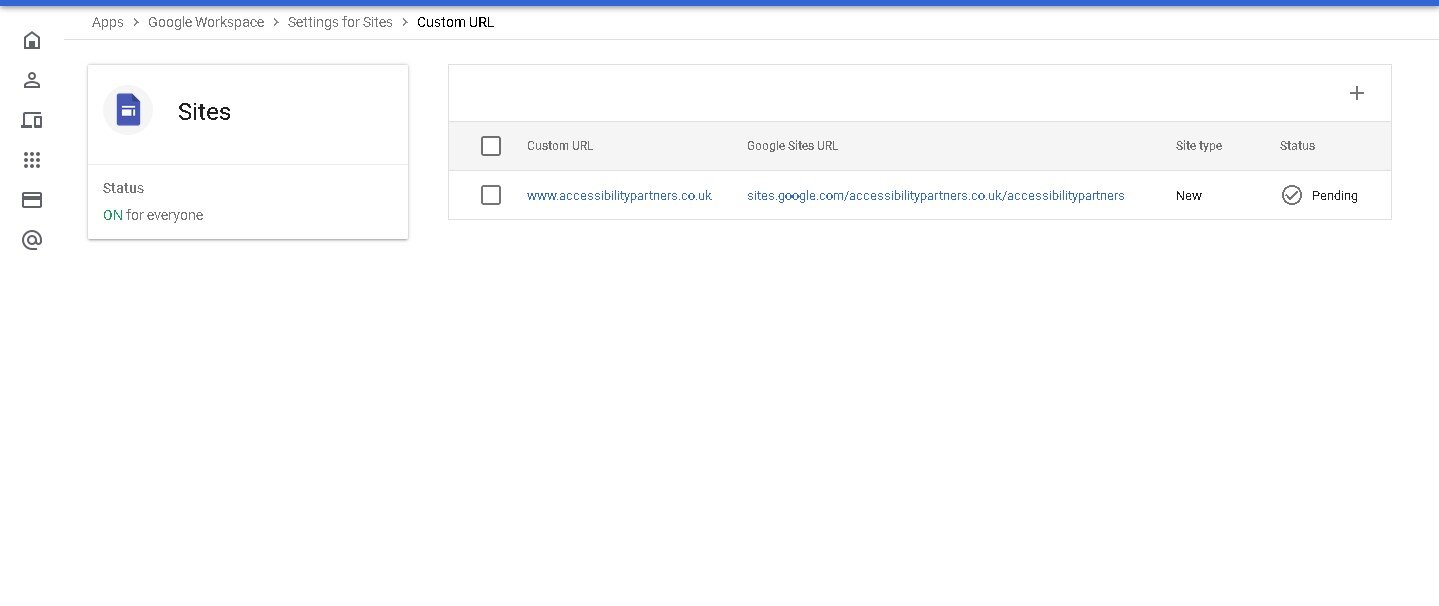
Dear Anyone. I THINK I've done it. Can anyone who reads this tells me if the picture looks right to them? I found something called Google Admin Console, never heard of it, found it through a YouTube vid. Found the Custom Names bit and used it and ended up with this.... Does this look right to you experts? And is the PENDING thing the site being propagated, do you think? Yours hopefully Chris.
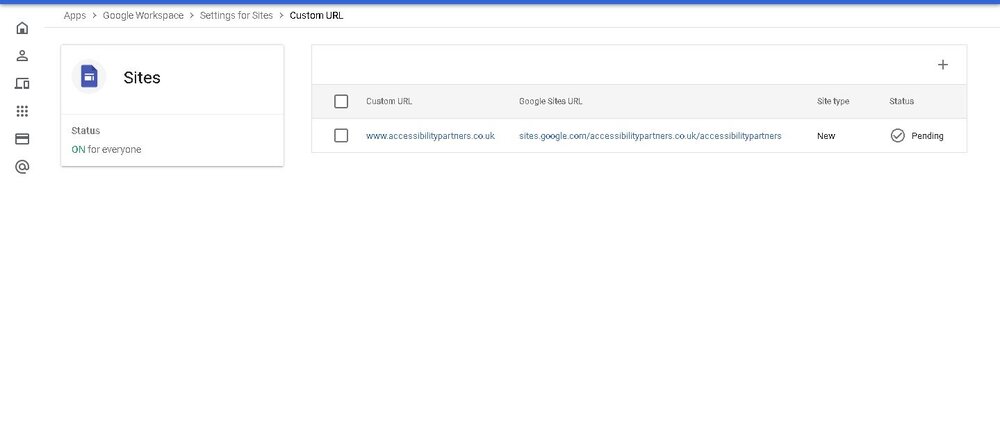
-
God, the IGNORANCE of the question I'm about to ask.....!! First of all, I'd no idea Wordpress was something you installed. Thought it was a blogging site! So what is it, a program? I install it on my computer to use it online? Can people who don't have it installed see my site? (I ask this because I use Bluestacks to see sites I couldn't see without Bluestacks, so I kinda know about that one!) Secondly - would I have to totally redo the website from scratch and change all the widgets/plugins (not sure which is which but we're using Jotform and Mailchimp stuff) to match the new site/hoster? Thanks for all your help, guys. Trying to wrap my head around it all, honest! Yours respectfully Chris.
-
Dear Fisicx. Well - Mandy chose Google Sites. I'd used HTML before but years back, didn't realise how much things had changed! Never done a whole website from start to finish before, just bits of websites using HTML2 and 3. She'd bought the name - the domain - before she asked me to make the site. I don't understand why I'm restricted because I'm using Google. It's Google, man, they're about the biggest thing on the Internet, aren't they? So surely you should be super UN-restricted because you're using the biggest company? And Mandy asked for the pop-up - I thought the point of those things was to keep people ON your site. Why does a pop-up restrict access? Got no idea about that at all, you'll have to explain, thought it would be the opposite! Sorry I'm so ignorant, but thanks for all this help. Yours respectfully Chris.
-
So it's propagation? How about making the popup actually popup and not just sit in plain view all the time? We pasted the code where we were told to, embedding it in the page, and it's definitely code, not a URL. But it just sits there. It never goes away and because of that, it never pops up. And it's MASSIVE!! Far bigger than on the designer site. If you use the nodes around it in design view, it doesn't shrink it, it crops it. No idea why. So I can't get it smaller with the nodes. If you know a site where popups DO work, I'd happily dump my one and start again on yours. I just wanna get this thing working, so we can get it out there, and work on decorating it better afterwards! Just noticed. You gotta Clanger! I loved the Clangers, how all the little things were characters in their own right. There was even a band called the Soup Dragons once! She was lovely, wasn't she? Big, motherly and very kind dragon. I'd never be scared of her. Yours hopefully Chris.
-
Very, very sorry and this is NOT a bump, it's just I keep thinking of stuff I should've put in the original. I'll go after this! If any of you web experts give us a clue as to what to change, please could you tell us if the changes will work right away or if we have to wait a few days because of this propagation thing? Just so we're not doing the change, it's not working, instantly trying something else.... when it would've worked if only we'd waited! I'm going now. For real! Chris.
-
Sorry guys, only just thought of this. We've heard of 'propagation' with websites, that it can take up to 48 hours for changes to take effect, is that right? Is the problem that at one point we DID have it right, but we hadn't heard of propagation then and didn't wait long enough? That's just a vague thought, personally I don't think we ever got it that far. But it MIGHT be a factor, we flat dunno! Yours hopefully again Chris.
-
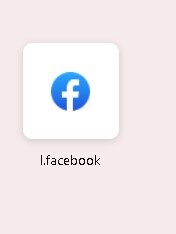
Dear Anyone. I've done a 5-page website which is called accessibilitypartners.co.uk., we're 2 disabled people who want to make work-life easier for other disabled people. We've bought the name, we've built - after a nightmare learning curve - a PASSABLE website on Google Sites - still hugely learning! - and we've got a Google Domains. Now here's what we THINK we know but you can correct us on any of it because if we were right, this would be working! These are probably-wrong thoughts, not statements! 1.) Accessibilitypartner.co.uk is the DOMAIN NAME. Domain names point to websites. 2.) There's 3 kinds of website names, a CNAME which means Canonical Name and an MX name which is Mail Exchange and is where site E_mails go to. The third one is a mile-long mass of letters with your website name embedded in the middle of it all somewheres! 3.) Complete guess cos we can't work it out (and we're prob. getting something wrong in the above.) The Domain Name should be pointing to the mile-long mass of letters because that's the URL. But there's 2 URLs, aren't there. The mile-long mass of letters and a bunch of numbers separated by dots. We think this is so because we've got both of the latter and they both take us to our site. Remember the above's just what we think we know at the moment and we're here cos nothing's working so we've obviously got it wrong somewhere! We tried typing the numbers separated by dots into the boxes on Google Domains because it seemed logical that that would be what it wanted to point to. Didn't work. Tried the name of our website with CNAME on the end so we had WWW.accessibilitypartners.co.uk/cname (we tried lower case and capitals). Didn't work. Tried the same again with /MX on the end instead - were getting desperate by now! - that didn't work. Found a YouTube video that carefully detailed the whole process on GoDaddy, discovered Google Sites doesn't work the same way as GoDaddy! Couldn't find a YouTube (or anywhere else) vid. detailing the process on Google Sites. (WE THINK we're WWW. We're a bit lost as to whether we're WWW, HTTP or HTTPS.) Which is why we're here. We are flat, totally, completely out of ideas. We know more about next week's Lottery numbers (they're all between 1 and 50. Fact!) Please, could someone use totally dumbed down idiot speak to tell us what the BLEEP we're doing wrong and what we should do? Just to make you laugh, I've achieved something that would be fairly impressive if only I knew how the heck I'd done it. I use Firefox. When I do CTRL-T, as you know, I get an empty page full of ads. and links. I'm going to attach a screenshot of one of the links. It looks like a Facebook link. The address under it looks like a Facebook address. On my browser - not tried it on anybody else's! - clicking on it takes me to my site, not Fb! But typing in the addy under the link doesn't. Got zero idea about that either, but I'm attaching a screenshot anyway.