eugenemdonaghy
Members
-
Joined
-
Last visited
Everything posted by eugenemdonaghy
-
Hello having problems getting the menu working on www.eugenemdonaghy.co.uk code pen is https://codepen.io/eugenemdonaghy/pen/JoRaYYO
-
Hello converted a bootstrap site to flex box having a problem with relative links not jumping to section headers how can i force relative links to jump to section headers code pen https://codepen.io/eugenemdonaghy/pen/JoRaYYO link https://www.eugenemdonaghy.co.uk/flex/links.html to see what I mean and what I want
-
how can i simplify the site structure got chatgpt to look at the css
-
whats my best way to do that I have tried to set the max width as 768px codepen for reference https://codepen.io/eugenemdonaghy/pen/JoRaYYO
-
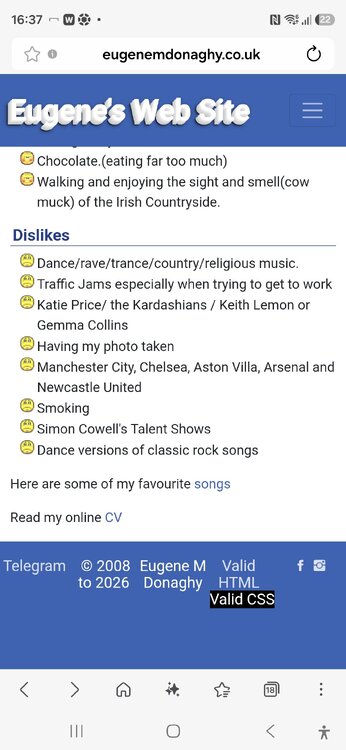
that worked but footer is having in one line want on mobile site to have on separate lines
-
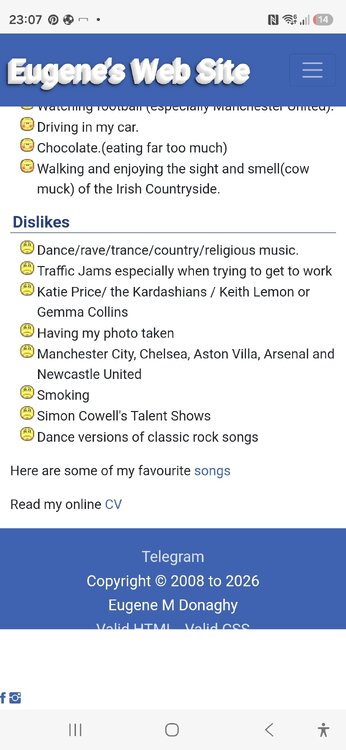
Hello working on my website www.eugenemdonaghy.co.uk trying to get my social media in the footer but unable to get all in the footer social media icons appear outside the footer on a mobile site have a codepen at Untitled
-
Hello I am redesigning my web site to include a style switcher plug in but when testing the import I cannot get the layout sorted @import url ("assets/bootstrap/css/bootstrap.min.css"); @import url ("../assets/fonts/ionicons.min.css"); @import url ("Footer-Basic.css"); @import url ("Navigation-Clean.css"); @import url ("links.css"); the css is stored in assets > css directory any idea on how to resolve?
-
Hello Updating the footer my web site www.eugenemdonaghy.me.uk showing page uses valid html and css along with a copyright notice having problems getting text to align on the same line as well as the links showing any ideas on how to fix this work in progress at http://www.eugenemdonaghy.me.uk/jokestemplate2.html
-
Hello I am trying to fix the nav bar in www.eugenemdonaghy.co.uk is there any way I can start the content below the navbar i have the site set up on www.eugenemdonaghy.co.uk/fixednavbar
-
got it sorted there was a line-height:1.5 em ; which spoiled the css
-
Hello I have redesigned www.eugenemdonaghy.co.uk and would like some feedback on this please It has been redesigned with responsive webdesign in mind.
-
Improving my coding skills using the menu above I obviously have done something wrong in my css as I'm not getting the menu to line up correctly see screenshot

-
i think Ive managed to get this working I needed to set my internal links above my back to top button a whole lot of search and replace
-
done that and it works but the links dont work it will work if I turned off the fixed menu
-
Thank you dont like WYSIWG editors unless someone recommends a good free one
-
dosen't work had to redesign with a CSS based nav menu modularising CSS as I go along www.eugenemdonaghy.co.uk/redesign4
-
where abouts do i place this in my CSS ?
-
Hello have managed to get my website www.eugenemdonaghy.co.uk fully rexponsive but got a problem looks like my linking to sections seem to go to the top of the page obscured by my header (see the jokes pages) is there any easy way to stop this happening?
-
following this link https://www.w3schools.com/howto/howto_js_topnav_responsive.asp going back to the nav bar theme dumb question where do I stick the javascript ?
-
It's broken if I view it on landscape mode stopped the drop down going to need to make the menu mobile friendly
-
a bit of a google search the now defunct eregi should be replaced by preg_match
-
Hello I have added a CSS dropdown menu to www.eugenemdonaghy.co.uk but with 2 problems 1) sub menu is just taking the maximum width of the items in the sub menu 2) viewing site on mobile makes content unreadable if viewed in portrait mode any ideas on how to sort this?
-
Hello adding a contact form to my website www.eugenemdonaghy.co.uk/contact.php having a fatal error regarding a undefined function the donor page has the same error http://www.eugenemdonaghy.co.uk/CSS3_six_dark/contact.php what should be done to correct this my php knowledge is non existent
-
Further pages to be added including a contact form
-
bye bye sidebars cleared them made the background white hello dropdown need it on the right of header beside title (see image below) once positioned correctly I will get colours sorted www.eugenemdonaghy.co.uk/redesign2