dan_coles
Members
-
Joined
-
Last visited
Everything posted by dan_coles
-
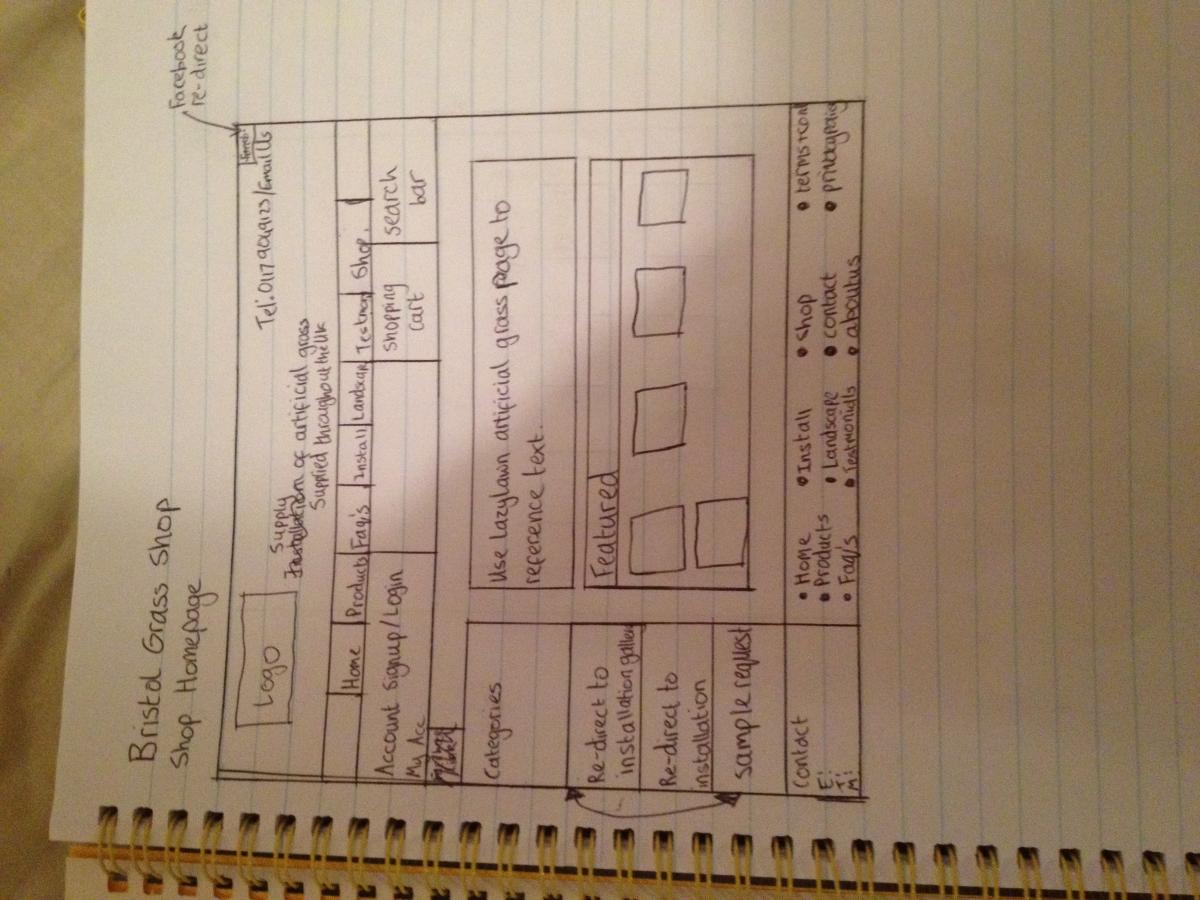
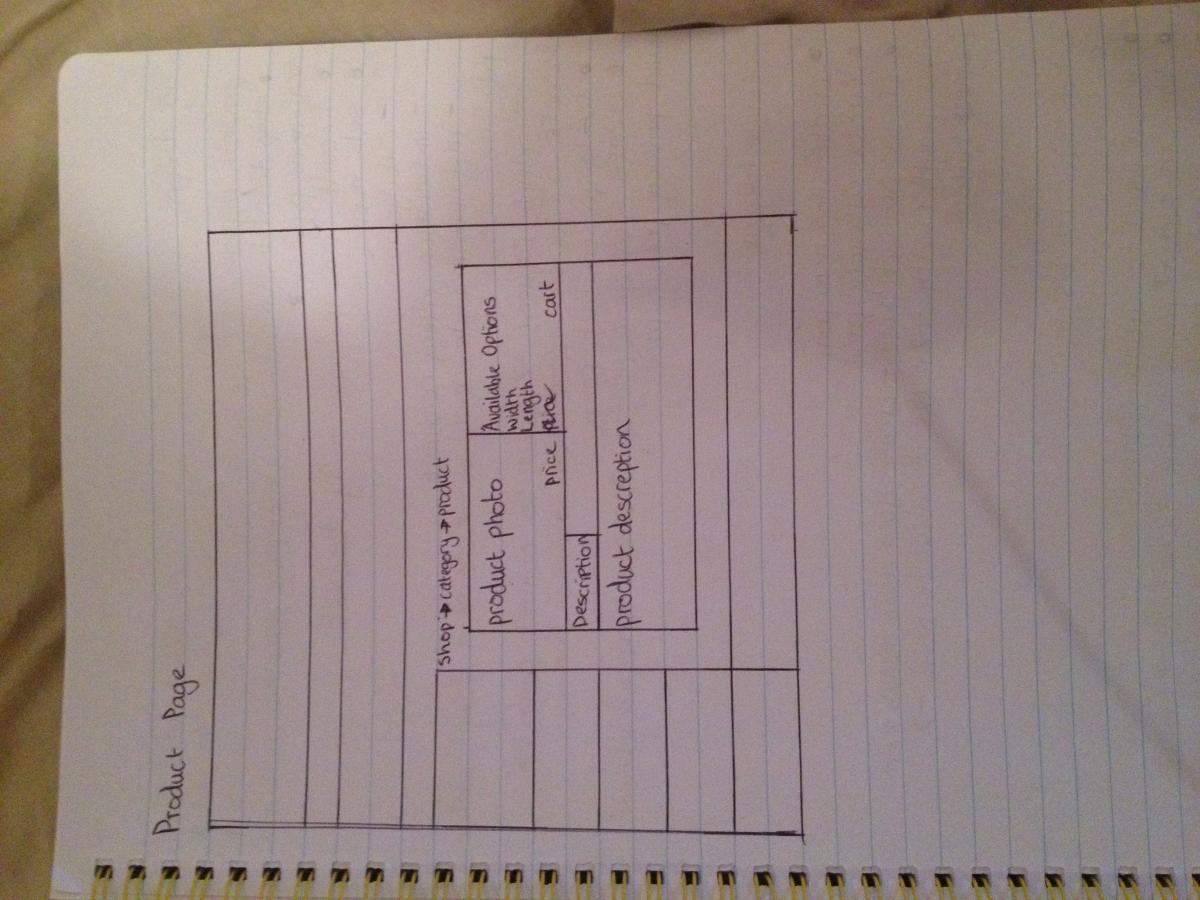
Hi, I'm currently designing a website where I need to incorporate an online shop into an existing website. What are my options when creating an online shop? Is there a software solution? Preferebly I would like to be able to edit it using dreamweaver cc and using existing css style sheets for the layout. I would like to be able to have a control panel where new products and prices can easily be updated. On the product page I would like to have a menu where it can calculate cost of product. For example the product price will depend on the overall length and width of the product so I would need to create a menu where it can cost how much it will cost if I input how much it would cost for a m2 (metres-squared). - I will attach an example picture. Below attached is a plan so you can see the current layout of the existing website and the plan for the shop being designed for the existing website.