tracey :D
Members
-
Joined
-
Last visited
Everything posted by tracey :D
-
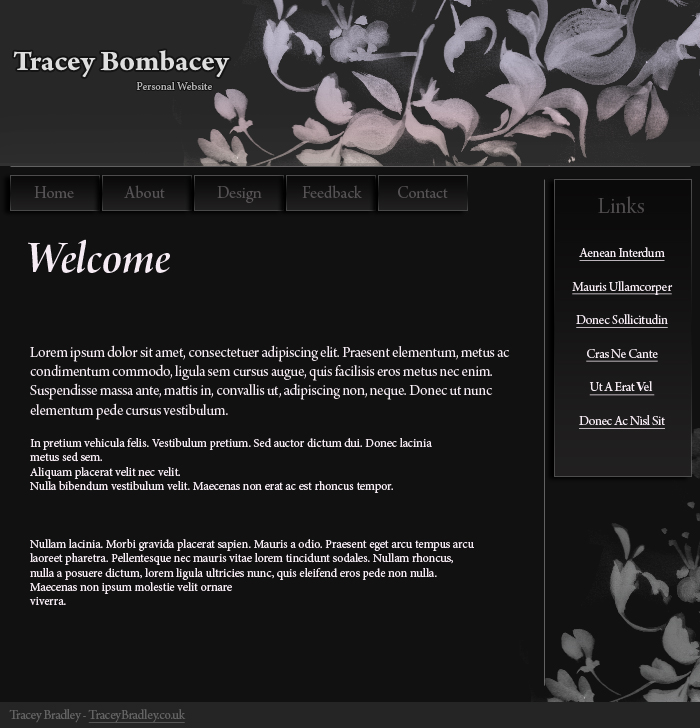
Tweeked some features. Better or worse?
-
Yes I have! Its just deciding where to inject the colour into the page.
-
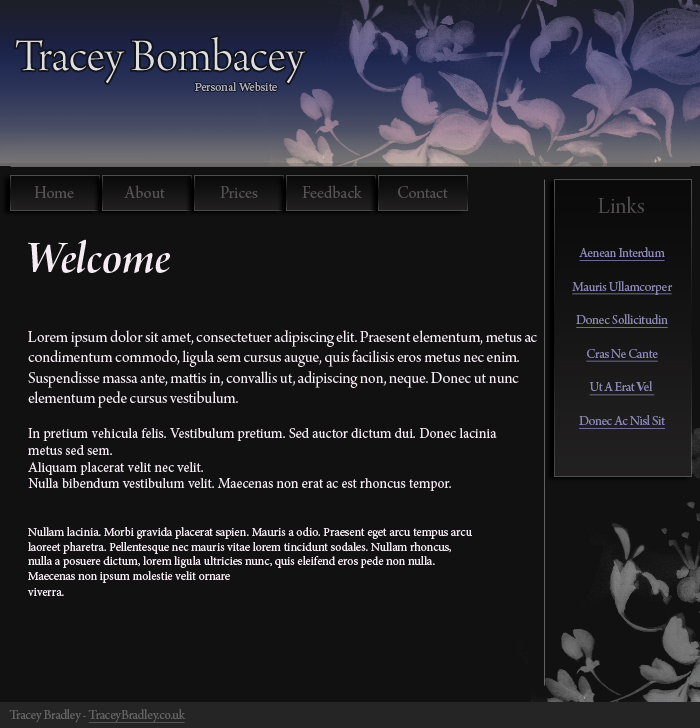
Hello all. I have been working on a website layout for a few days now and wanted to know what you're opinions are, please hand out any suggestions if you feel it is needed. I will value all opinions of peoples comments.
-
Boring and quite ugly.
-
Nikon D40
-
I really dislike the design, sorry. When users enter the site I think they would be slightly confused on the genre. And by what other people have said, you need to address your coding issues.
-
Those templates that you have shown us on this thread already reside at http://www.freewebsitetemplates.com/
-
Hello there, I think the design is very nice and sleek but as most of the other people have replied have said, I think you should equally make your html more professional and move onto CSS. Also one of your navigation menu blocks has a spelling mistake, not good! haha. But I have to say 9/10 for the designing. Its very nice.