Danny.S
Members
-
Joined
-
Last visited
Everything posted by Danny.S
-
Hello, I would like to change my display name, but I couldn't find this option in 'My settings'. Does anyone know how can I do that? Thanks in advance.
-
Yup, I know that, but in my case visitors will like this. However I found a lot of popup plugins but I only need to know how to launch it automatically in page load. Thanks.
-
I want to create a page that when the user opens the website, the page popups and show that page, which I might have a video in that popup page, or just a link. (e.g: This kind of popup pages are very common in download centers for advertisements.) I am guessing that it should be done by jquery. But just don't know how to start. Can anyone tell me how to make this. Thanks
-
Hello, I am making the layout of a web page that I want it to have the same look in all screens. The page I am working on, has three parts, header, main, and footer, which I want to header to be on the top of the screen. main and footer sticks to the bottom of the page. I made the header to in the top but I couldn't add percentage to the main and footer section. Can you have a look at the attached document and let me know how to fix this problem. percentage.html
-
Wow Thank you so much, It's fixed. I thought I'm good at css but still have problem in positioning . Anyway Thanks.
-
Thanks for your help. I made a layout and I'm happy with that but the only thing that I still couldn't do is the DIV5 which isn't in the middle of the page. Do you have any solution for that? Also can you have a look at other parts and see check if they are set correctly and won't make any problem in the future? Many thanks. layout.html
-
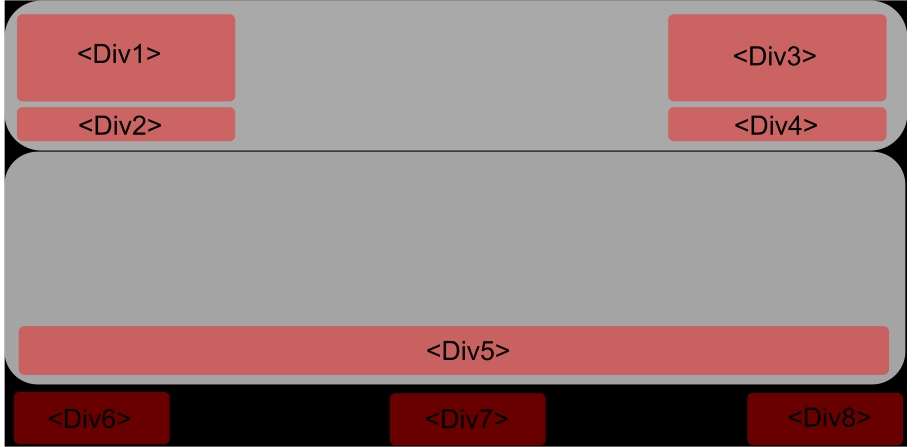
Hello, I want to create a layout like this: But for some reasons the div tags does not go where i want to go. Can you have a look at the attached index file and let me know what am i missing. Note: I only worked on header part. Thanks, layout.html
-
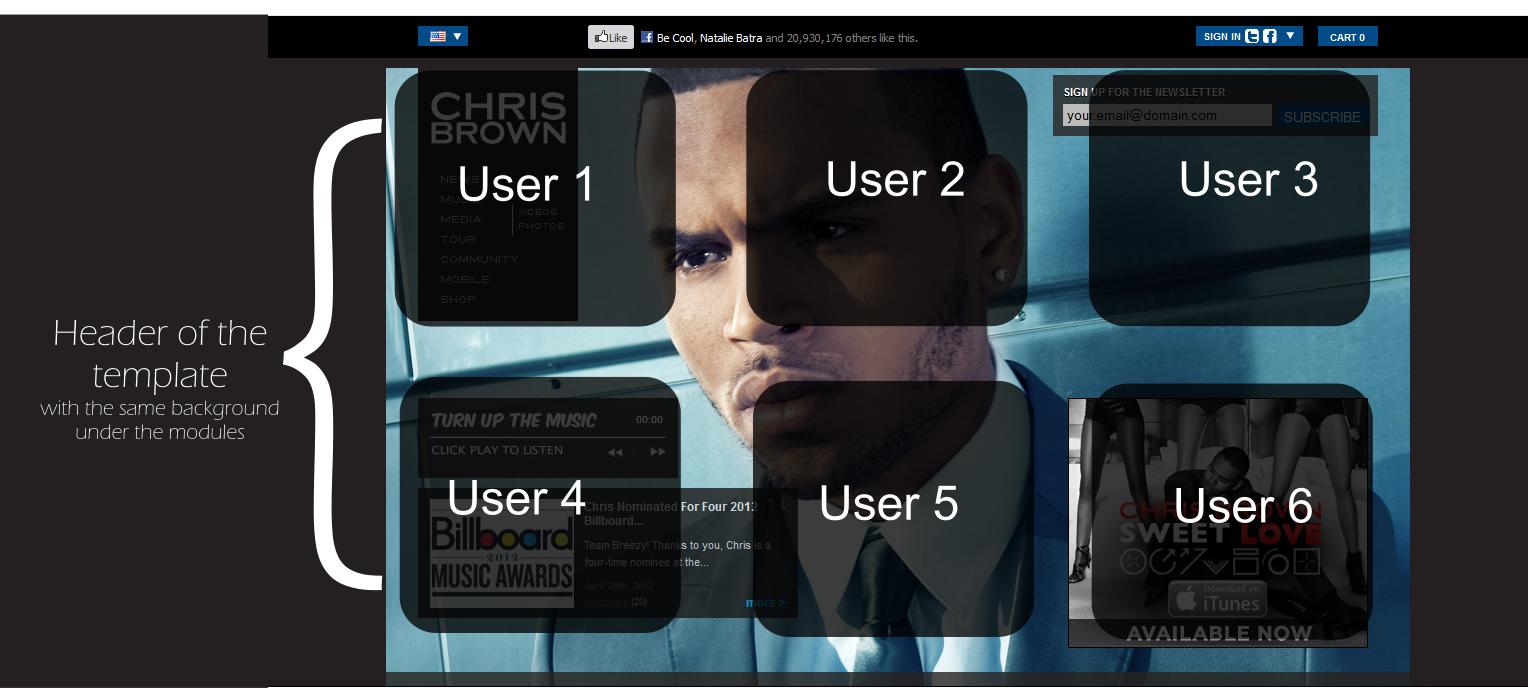
Hello, I want to create a website similar to the Chris Brown's website: http://www.chrisbrownworld.com/us/home As you can see on the top of the page his picture is the background and there are a few modules which are menu, music player, latest news and a linked image. That is all I am looking for to have on Joomla. I know the whole website can be created by Joomla but I only have no solution for the top part. Can I make on background for behind a few modules? I attached a picture which explains better. So Can I do that with joomla? Any recommendation for the template? Or any special trick in CSS to make one background for group of module? Thanks in advance

-
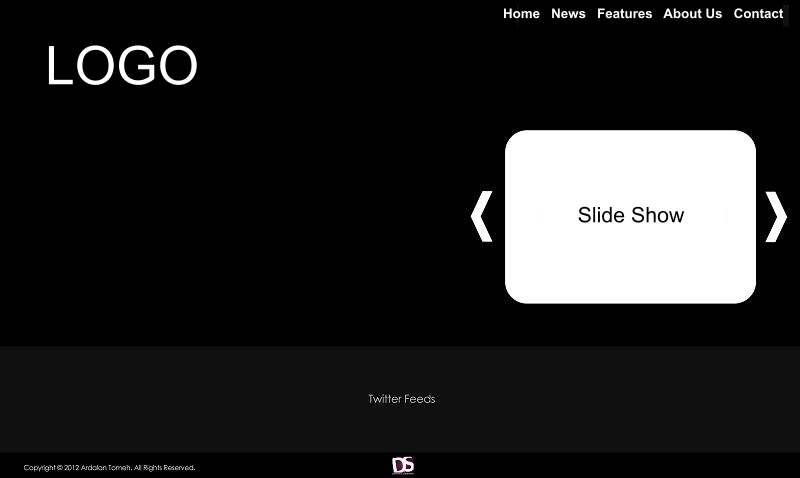
Hello, I am looking for a template that has a layout like the attached picture. Also The background should be a full-screen image slideshow. image full-screen slideshow plugin I prefer to use a template which is similar to this layout if not, how hard is it to design it?(Either for joomla or static) I am good at joomla, HTML and CSS but do not know PHP. The website which I am looking for is copied from this website: http://lilwayne-online.com/ Thanks in advance.