Ennyn Messor
Members
-
Joined
-
Last visited
-
.. what ?
-
Ok, true, i'll fix it right now ..
-
and i make your words, mine.
-
 Ennyn Messor reacted to a post in a topic:
What do you do, when a client's logo & branding is just horrible?
Ennyn Messor reacted to a post in a topic:
What do you do, when a client's logo & branding is just horrible?
-
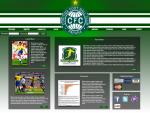
Hmm, i'm not sure about this ? What do you guys think ? i made it simple because it's just supposed to be a source for info about the team ... well, post your ideas and anything else i started making this for the design challenge, but turns out i was too late to send it .. what do you guys think ? i have the feeling that something is missing ...