z3rO
Members
-
Joined
-
Last visited
-
Hi i have done first page for a website and i am on 2nd page when i come to check to make sure it works the container box is not recognising all the information in the page, just the header any idea why If want i can upload the files to show you
-
Hi i am having a problem I have installed zencart an when click on install instillation it came up with this error does anybody know if this is the server side problem ? ERROR: date.timezone not set in php.ini. Please contact your hosting company to set the timezone in the server PHP configuration before continuing.
-
-
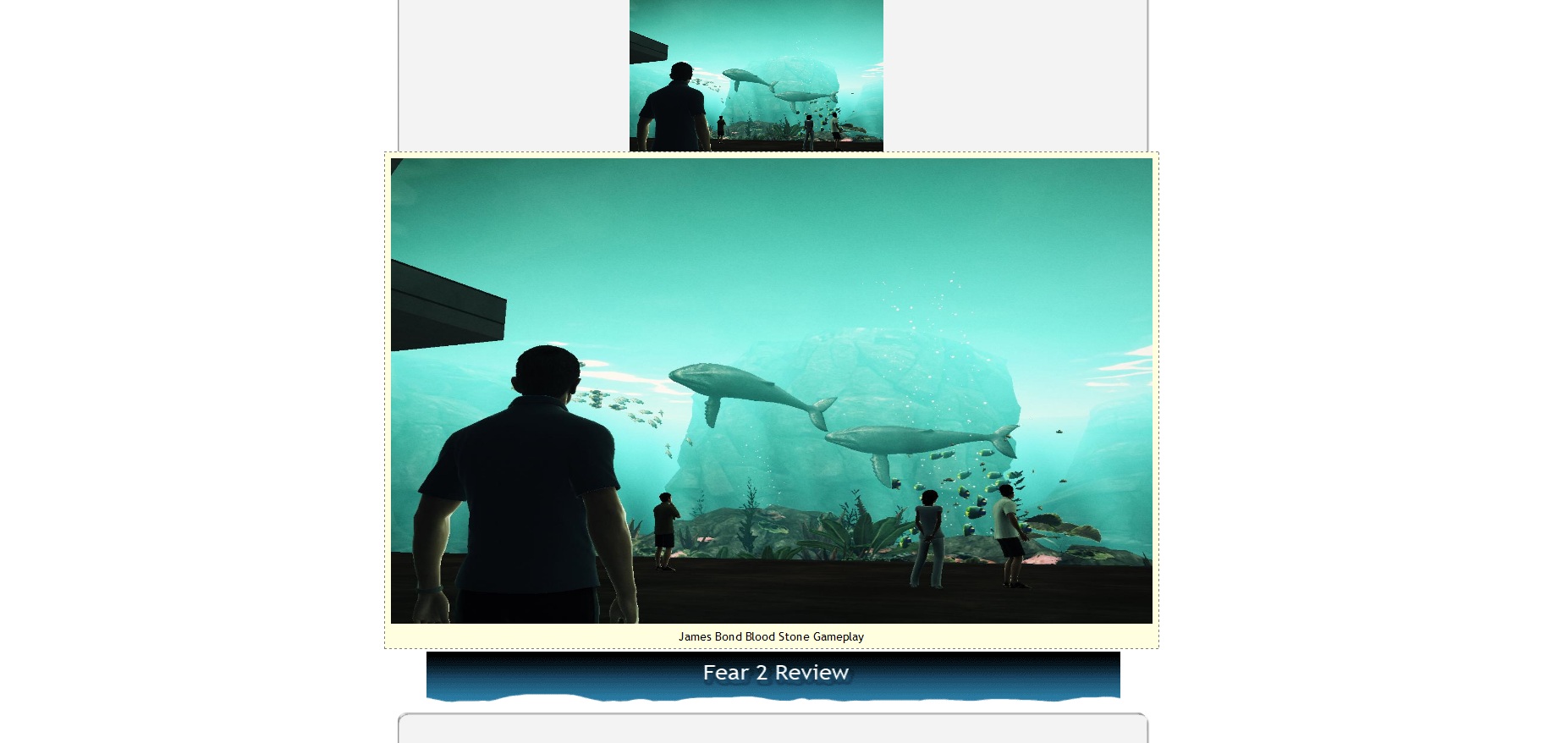
Hi i am having a problem with my iframe which i have taken from youtube <iframe title="YouTube video player" class="youtube-player" type="text/html" width="700" height="345" src="http://www.youtube.com/embed/-Dvee6Ixjy0" frameborder="0"></iframe> The problem is, once this is on in Internet Explorer the image that I have popping out above it goes behind the video but on Firefox the image is fine.. This the image: <center> <a class="thumbnail" href="#thumb"><img src="jbgameplay2.jpg" alt="James Bond Blood Stone Gameplay 2" width="300px" height="200px" border="0" /><span><img src="jbgameplay2.jpg" height="550" width="900" /><br /> James Bond Blood Stone Gameplay </span></a> </center> I have attached screenshots of what i mean about the images.. Web 1= Firefox Web 2 = IE... I want the IE one above the video, I have a seprate CSS file for the IE which i have done a IE hack to do it anybody have any ideas how to solve the problem


-
mines fine mate i can see it..
-
hey mines fine in firefox mate
-
Hi i had the same problem mate with mine type this into the head section an create a seprate stylesheet and should work it misses the first orignal stylesheet an looks at the other IE style sheet <!--[if IE]> <link href="ie.css" rel="stylesheet" type="text/css"> <![endif]--> Create a new stylesheet for example ie.css
-
Hi i am having a problem with my iframe which i have taken from youtube <iframe title="YouTube video player" class="youtube-player" type="text/html" width="700" height="345" src="http://www.youtube.com/embed/-Dvee6Ixjy0" frameborder="0"></iframe> The problem is, once this is on in Internet Explorer the image that I have popping out above it goes behind the video but on Firefox the image is fine.. This the image: <center> <a class="thumbnail" href="#thumb"><img src="jbgameplay2.jpg" alt="James Bond Blood Stone Gameplay 2" width="300px" height="200px" border="0" /><span><img src="jbgameplay2.jpg" height="550" width="900" /><br /> James Bond Blood Stone Gameplay </span></a> </center> I have attached screenshots of what i mean about the images.. Web 1= Firefox Web 2 = IE... I want the IE one above the video, I have a seprate CSS file for the IE which i have done a IE hack to do it anybody have any ideas how to solve the problem


-
Hi i would like if you could help me with my website i am after images of pc games such as call of duty black ops etc but i can't use any of them becasue of copyright theft i emailed the companies and didnt get a response back of any of them does anybody have any ideas what i can do !
-
Hi i am having some problems with inserting images into my layout, when i insert the image it goes just to the top of the other image and i can't move it into the middle or where i want it to move how do yo layout it properly where the image is would it be like this. Is this the size of your image ? HEIGHT="175" WIDTH="425" What does this do ? ALIGN="right" Also what are these for in the image line ? HSPACE="10" VSPACE="10" This is my xhtml <div class="left"> <div class="cm1"> <img src="center-img1.gif" alt="logo" /> </div> CSS code .cm1 { float: left; width: 640px; height: 250px; background: url('center-blank.gif'); background-repeat: no-repeat; margin: 0px 0px 10px 0px; padding: 0px; }
-
thanks for the help ! ill have a look around on the websites you gave me if i need any help can i message ya ?
-
was for the effects that it has but ye it could be in css, im after a drop down menu bar, but can't find any decent ones
-
yeh the menu is in javascript. i cant upload a winrar folder otherwise would give u it all
-
ah sopcg.htmlrry it should be now if not then im conffused index.html mycss.css csspcg.css
-
Hi this is my first website in css, i am having problems with my menu bar on the first page it sets perfectly fine, but with the 2nd page i have set it exactly the same but when look at the website in firefox it moves over. any ideas on the problem, the website files are attached in winrar file: