


Jonessie
Members
-
Joined
-
Last visited
Everything posted by Jonessie
-
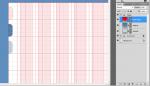
Here is a good tip for remembering colours when you’re designing a website for a client or for yourself. Trying to remember colours can be a bit daunting at times so I devised a way of remembering the colours you want to use when designing a website. I got the idea from a magazine actually… not literally, if you look at any magazine there is always a colour swatch somewhere at the back of the magazine down the side of the page. Well I was thinking of using the same technique when designing a web template in Photoshop. Create a Grope and call it Palette, then create a series of layouts. Name the layouts as the colours you’re using for the design, for example… #5381ac. All I do then is go to shapes and select “Rounded Rectangle Tool” and then create a rectangle 42px x 42px and keep doing so then appear in line. This is good for reference because I am dreadful for forgetting colours; I come up with a colour then if I don’t make a note of it I tend to forget. The picture is from a web template I am working on at the moment, these are not the actual colours they are for illustration only, just to give you an idea to what I’m explaining.
-
Hello to everybody, Web designing is one of those things which you have either got it or you haven't. I'm creative and can oput my hand to anything. I done a lot of web designing years aho but because of my job I put it on the back burner. And when I say the back burner, it was nearly 10 years. Now I find myself having to learn all the things I learned all over again. Photoshop. Illustrator, InDesign, Fireworks and so on. The only thing that hasn't changed that much is the basics of web design. Just started jQuery and it's easy. This is a good forum glad I came across it because it's full of everything I need.
