


mgl2008
Members
-
Joined
-
Last visited
-
Most open source php CMS software have search builtin, to make collapsible any thing, use css and js ( mootools my pref ). You can try sNewsCMS for most your needs. very easy to install and design and its free .
-
hey TidySi online communities are awesome there are very warm people here, enjoy. awesome day 2 all
-
hey harry the most easy way to do that is, 1. get a CMS. 2. get a nice template for it. 3. follow the install instructions for the choosen CMS. awesome day 2 all
-
welcome, i'm new as well enjoy
-
thank you, it's nice forum here i have uploaded some photos to the gallery awesome nite 2 all
-
hello there are so meny ways to do that, mostly, on pro artists websits will be a small selection of images, the best for show, right ? you could very easy make the "gallery" page ( icons ), link each to the "big" image on its own page, at the image page you can use mootools for the nice fade effect while rollover the image, will change original <-> retouched there are meny ways
-
I use the Nikon D80, Sigma 28/300mm f3.5/6.3, very good for landscape indid Nikkor 50mm f1/8, awesome sharpness, very good for portraits, and low light conditions Some of my photos can be downloaded as high res files, (for graphics designs etc ...) at: My Free Photos this is me and my cracked head awesome day 2 all

-
thank you all for warm welcome
-
Hey all i am a graphics designer, most years for print, i have got into web development about 2 years ago, i love making php functions hehe, and i do some photoshop art, and photography. very good day.
-
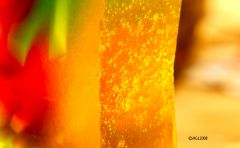 awesome colors was captured while doing macro on a decorative soap with candle and tv screen back lighting the soap. enjoy
© ©mgl2008
-
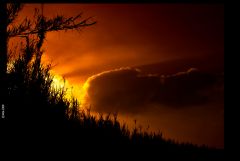 I love sunerise as i do sunset, this one was taken at 07:30 am, while walking with my best budd out morning walk. hope you enjoy this photo as i did while taking it.
© ©mgl2008
