nonzerobrain
Members
-
Joined
-
Last visited
-
Here is the imgur album for the images that I am going to use in my javascript slideshow: http://imgur.com/a/s01Ly
-
http://jsfiddle.net/bfa37vgv/1/ here is my website on jsfiddle @NOCK.
-
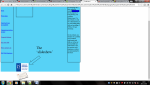
I am creating a HTML webpage for an assignment (college kid) and I am pretty stumped on a function that I am trying to achieve. Basically, I am trying to make a slideshow with javascript and when I do, the slideshow doesn't function and all of my div boxes vanish on the site, I also cannot figure out how to position the slideshow images to appear just under my website header. Here is my HTML/javascript code: "<!DOCTYPE html> <html> <head> <link rel="stylesheet" href="draftcss.css"> <script type="text/javascript"> <!--> var image1=new Image() image1.src="ioe.png" var image2=new Image() image2.src="theorytest.jpg" var image3=new Image() image3.src="bteclevel3.png" //--> </script> </head> <body> <div id="container"> <div id="top">Eduprovement<img src="Eduprovement logo.PNG" width="225" height="125" alt="Eduprovement Logo"> </div> <div id="left"> <p>Navigation</p> <br> <a href="file:///H:/Year%202/Client%20Side%20Customisation%20of%20Web%20Pages/Assignment%201/Draft.html">Home</a> <br> <br> <br> <a href="https://nationalcareersservice.direct.gov.uk/advice/planning/jobprofiles/Pages/itsupporttechnician.aspx">Future plans</a> <br> <br> <br> <br> <a href=http://proportal.lincolncollege.ac.uk/pages/ilp/promonitor/10_1/Information/academictask.aspx?studentref=O1fJyhrHwFM%3d&academicyearid=15%2f16&studentgroup=yXQ4sBFN2AE%3d>Units that I have accomplished</a> <br> <br> <br> <a href=http://wiki.hct.ac.uk/doku.php/computing/btec/level3/organisational_systems_security>Organisational system security</a> <br> <br> <br> <a href="http://qualifications.pearson.com/content/dam/pdf/BTEC-Nationals/Information-Technology/2010/Specification/Unit-2-Computer-Systems.pdf">Computer Systems</a> <br> <br> <br> <a href="">My other skills</a> <br> <br> <br> <a href="">What I intend to do</a> <br> <br> <br> <a href="http://www.ioe.ac.uk/">My Work Experience</a> </div> <div id="right"> <p>Hello and welcome to my homepage that I have created by myself, Oliver Elliott, for the purpose of being hired by your company, Eduprovement. On this website you will see a demonstration of my web-building skills with my knowledge of HTML, CSS and JavaScript.</p> <br> <p>On this website, you will also see a portfolio of my academic achievements and skills, as well as my personal skills and achievements. Also, my previous work experience as well as my personal plan for the future.</p> </div> <div id="center-left"> <img src="ioe.png" name="slide" width="150" height="100"> <img src="theorytest.jpg" name="slide" width="150" height="100"> <script type="text/javascript"> <!-- var step=1 function slideit(){ document.images.slide.src=eval("image"+step+".src") if(step<3) step++ else step=1 setTimeout("slideit()",2500) } slideit() //--> </div> <div id="center-right"> </div> <div id="lower-left"> <p>C</p> </div> <div id="lower-right"> <p>D</p> </div> <div id="under-right"> <p>E</p> </div> <div id="bottom-left"> <p>F</p> </div> <div id="bottom-center"> <p>G</p> </div> <div id="footer"> </div> </div> </body> </html>" Here is my css code for the div boxes: "#container{ width:960px; height:960px; left: 0px auto; right: 0px auto; background-color: #58D3F7; } #top{ border: 4px solid #28677A; background-color: #58D3F7; font-size:24px; width:960px; height:128px; position:relative; } #left{ border: 4px solid #28677A; background-color: #58D3F7; float:left; height:704px; width:150px; left:0px; position:relative; } #right{ border: 4px solid #28677A; background-color: #58D3F7; float:right; height:704px; width:150px; left: 8px; position:relative; } #center-left{ border: 4px solid #28677A; background-color: #58D3F7; float: center-left; height: 150px; width: 200px; left: 185px; top: 10px; position:relative; } #center-right{ border: 4px solid #28677A; background-color: #58D3F7; float: center-right; height: 150px; width: 200px; left: 500px; bottom: 149px; position:relative; } #lower-left{ border: 4px solid #28677A; background-color: #58D3F7; float: left; height: 150px; width: 200px; left: 28px; bottom: 140px; position:relative; } #lower-right{ border: 4px solid #28677A; background-color: #58D3F7; float: left; height: 150px; width: 200px; left: 134px; bottom: 140px; position:relative; } #under-right{ border: 4px solid #28677A; background-color: #58D3F7; float: right; height: 150px; width: 200px; right: 94px; top: 25px; position:relative; } #bottom-left{ border: 4px solid #28677A; background-color: #58D3F7; float: left; height: 150px; width: 200px; left: 28px; bottom: 135px; position:relative; } #bottom-center{ border: 4px solid #28677A; background-color: #58D3F7; float: left; height: 200px; width: 250px; left: -50px; top: 30px; position:relative; } #footer{ border: 4px solid #28677A; background-color: #58D3F7; font-size:24px; width:960px; height:128px; top:396px; position:relative; }"