


Sp00kie13
Members
-
Joined
-
Last visited
-
-
-
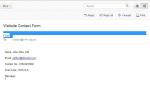
Hi Guys. Wondering if anyone can help. I've been trying to sort this out for the last 3 days and can't seem to get anywhere. I'm currently working on a php mail script with jquery & php validation. The page woks well and sends the users contact details to the server, but refuses to display anything in the (From:) (see attached) so wont forward it to the virgin media email. The script I have is: <?php //If the form is submitted if(isset($_POST['submit'])) { //Check to make sure that the name field is not empty if(trim($_POST['contactname']) == '') { $hasError = true; } else { $name = trim($_POST['contactname']); } //Check to make sure that the name field is not empty if(trim($_POST['postcode']) == '') { $hasError = true; } else { $postcode = trim($_POST['postcode']); } //Check to make sure sure that a valid email address is submitted if(trim($_POST['number']) == '') { $hasError = true; } else { $number = trim($_POST['number']); } //Check to make sure that the subject field is not empty if(trim($_POST['postcode']) == '') { $hasError = true; } else { $postcode = trim($_POST['postcode']); } //Check to make sure sure that a valid email address is submitted if(trim($_POST['email']) == '') { $hasError = true; } else if (!eregi("^[A-Z0-9._%-]+@[A-Z0-9._%-]+\.[A-Z]{2,4}$", trim($_POST['email']))) { $hasError = true; } else { $email = trim($_POST['email']); } //Check to make sure comments were entered if(trim($_POST['message']) == '') { $hasError = true; } else { if(function_exists('stripslashes')) { $message = stripslashes(trim($_POST['message'])); } else { $message = trim($_POST['message']); } } //If there is no error, send the email if(!isset($hasError)) { $ $emailTo = 'contact@r-m-t.org.uk'; $body = "Name: $name \n\n Email: $email \n\n Contact No.: $number \n\nPost Code: $postcode \n\n Message:\n $message"; $headers = 'Website Contact Form'; mail($emailTo, $headers, $body ); $emailSent = true; } } ?> can anyone help or suggest a way to work round virgins spam filters to allow. Thanks
-
Can anyone help? I'm only just learning javascript and have done pretty well so far but and having problems with a script for a 57 minute countdown. function timerCallback () { var exit = false; timeCounter += 1000; elapsed = Math.floor(timeCounter / 100) / 10; var currQuestion = questionId + 1; if(timeLimit > 0) { // we use the time limit $("#" + prefix + "_quiz_timer").html("<span class='questioncounter'>" + currQuestion + "/" + questions.length + "</span> - " + fmtTime(timeLimit - elapsed)); // make the clock red if last 10 seconds begin if(timeLimit - elapsed < 11) { $("#" + prefix + "_quiz_timer").css("color", "#F00"); } if(timeLimit - elapsed <= 0) { // this is the end exit = true; // the previous button must be hidden here because quiz is at the end $("#" + prefix + "_prev").hide("slow"); endQuiz(); } } else { // show only the elapsed time $("#" + prefix + "_quiz_timer").html("<span class='questioncounter'>" + currQuestion + "/" + questions.length + "</span> - " + fmtTime(elapsed)); } // calculate the difference between the interval and the real elapsed interval var diff = (new Date().getTime() - startTime) - timeCounter; if(exit == false) timerInstance = setTimeout(timerCallback, (1000 - diff)); }; function fmtTime (value) { var hours = Math.floor(value / 360); var minutes = Math.floor((value - (hours * 360)) / 60); if(minutes < 10) minutes = "0" + minutes; var seconds = value % 60; if(seconds < 10) seconds = "0" + seconds; return hours + ":" + minutes +":"+ seconds; }; From the script above, linked to the .xml file i'm trying to get a 57 minute countdown but when entered in seconds (3420) the countdown starts at over 9 hour. I've tried looking at various tutorials to try and work out what I've got wrong but cant seem to get anywhere. I've managed to get it to countdown from 5 minutes but anything over that won't display properly. Thanks
-
I'm currently developing an interactive part of my website and am have some real difficulty with my array. I currently have over 2000 questions, but have restricted the loop to just 50 at a time. xml.find("question").each(function(){ var q = $(this); number++; //console.log(q.contents().find("media").text()); var question = new Question({ question:q.contents().first().text(), image:q.find("media").text(), prefix: prefix, number: number, fixHeightListener: fixWrapperHeight, questionListener: questionListener, singlechoicehint: singlechoicehint, multiplechoicehint: multiplechoicehint, showHint: showHint }); question.createAnswers(q.children("answer")); questions.push(question); if(number == 50) return false }); //console.log("loaded"); // go( questionId); } // end success ajax }); // end ajax this is the section of code that i'm using, but I want to add a random function in to the loop. I've tried various ways, all of which have been unsuccessful can anyone help Thanks
-
-
-
Hi Guys, Been struggling with this for the last couple of days since I started using Google maps V3, I have jquery-1.3.1.min.js running on my pages to role over pic's with an over lay of text which should role up from the bottom of the pictures everything stopped working a week ago when it wouldn't recognize my API key, so I decided to migrate over to Maps V3. Everything seams to work fine locally and through Dreamweaver but when I try to run the pages from the server, the map and pics don't scroll and there is no text overlay http://www.r-m-t.org...s/leeds-ls1.php. <script type="text/javascript" src="../Scripts/jquery-1.3.1.min.js"></script> <script type="text/javascript"> $(document).ready(function() { //Execute the slideShow, set 4 seconds for each images slideShow(9000); }); function slideShow(speed) { //append a LI item to the UL list for displaying caption $('ul.slideshow').append('<li id="slideshow-caption" class="caption"><div class="slideshow-caption-container"><h3></h3><p></p></div></li>'); //Set the opacity of all images to 0 $('ul.slideshow li').css({opacity: 0.0}); //Get the first image and display it (set it to full opacity) $('ul.slideshow li:first').css({opacity: 1.0}); //Get the caption of the first image from REL attribute and display it $('#slideshow-caption h3').html($('ul.slideshow a:first').find('img').attr('title')); $('#slideshow-caption p').html($('ul.slideshow a:first').find('img').attr('alt')); //Display the caption $('#slideshow-caption').css({opacity: 0.9, bottom:0}); //Call the gallery function to run the slideshow var timer = setInterval('gallery()',speed); //pause the slideshow on mouse over $('ul.slideshow').hover( function () { clearInterval(timer); }, function () { timer = setInterval('gallery()',speed); } ); } function gallery() { //if no IMGs have the show class, grab the first image var current = ($('ul.slideshow li.show')? $('ul.slideshow li.show') : $('#ul.slideshow li:first')); //Get next image, if it reached the end of the slideshow, rotate it back to the first image var next = ((current.next().length) ? ((current.next().attr('id') == 'slideshow-caption')? $('ul.slideshow li:first') :current.next()) : $('ul.slideshow li:first')); //Get next image caption var title = next.find('img').attr('title'); var desc = next.find('img').attr('alt'); //Set the fade in effect for the next image, show class has higher z-index next.css({opacity: 0.0}).addClass('show').animate({opacity: 1.0}, 1000); //Hide the caption first, and then set and display the caption $('#slideshow-caption').slideToggle(700, function () { $('#slideshow-caption h3').html(title); $('#slideshow-caption p').html(desc); $('#slideshow-caption').slideToggle(500); }); //Hide the current image current.animate({opacity: 0.0}, 1000).removeClass('show'); } </script> <script type="text/javascript"> var _gaq = _gaq || []; _gaq.push(['_setAccount', 'XX-XXXXXXXX-X']); _gaq.push(['_trackPageview']); (function() { var ga = document.createElement('script'); ga.type = 'text/javascript'; ga.async = true; ga.src = ('https:' == document.location.protocol ? 'https://ssl' : 'http://www') + '.google-analytics.com/ga.js'; var s = document.getElementsByTagName('script')[0]; s.parentNode.insertBefore(ga, s); })(); </script> <!-- Set basic styling for the map div --> <style> #map { width:482px; height:473px; } </style> <!-- Load the Google APIs --> <script src="http://www.google.com/jsapi"></script> <script> // Load the map scripts google.load('maps', '3', {other_params:'sensor=true'}); // Function to create a map and check for geolocation function mapInit() { // Set the options to be used when creating the map var myOptions = { navigationControl: false, scrollwheel: false, disableDoubleClickZoom: true, scaleControl: false, draggable: false, mapTypeControl: false, panControl: false, zoomControl: false, streetViewControl: false, zoom: 12, center: new google.maps.LatLng(53.788178911213706, -1.5684700012207031), mapTypeId: google.maps.MapTypeId.ROADMAP }; // Create the new map = new google.maps.Map(document.getElementById("map"), myOptions); // Create a new latlng based on the latitude and longitude from the user's position var user_lat_long = new google.maps.LatLng(position.coords.latitude, position.coords.longitude); // Add a marker using the user_lat_long position var marker = new google.maps.Marker({ position: user_lat_long, map: map }); // Set the center of the map to the user's position and zomm into a more detailed level map.setCenter(user_lat_long); map.setZoom(0); } google.setonloadCallback(mapInit); </script> I've searched everywhere to try and find out how to resolve this but my knowledge of javascript is very limited and would appreciate an help
-
I've been recently told the the co. I use for seo on my web site is shutting down but I've also been told by companies that I've approached to take on the job of getting my rankings back up that the site it's self needa a lot of work doing to it as it's not seo friendly. Can anyone recommend someone who is good with SEO to have a look at my site Real Motoring Tuition and could offer there services at a reasonable cost. Thanks
-
I think I might have found a code and the script still appears to be valid, but would it make the script secure? <?php if(isset($_POST['Submit'])) { //existing code }else{ die("Direct access not allowed!"); } $_subject = "Website Booking Form"; $_title1 = $_POST['title1']; $_other = $_POST['other']; $_name1 = $_POST['name1']; $_name2 = $_POST['name2']; $_address1 = $_POST['address1']; $_address2 = $_POST['address2']; $_city = $_POST['city']; $_postcode = $_POST['postcode']; $_dob = $_POST['dob']; $_email = $_POST['email']; $_tel = $_POST['tel']; $_provisional = $_POST['provisional']; $_licence = $_POST['licence']; $_theory = $_POST['theory']; $_practical = $_POST['practical']; $_test1 = $_POST['test1']; $_test3 = $_POST['test3']; $_test2 = $_POST['test2']; $_monday = $_POST['monday']; $_tuesday = $_POST['tuesday']; $_wednesday = $_POST['wednesday']; $_thursday = $_POST['thursday']; $_friday = $_POST['friday']; $_saturday = $_POST['saturday']; $_where = $_POST['where']; $_message = $_POST['message']; $from = "From: " . $_POST["name1"]; $_message1 = "Title: " . $_title1 . "\n\n" . "Other: " . $_other . "\n\n" ."Name: " . $_name1 . "\n\n" . "Surname: " . $_name2 . "\n\n" . "Address1: " . $_address1 . "\n\n" . "Address2: " . $_address2 . "\n\n" . "City: " . $_city . "\n\n" . "Postcode: " . $_postcode . "\n\n" . "Date Of Birth: " . $_dob . "\n\n" . "email: " . $_email . "\n\n" . "Contact number: " . $_tel . "\n\n\n\n\n\n" . "Provisional Licence: " . $_provisional . "\n\n" . "Licence Number: " . $_licence . "\n\n" . "Theory Test Booked: " . $_theory . "\n\n" . "Practical Test Booked: " . $_practical . "\n\n" . "Test Date: " . $_test1 . "\n\n" . "Test Time: " . $_test2 . "\n\n" . "Test Centre: " . $_test3 . "\n\n\n\n\n\n" . "Monday: " . $_monday . "\n\n" . "Tuesday: " . $_tuesday . "\n\n" . "Wednesday: " . $_wednesday . "\n\n" . "Thursday: " . $_thursday . "\n\n" . "Friday: " . $_friday . "\n\n" . "Saturday: " . $_saturday . "\n\n\n\n\n\n" . "Additional information: " . $_message . "\n\n\n\n" . "Where did you hear about us: " . $_where . "\n\n\n\n" . $_from = "From: " . $_POST["name1"] ." " . $_POST["name2"]; ini_set("sendmail_from", "contact@r-m-t.org.uk "); mail ( "contact@r-m-t.org.uk", $_subject, $_message1, $_from ); header("Location: ../booking-done.php?name=" . $_name1 . ""); ?>
-
Many thanks, Work perfectly! 1 last question. How important is it it to put injection protection into the script, and as this is something I've never used before does anyone know where I could find a decent tutorial or a good example that I could just put somewhere in the script.
-
Thanks Guys it works, Is there any way of putting both names in the from section though, this is where my knowledge is very very scetchy. Thanks
-
I've set up several forms from my website to email students details to me bot on my booking form My link I cant get the email to display the senders name, in the From:section of the email. it just displays "postmaster@r-m-t.org.uk" Here's the php script: <?php $_subject = "Website Booking Form"; $_title1 = $_POST['title1']; $_other = $_POST['other']; $_name1 = $_POST['name1']; $_name2 = $_POST['name2']; $_address1 = $_POST['address1']; $_address2 = $_POST['address2']; $_city = $_POST['city']; $_postcode = $_POST['postcode']; $_dob = $_POST['dob']; $_email = $_POST['email']; $_tel = $_POST['tel']; $_provisional = $_POST['provisional']; $_licence = $_POST['licence']; $_theory = $_POST['theory']; $_practical = $_POST['practical']; $_test1 = $_POST['test1']; $_test3 = $_POST['test3']; $_test2 = $_POST['test2']; $_monday = $_POST['monday']; $_tuesday = $_POST['tuesday']; $_wednesday = $_POST['wednesday']; $_thursday = $_POST['thursday']; $_friday = $_POST['friday']; $_saturday = $_POST['saturday']; $_where = $_POST['where']; $_message = $_POST['message']; $from = "From: " . $_POST["name1 name2"]; $_message1 = "Title: " . $_title1 . "\n\n" . "Other: " . $_other . "\n\n" ."Name: " . $_name1 . "\n\n" . "Surname: " . $_name2 . "\n\n" . "Address1: " . $_address1 . "\n\n" . "Address2: " . $_address2 . "\n\n" . "City: " . $_city . "\n\n" . "Postcode: " . $_postcode . "\n\n" . "Date Of Birth: " . $_dob . "\n\n" . "email: " . $_email . "\n\n" . "Contact number: " . $_tel . "\n\n\n\n\n\n" . "Provisional Licence: " . $_provisional . "\n\n" . "Licence Number: " . $_licence . "\n\n" . "Theory Test Booked: " . $_theory . "\n\n" . "Practical Test Booked: " . $_practical . "\n\n" . "Test Date: " . $_test1 . "\n\n" . "Test Time: " . $_test2 . "\n\n" . "Test Centre: " . $_test3 . "\n\n\n\n\n\n" . "Monday: " . $_monday . "\n\n" . "Tuesday: " . $_tuesday . "\n\n" . "Wednesday: " . $_wednesday . "\n\n" . "Thursday: " . $_thursday . "\n\n" . "Friday: " . $_friday . "\n\n" . "Saturday: " . $_saturday . "\n\n\n\n\n\n" . "Additional information: " . $_message . "\n\n\n\n" . "Where did you hear about us: " . $_where . "\n\n\n\n" . ini_set("sendmail_from", "contact@r-m-t.org.uk "); mail ( "contact@r-m-t.org.uk", $_subject, $_message1, $_from ); header("Location: ../booking-done.php?name=" . $_name1 . ""); ?> Any help would be greatly appreciated Rob
-
Hi Guys, I'm in need of some help, I'm tring to to a like button on to a web page using iframes The code I have is Every time i put it through the testing server, it displays this page could not be foun. Can anyone help
-
Hi. Appollogise for this post but i'm seriously frustrated with this and don't know what to do next. I'm trying to create a booking form for a driving school but can't get the form content sent through email. Here's the form info: <form action="book.php" method="post"> <div class="Book1"> <br /> <table width="883" border="0" align="left"> <tr> <td width="200" align="left" valign="middle"><span class="text">Title:</span></td> <td width="223" align="left" valign="middle"><select name="title" id="title" onchange="changeRow3();"> <option selected="selected">Mr</option> <option>Mrs</option> <option>Miss</option> <option value="other">Other</option> </select> <span class="text">Please specify:</span> <input name="titleOther" type="text" id="titleOther" size="7" /></td> <td width="202" align="left" valign="middle">Address:<span class="requiredfield">*</span></td> <td width="240" align="left" valign="middle"><input name="address1" type="text" id="Address1" class="validate[required]" size="40" /></td> </tr> <tr> <td align="left" valign="middle">First Name:*</td> <td align="left" valign="middle"><input name="name1" type="text" id="name1" class="validate[required]" size="34" /></td> <td align="left" valign="middle">Address(2)</td> <td align="left" valign="middle"><input name="address2" type="text" id="Address2" class="validate[required]" size="40" /></td> </tr> <tr> <td align="left" valign="middle">Surname:*</td> <td align="left" valign="middle"><input name="name2" type="text" id="name2" class="validate[required]" size="34" /></td> <td align="left" valign="middle">Town/City:*</td> <td align="left" valign="middle"><input name="city" type="text" id="city" class="validate[required]" size="40" /></td> </tr> <tr> <td align="left" valign="middle">Email Address:*</td> <td align="left" valign="middle"><input name="email" type="text" id="email" class="validate[required]" size="34" /></td> <td align="left" valign="middle">Post Code:*</td> <td align="left" valign="middle"><input name="postcode" type="text" id="postcode" class="validate[required]" size="12" /></td> </tr> <tr> <td align="left" valign="middle">Telephone no.<span class="requiredfield">*</span></td> <td align="left" valign="middle"><input name="phone" type="text" id="phone" class="validate[required]" size="34" /></td> <td align="left" valign="middle">Date Of Birth:</td> <td align="left" valign="middle"><input name="dob" type="text" id="dob" class="validate[required]" size="40" /></td> </tr> </table><br /></div> <div class="Book2"><br /> <table width="850" border="0"> <tr> <td width="256" align="left" valign="middle">Have you got a provisional licence?</td> <td width="162" align="left" valign="middle"><select name="provisional" id="select5"> <option selected="selected">Yes</option> <option>No</option> </select></td> <td width="240" align="left" valign="middle">Driving Licence Number</td> <td width="174" align="left" valign="middle"><input name="licence" type="text" id="LicenceNo" class="validate[required]" size="22" /></td> </tr> <tr> <td rowspan="2" align="left" valign="middle">Have you booked your Theory test?</td> <td rowspan="2" align="left" valign="middle"><select name="theory" id="Theory"> <option>No</option> <option>Yes</option> </select></td> <td rowspan="2" align="left" valign="middle">Have you Passed your Practical test?</td> <td rowspan="2" align="left" valign="middle"><select name="practical" id="Provisional"> <option>No</option> <option>Yes</option> </select></td> </tr> <tr> </tr> <tr> <td align="left" valign="middle">When is your practical test?</td> <td align="left" valign="middle">Date: . <input name="test1" type="text" class="validate[custom[dateornot]]" id="test1" size="10"/></td> <td align="left" valign="middle"><span class="text" id="Test2">Test Centre: <input name="test3" type="text" class="validate[custom[dateornot]]" id="test3" size="15"/> </span></td> <td align="left" valign="middle"><span class="text">Time:. <input name="test2" type="text" class="validate[custom[dateornot]]" id="test2" size="10"/> </span></td> </tr> </table></div> <div class="Book3"> <h3>What days are you available to take lessons?<br /> </h3> <table width="850 " border="0"> <tr> <td width="99" align="left" valign="middle">Monday</td> <td width="243" align="left" valign="middle"><select name="monday" size=".5" id="monday"> <option selected="selected">N/A</option> <option>AM</option> <option>PM</option> <option>Evening</option> <option>Anytime</option> </select> Tuesday</td> <td width="152" align="left" valign="middle"><select name="tuesday" size=".5" id="tuesday"> <option selected="selected">N/A</option> <option>AM</option> <option>PM</option> <option>Evening</option> <option>Anytime</option> </select></td> <td width="118" align="left" valign="middle">Wednesday</td> <td width="115" align="left" valign="middle"><select name="wednesday" size=".5" id="wednesday"> <option selected="selected">N/A</option> <option>AM</option> <option>PM</option> <option>Evening</option> <option>Anytime</option> </select></td> </tr> <tr> <td height="25" align="left" valign="middle">Thursday</td> <td align="left" valign="middle"><select name="thursday" size=".5" id="thursday"> <option selected="selected">N/A</option> <option>AM</option> <option>PM</option> <option>Evening</option> <option>Anytime</option> </select> Friday</td> <td align="left" valign="middle"><select name="friday" size=".5" id="friday"> <option selected="selected">N/A</option> <option>AM</option> <option>PM</option> <option>Evening</option> <option>Anytime</option> </select></td> <td align="left" valign="middle">Saturday</td> <td align="left" valign="middle"><select name="saturday" size=".5" id="saturday"> <option selected="selected">N/A</option> <option>AM</option> <option>PM</option> <option>Evening</option> <option>Anytime</option> </select></td> </tr> </table><br /> <label> </label> <br /><br /> </div><br /><textarea name="additionalinformation" cols="80" rows="5" placeholder="Please supply any additional information that may be relevant here" id="additionalinformation"></textarea><br /> <br /> Where did you hear about us? <select name="where" id="where" onChange="changeRow4();"><option selected="selected">Recommended</option><option>Google</option><option>Other search engine</option><option>Seen car going around</option><option>The phone book</option><option value="whereother">Other</option></select><br /><br /> <input name="Reset" type="reset" class="send" value="Clear Form!" /> <input name="Reset2" type="submit" class="send" value="Book Lesson!" onclick="index.php" /> <br /><br /> </p></form> And the php script: <?php $_subject = "Website Booking Form Submission"; $_title = $_POST['Title']; $_titleother = $_POST['TitleOther']; $_name1 = $_POST['Name1']; $_name2 = $_POST['Name2']; $_address1 = $_POST['Address1']; $_address2 = $_POST['Address2']; $_city = $_POST['City']; $_postcode = $_POST['Postcode']; $_dob = $_POST['Date Of Birth']; $_email = $_POST['Email']; $_number = $_POST['Contact Number']; $_provisional = $_POST['Provisional Licence ']; $_licence = $_POST['Licence Number']; $_theory = $_POST['Theory test']; $_practical = $_POST['Practical Test Booked']; $_test1 = $_POST['Test Date']; $_test3 = $_POST['Test Time']; $_test4 = $_POST['Test Centre']; $_monday = $_POST['Monday']; $_tuesday = $_POST['Tuesday']; $_wednesday = $_POST['Wednesday']; $_thursday = $_POST['Thursday']; $_friday = $_POST['Friday']; $_saturday = $_POST['Saturday']; $_message1 = "From: " . $_name1 . "\n\n" . "Contact number: " . $_number . "\n\n" . "postcode: " . $_postcode . "\n\n" . "email: " . $_email . "\n\n" . $_from = "From: " . $_POST['name1']; ini_set("booking_from", "contact@r-m-t.org.uk "); mail ( "contact@r-m-t.org.uk", $_subject, $_from ); header("Location: ../booking-done.php?name=" . $name1 .""); ?> I've tried everything I could find to try and get the form to send, at the minute I've managed to get the header and the first name to send only and am now despiratly in need of new hair. If anyone can help and identify where I've gone wrong I would greatly appreciate some input. Many thanksbooking.phpbook.php
-
I have been asked to develope an eye sight test for a driving school with jquery to randomly display a number plate on top of a background image, and have user interaction to input the displayed plate into a text box to confirm that they can read the plate. I know very little much about jquery, and am only just getting my head around html5 and would appreciate any help that anyone could give.

