Arkadia
Members
-
Joined
-
Last visited
Everything posted by Arkadia
-
Thanks allot. That works fine in firefox etc. I was having issues with IE popping out the images when the window was resized...I was so puzzled...then I kicked myself when I realized I hadn't specified a doctype! Lol. Thanks again for taking the time to reply! Problem solved!
-
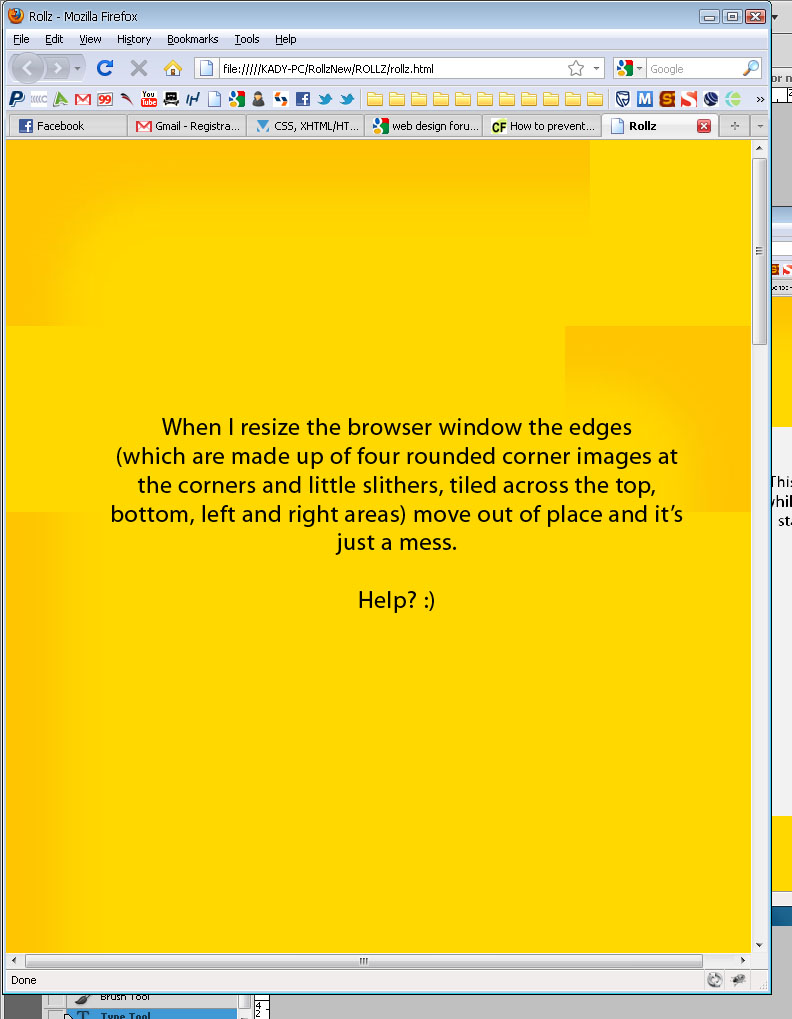
Hi guys, I am trying to code a site that has a background made of an orange gradient that's dark at the edges and lighter as you move inward toward the content (see image 1). It seems quiet easy to code this but there is one little catch (which is hopefully childs play to you guys)...the client wants me to make the content area (the white box) an expandable width while keeping the dark orange "border" at the edges of the window regardless of whether the width of content expands and also regardless of whether the window size changes. The orange border must stay at the size that it is too. So I can't just give the site an orange bgcolor. Basically the edges are made up of little images. 4 corner images and then slithers of gradient tiled across the top, bottom, left and right of the page. I have used jquery to get the window size so that I can make the slithers tile across the entire width/length of the window but if I try to resize the window all the images move about. How do I make it stick in place even while resizing? I hope this makes sense to you guys. Questions welcome and help GREATLY APPRECIATED!