Ozzy99
Members
-
Joined
-
Last visited
Everything posted by Ozzy99
-
I am in the uk and would like to take up your offer of being able to have a chat with you. I do appreciate the offer. I would prefer to to it early tomorrow morning if that possible. How does this work, do you want me to call you? Obviously I don't want to advertise my private number
-
Sorry I did not get back to you yesterday, I had two appointments yesterday that I had to attend. I am quite nervous about what I must do today. This is what I have done. 1. My Current Website is running from my “E” drive and contains all the various folders with images, pdf documents, all the Notepad++ html document etc, etc. (in other words everything). The folder page is called “mywebsite11”. 2. I have copied ALL these files to another drive “R” (twice) so I’ve got two identical folders on “R” drive as a backup. 3. You said:- Move all the files to a new folder that had the same name as your website. If I (try) to create a new folder with the same name, it will give me an error message saying “This destination already contains a folder named “mywebsite11”. To get over this should I name the new folder “mywebsite11” but before doing this change the current folder to “mywebsite11_old” ? This will give me “mywebsite11_old” with all the relevant documents and the other folder blank. 4. When it comes to running Visual Studio 2022 should the Project name be:- E >myfiles>mywebsite11_old OR E >myfiles>mywebsite11 I am assuming the LOCATION file name will be E >myfiles>mywebsite11 (that currently has no documents until after I run “configure your new project”, is that correct ? I sorry to be such a pain but I hope your answers will solve all my concerns so I can complete this today. Thanks once again Ozzy99
-
Hi fisicx, You said “Move all the files” to a new folder! Are you saying just 1 x html file from Notepad++ if so I would just use the home page that’s “index” 1. Do you class that as one complete file ? 2. If you mean all the files that’s made up of the following (As per attached document) I hope I will be able to move on. Thanks once again Ozzy99 One or all Q 020423.docx

-
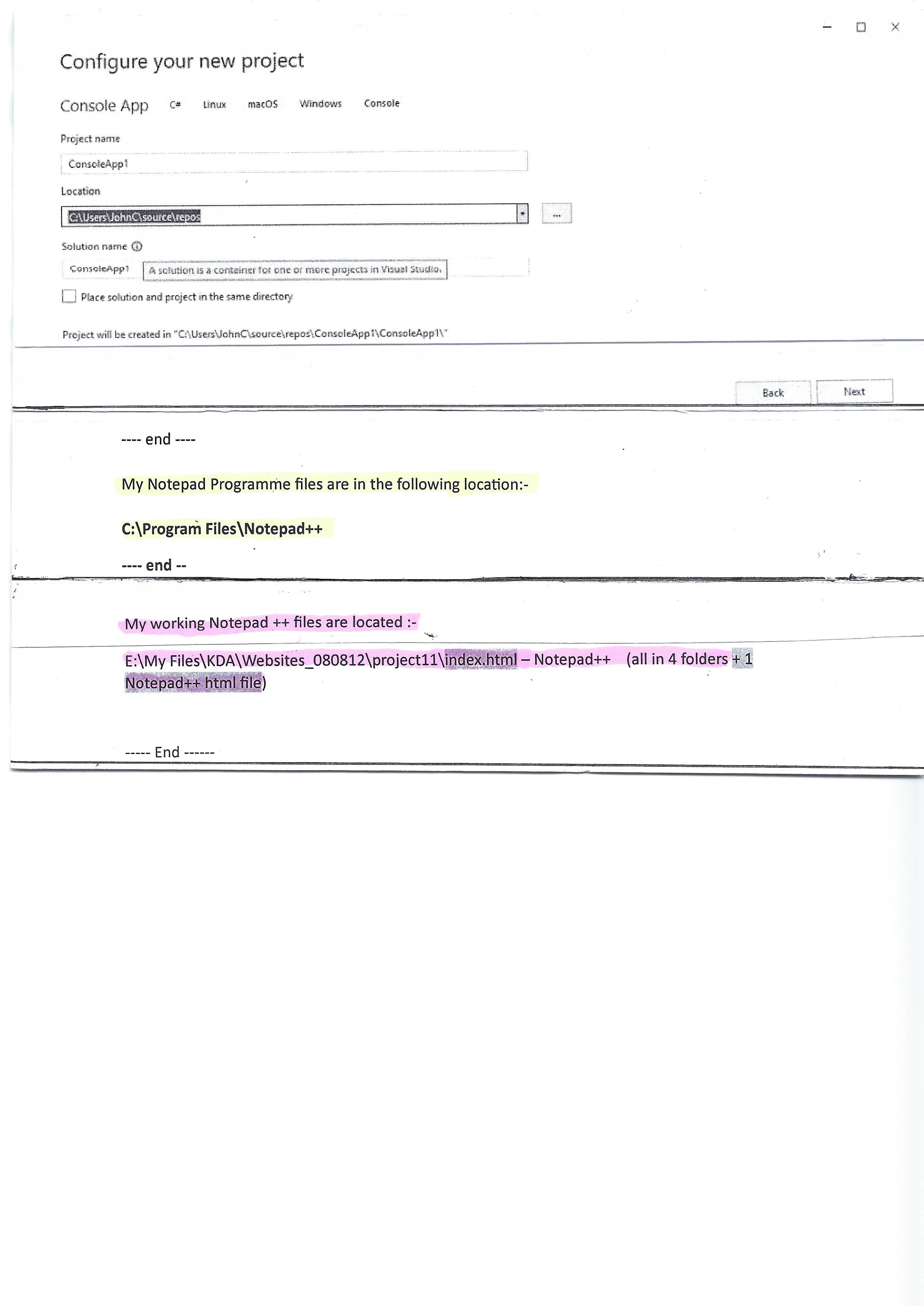
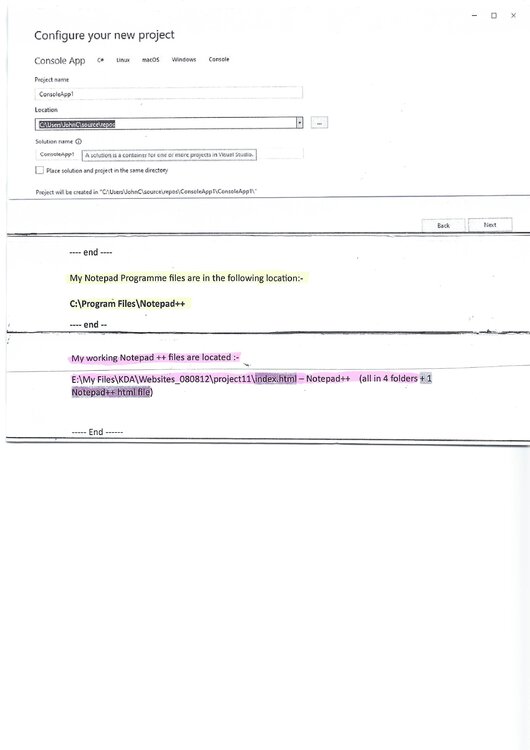
Hi fisicx, thanks for being so patient with me, I did as you said but am stuck with the "Configure your new project" page. What Project name should I give it? What location should I give it.? And What should I use as a Solution name? (The note says A Solution is a container for one or more projects in Visual Studio) I need some help with that also. I am attaching a file showing my locations for Notepad++ and the excising website (to the homepage "Indexindex.html" Thanks once again Ozzy99
-
I downloaded visual studio. Free from Microsoft and it's installed Visual Studio Community 2022 – Version 17.5.3 . I now have a shortcut icon on my desktop for Visual Studio 2922. When I open this I am given 4 options. Get Started: 1. Clone a Repository. 2 Open a Project or Solution. 3 Open a Local folders. 4 Create a new project. The object of this exercise was to replace the missing programmes that have been deleted by MS when my “C” drive failed and was cleared and reinstalled Win 10 (3 times since last Nov 2022 to Feb 2023) I have not had full control of my website since then. It’s still operational and seems to be working fine (I have over 100 x html pages in the Notepad++ programme. How do I update these 10 files/programmes (as shown above on page 1). Do I have to launch them in some way or will the process be automatic?
-
Thanks for your suggestion, It a little confusing looking at Download Visual Studio Tools - Install Free for Windows, Mac, Linux (microsoft.com) is "Community" the best for me, it seems like the only free one. Will this have all I need? The suggestion list shows:- Select all that apply to you .NET C# C++ Web Cloud Desktop Python Java JavaScript TypeScript EtcNode.jsG
-
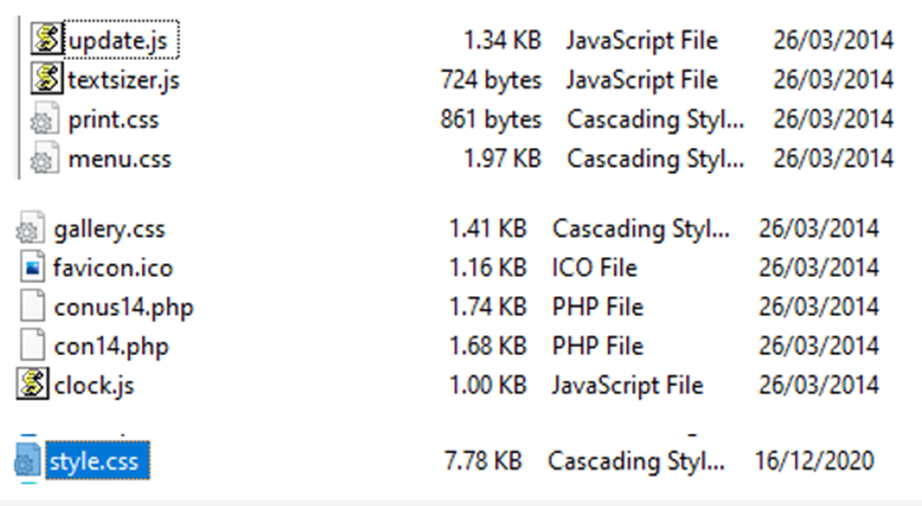
Important Facts: Help with missing programmes for my website. I have a website that has been running for many years, it’s my 3rd edition that was introduced in 2011. For almost the last year I have had many computer problems, resulting in having new “C” drives and as a result I have lost several programme files. I have spent quite a long time re-installing many of my mainly used programmes. My website was created using NotePad ++ (now running version 8.4.8) So no problems with recovering that. I had backup copies of all my website html files but have lost several of what I think may be important programme files that I may need to reinstall. My Main PC is a computer that is running Windows 10 Version 22H2 (OS Build 19045.2788) this is the latest version. I use MS 365 with office, and mainly use MS Edge, although I have always used Firefox to check my webpages before uploading. I have always used the same company to upload to and no problems with that. I use CutePro Professional (currently Version 8.3 – 8.3.4.007) to upload my website after running W3C validation checks. Question 1. I have a list of files that exist on my website that seem to be working, but the programmes that created some/perhaps all of them may need to be installed (I think). The main groups have NOT been updated since March 2014. These are the files below:- As far as I am aware all the above files still work and carry out the correct function/s. What programmes will I need to install? I will possibly be away for 48 hours, so I may be a little slow in replying to any questions/suggestions you may wish to ask me. Many thanks. Ozzy99
-
Hi Dap, I have been looking at the website for Notepad++ and it does not clearly mention its suitability for Windows 10, (perhaps it will at some later point) I did find one posting that said it does works for some Windows 10 users but not for others, Some mention problems when trying to use it. My problem is if I don't get one computer with Windows 10 fully operational that will handle my website I can't change my other computers. The website requires updates most days. I have discovered that CuteFTP are more than likely to bring an updated version to the market that will handle Windows 10, so I may have to wait for a while. All my computers are currently desktop PC's with Windows 7 plus a laptop that I have just installed Windows 10 and am testing. Thanks
-
Thanks rbrtSmith, You said about using Sublime text3, I will have a look at this. Your note about ftp and I should be using SSH with Git version control, this is all new to me. Would this mean a major update to my website? A brief look at my website indicates I have over 96 HTML pages, 50 Folders contain photographs & PDF files, a few Script files, and PHP files and around 5 CSS files. What sort of changes would I have to do to bring these up-to-date? It's a bit worrying
-
Thanks for your quick reply, I have always used the two programmes I mentioned above for my website and would like to have one that is a near to Notepad++ as possible. I am the wrong side of 70 to take on something very different. Can you suggest one that I can try. I have Windows 10 on a laptop that I could do some trials before installing Windows 10 on my main PC. I will have a look at Filezilla as the replacement for my CuteFTP. Your advise will be much appreciated.
-
I am considering upgrading from Windows 7 to Windows 10 I don't think Notepad++ will work with this (currently using Ver 6.8.1) Also I use CuteFTP 8 professional (currently using Ver 8.3.3.0054) If I cant use the above, any suggestions. Perhaps both will be updated shortly.
-
Thanks Nillervision, for all you help & advice together with all the other contributions. I am glad that the cause of the problem has be identified and I look forward to an update to the latest version of Firefox. I think I have found a way to work round this untill this happens The other points also raised about the need for me to change my website from <!DOCTYPE html> to XHTML etc raises some further questions. So I am assuming I should raise this in a new topic. I will check to see if any others have had this problem before doing this.
-
Thanks for all the above, I am now wondering what direction I should go, to be honest much of the above is beyond me. I also have an extreme lack of knowledge with the CSS, most of my website was a result of help from others, I would have real problems if I had to scrap what I have got and start again. I thing I could manage some modifications to the existing site with some guidance as what is required. I have around 80 pages on the site. I obviously need to evaluate the options and find the best way forward. I have has some concerns about “Lightbox” a programme I use for my 1000,s of photographs. I have not updated this for some time and perhaps I should do this now. I have done this in the past. I not sure what version I am running and what is the latest version. In recent years with tablets and Phones being used more and more each year for website viewing I may have some issues in that area.
-
Hi Nillervision, I had not tried this but today I have, in fact I duplicated it as the exact entry was already there. I have even today totally removed Firefox and did a fresh download and reinstalled it to see if that solved the issue, unfortunately it did not. Another development, the Laptop that was working fine, I decided to checked it’s Firefox version and was surprised to see it was:- version 32.0.3 Funnelcake July 2012, Mozilla12 – 1.0. It seems as if after I checked on the version it automatically updated (without me asking it too) so it’s now showing V36.0.1 Funnelcake July 2012, Mozilla12 – 1.0. And guess what it no longer allows me to carry out Validating of my local HTML documents on my website so it’s now the same as the original PC I raided the issue with. It would seem that it must be an issue with Firefox version V36.0.1. I am surprised that I have not found anyone else raising this issue. I will respond to the other suggestions as soon as I get a minute I am all behind today’Nock - I don’t really want to have one computer doing one thing and the other 4 using my preferred method. I hope to work to a solutions (perhaps with some other suggestionsfrom other experts on this site). ThanksNock Thanks for the reply, it sounds a lot of work but it’s only four clicks of a mouse (possibly less that your suggestion). And to cut and paste is ok but with over 600 lines of code on many single pages of my website it’s something I would not wish to do. I have three PC’s and two laptops that it works on fine. It’s just one of my PC’s that it no longer completes the action. I very much suspect the problem lies with something that has changed on this PC and in the Firefox programme. The only thing I could now try would be to completely remove Firefox, re-install it together with the web tools and see if that works. I was just hoping someone else who uses the same method has also had this problem. Thanks again.I am using Firefox V36.0.1 and after several years of using Firefox to evaluate my website and look for any coding errors, it’s no longer working on one of my PC’s both computers have the Web Developer add-ons. This is how I normally use it. I do all the coding for my website using Notepad++ (using Notepad++ V6.7.5) The procedure I follow is the following:- 1. Once I have completed my work using Notepad++ I select the option (from within Notepad++) RUN >LAUNCH IN FIREFOX 2. When Firefox opens I select :- Tools > Validate Local HTML it then brings up chrome://web-developer/content/validation/html.html and a few seconds later it automatically changes to http://validator.w3.org/check followed by a result: Pass or Fail Normally when passed it will say: This document was successfully checked as XHTML 1.0 Transitional! The PC with the problem seems to freeze at stage 2, the following displays BUT it does NOT advance any further no matter how long I wait. chrome://web-developer/content/validation/html.html – it does not progress at all Is it a Firefox problem? Is it a problems with the add-on ? (I have deleted it and reloaded it – the problem remained) Is it a Notepad++ problem? Any help will be appreciated.Thanks all for the tips and links, I have managed to get access to Google using my GMail address and my password. I uploaded the small HTML file and my website site is now added to Google. It described it as a large website, but did not list any errors. I have been able to access “Webmaster Tools” and now have five options Add all your website versions> Make sure you add both "www" and "non-www" versions for your site. Also, if you use the HTTPS protocol, add those variations as well. Select your preferred version Choose whether you want your site to appear with or without "www" in Google Search. Select target country Set your geographic preference if your site targets users in a specific country Share access with co-workers If you want other people to access your reports, you can add different access levels. Submit a sitemap file Submit a sitemap file This helps Google better understand how to crawl your site. I am thinking perhaps the sitemap page is one of the best places to start, I do have a sitemap page, but it’s possible a bit on the weak side. I think it needs a search facility, but not figured to how to do that yet. What is the best selection for 2 above? I do get quite a number of non-uk visitors looking at pages that have historical interest pages, so what ‘s best for 3. It seems I have a lot of reading and actions, that’s going to take me quite some time. Do any of the Google Webmaster tools help with any current errors or suggestions?Thanks again, I have been trying to login to my google account, I have not used it for years and don't even remember my username or password, so far tried all options. As it does recognise my email address it does not allow me to use it again to try and create a new account – just going round in circles at the moment. Your comments are helpful, I have already looked at a similar website and see the following:- <title> Best bathrooms from companyname.co.uk</title> <meta name="description" content=" One of the largest suppliers of bathrooms, worldwide, free delivery to your door, vast online selection and choices.”/> <meta name-“keywords” content=”baths, bathrooms, furniture, showers, taps, shower doors, cubicles, discounts, trade and retail supplier,”/> I DID SEE ON ONE SITE:- <meta name-“google-site-verification” content=”- then a load of letters & numbers “/> <meta name=”p:domain_verify” content=” an a load of letters & numbers again“/> <meta name=”googlebot” content=”NOODP”/> What’s that all about? Seems strange I cannot cut and paste using IE. (using Firefox again)Thanks nfc212, I have to confess that I the word "charset" was correct on my website, yesterday I went to this website and forsome reason "Google" would not allow me to cut and pate. today I am using Firefox and it will allow me today. The following is what I intended to send. Thanks for answering the question about keywords, I will leave them in. I have noticed that I don't get so many hits through Google recently, that was one of my concerns. I don't know what I need to do to rectify this. The following is what I intended to add yesterday. <!DOCTYPE html PUBLIC "-//W3C//DTD XHTML 1.0 Transitional//EN" "http://www.w3.org/TR/xhtml1/DTD/xhtml1-transitional.dtd"> <html xmlns="http://www.w3.org/1999/xhtml" > <head> <title>John Smith plumbing - bathrooms </title> (other pages would be like John Smith plumbing - Kitchens ) <meta http-equiv="Content-Type" content="text/html;charset=utf-8" /> <meta name="description" content="_________" /> <meta name="keywords" content="____________" /> <meta name="robots" content="index,follow" /> Can you confirm what sort of text should be added to the other meta lines above, just so I can get it cvlear in my mind. also any limit on how much text, should it bne kept short or does it really matter. any meta items missing?I am running a website that I setup about 4/5 years ago, whilst it's regally updated the headers remain the same as when first created. I think these need updating specifically the Meta tags. I have well over 90 HTML pages on my site all with different subject headings. I understand I should no longer be using "Keywords" is this correct? I have <title> (my name) and the page title and whats its about </title> <meta name="description" content=" ____________" /> <meta name="keywords" content=" ____________" /> <meta http-equiv="Content-Type" content="text/html;chareset-utf-8" /> <meta name="robots" content="index,follow" /> what should be ine these meta lines for the best results?Hi Wickham, I did try it in other ways, but it seemed to upset the line and paragraph numbering, also created a further indent in the paragraph and it looked a mess - also it failed the W3C test. The way I have it now does give me a pass message in W3C. As it has given it the OK I will leave things as currently set. I agree perhaps it's given me a little more space between lines, but I looks fine. When I have completed the website I may go back to it and have another go. Again many thanks for you great help that gave me the result I wanted.Hi Wickham, Great news all sorted, many thanks for all your pointers. I would not like to say how long I have been sorting this problem over the last few weeks. What I did was as follows:- <li>FP Cup (Humour)</li> <li>LN Cup (Architecture)<p>PLUS</p></li> <li>Highest total points for the Year (from competitions i to vii above)</li> I did not have to get the numbering to start again as I expected it just carried on. The same applied to the second entry of text. I changed it to:- <li>Eighth 2 points</li> <li>All other entrants 1 point<p>Where two entrants gain the same aggregated marks they share the place points. The next placed entrant is awarded points for the position two below. Thus, for example, if equal third both entrants gain (7+6) divide 2=6.5 points and the next placed entrant gains 5 points.</p></li> </ol> I will press on now and will come back to this forum with some of the other problems I have outstanding Thank you very much indeed.