goldfingerler
Members
-
Joined
-
Last visited
-
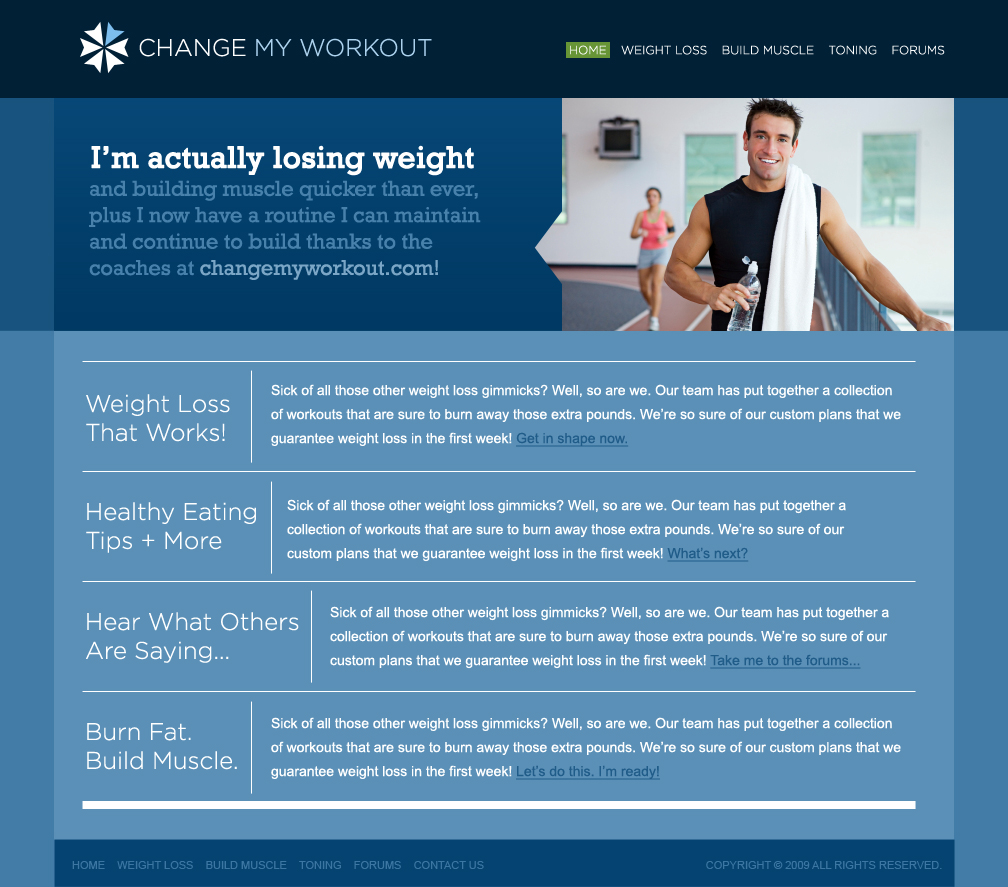
Hmmmm... I had someone fix a few browser compatibility issues, and it looks like we're still having some Mac issues. Thanks for the heads up. It's obviously not supposed to look like that. With the navigation looking correct and the Home page looking all the same color, any other thoughts? Cheers, Mike
-
Greetings, I've just finished my first site and launched it last night. I have been working on it for a few months and am already looking to redesign the whole structure as well as add a few more ideas. Let me know what you like and/or don't like about the site as is. I'd appreciate positive and negative criticism. Thanks. www.changemyworkout.com Cheers, Mike
-
hey guys. www.changemyworkout.com/contactus.php i can't seem to style the contact form correctly so the labels are clearly on top of each other. any ideas? thanks in advance.
-
Good Afternoon. Reference - www.changemyworkout.com/home.php I am trying to have the images on each page banner have a slide show effect. I am not sure how to slice the image to include the little arrow. I haven't really been able to find any tutorials that were helpful. Thanks in advance, I really appreciate your time. Cheers, Mike
-
Perfect. Thanks everyone.
-
I am trying to have the hover stay active while the user is on that certain page. Example - www.changemyworkout.com/home.php The navigation to the upper right has a green background hover. I'm not sure how to have the green background stay permanent while that page is active. Thanks in advance.
-
Hey All, In my hiatus, I have been working with a friend of mine who does graphics. This is what we came up with for the home page. Let me know what you all think. Thanks.

-
i allllllmost got it working. check it out, how can i add like 1 or 2 px onto the gloss on the bottom and right? www.changemyworkout.com

-
not exactly what i was looking for with the padding. i am trying to just double the canvas size and move the two images inside the one, but i cant seem to figure it out.


-
the hover works now but it doesn't match up with the original. i would also like to keep the white border around the buttons. thanks again guys, i really appreciate the help. www.changemyworkout.com
-
i input the code, but the hover isn't working. also, the right side of the image has a bit of the hovered image in it. any chance of a quick tutorial on getting them on one image, i need to do it with 5 other buttons. thanks again.
-
im having trouble getting the two buttons onto one image, any ideas?
-
how would i do the hover in the css to have the second attachment come up when i hover over the original button. thanks in advance everyone. peace and love. mike.


-
tried it, no go. maybe it has something to do with the fact that they r images?
-
hey all. on a site im working on, www.changemyworkout.com, i am trying to link these images. and as you can see, when i link one of the images, it forms a big white border around it and i cannot figure out why. thoughts? thanks all. peace and love. mike.