andrej
Members
-
Joined
-
Last visited
Everything posted by andrej
-
Hello, welcome aboard!
-
 Thank you Ben for your comment and sorry for my late reply. The way I done the sketch was the following: I drew the lines on a blank paper using a marker, scanned it and then colored to the sketch using Adobe Photoshop. It's also good to use a digital tablet, so that you can sketch right on the computer.
 -
-
 logo design
© © andrejpariza.co.nr
-
-
-
-
 logo design
© © andrejpariza.co.nr
-
 logo design
© © andrejpariza.co.nr
-
-
 logo design
© © andrejpariza.co.nr
-
 snowboard design submitted for Salomon snowboards design competition
© © andrejpariza.co.nr
-
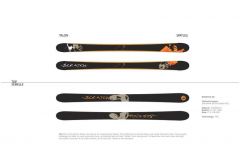 skis design submitted for Rossignol design competition
© © andrejpariza.co.nr
-
my entry for the 4th Peugeot design contest
© © andrejpariza.co.nr